
Nano Banana Pro

Nano Banana ProGive a detailed visual brief room to shine

Create a carefully art-directed poster, a product scene or a visual explanation with Nano Banana Pro. Google’s Gemini 3 Pro Image emphasizes reasoning, rich detail and creative control. This page turns those strengths into practical starting points: see actual outputs, read why each brief is structured that way, then open the model with a prompt you can customize. Begin with the visual you need, not with an abstract promise of professional quality.

  • Nano Banana Pro
  • Output tiers: 1K / 2K / 4K
  • Up to 4 references · 1–8 outputs

Strengths, trade-offs and the right task

Choose by the work you need to do—not by the version number. These starting recommendations combine official model positioning with the controls available here; they are not a speed, price or quality ranking.

Nano Banana Pro

The premium reasoning-oriented choice for complex visual briefs: information hierarchy, multilingual design and closely directed image composition.

Where it shines

Information arranged visually

Useful for explaining a supplied process, turning notes into a diagram or laying out several related panels. Give it the actual labels, sequence and relationships rather than asking it to invent the underlying facts.

Typography and localization

Its text and multilingual capabilities suit a campaign with headline, subtitle and supporting labels, or a localized version of a design. Specify wording and visual hierarchy together.

Detailed art direction

Describe camera position, depth of field, material, color and lighting separately. This is a relevant candidate when the brief is already decided and the challenge is a coherent, controlled final visual.

Where it is less suitable

Pro does not mean universally better. Nano Banana 2.1 is the newer general-purpose efficiency route; a simple background concept may not need Pro's specialization. Small text, crowded faces and elaborate blending remain difficult. A factual-looking diagram is still not a verified source of facts.

On this workspace

The site provides 1K–4K and standard ratios, not 1:8/8:1. It accepts four references, not Google's full reference allowance, and has no grounding switch, brush mask or editable text layers.

Choose another model when…

  • Nano Banana 2.1 — You want broad concept exploration, a product series or an extreme banner ratio.
  • GPT Image 2.5 — You want to change one element of an existing picture while defining preservation constraints.

A brief that plays to its strengths

For a diagram, supply approved content first: three panels, exact labels, left-to-right order and connecting arrows. For a poster, separate title, subtitle and image area; do not hide a long paragraph inside a style description.
Create with this model · Nano Banana Pro ↗

Real outputs, useful starting points

Each picture was generated by the named model. Open an example, adapt the prompt and add your own reference when needed.

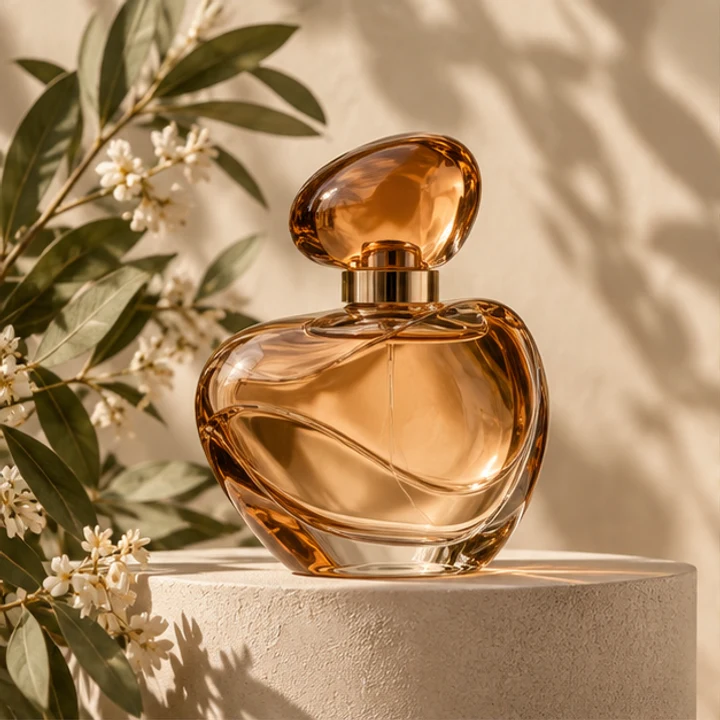
Reference input · Art-direct a product photograph
Reference input
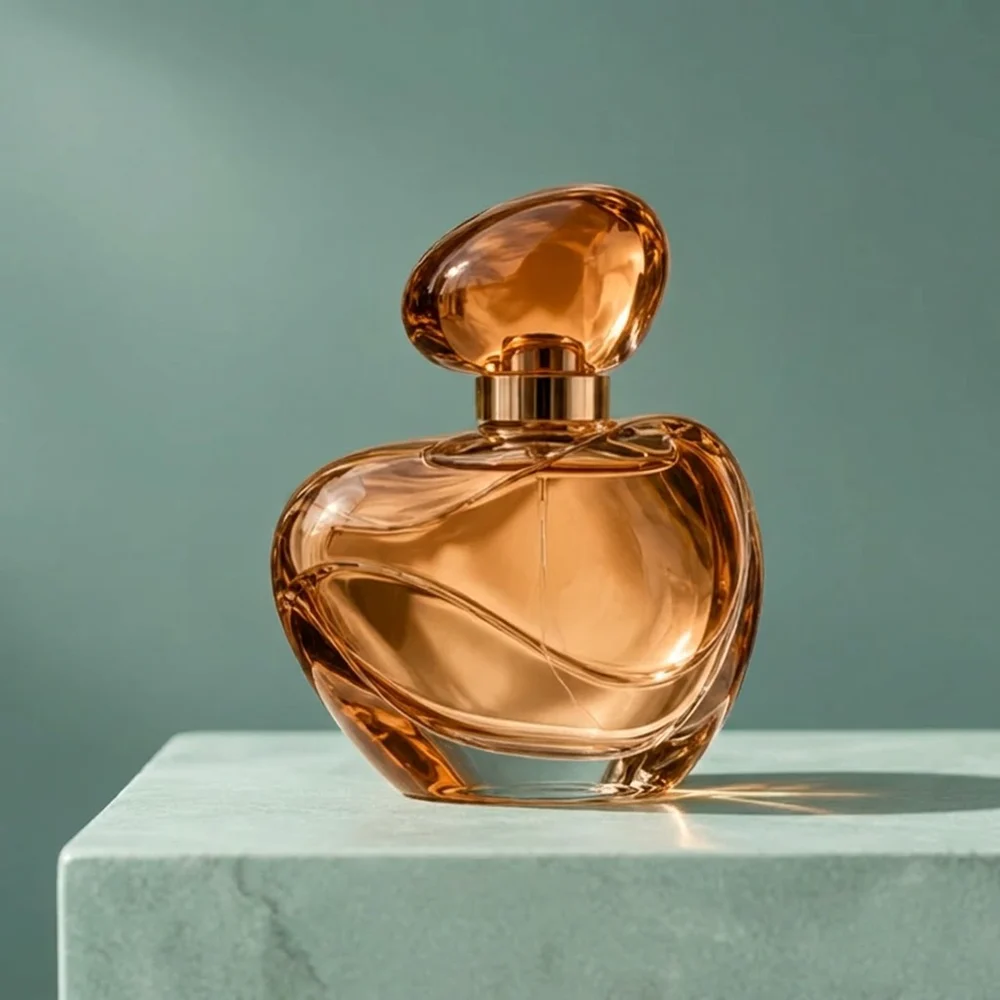
Nano Banana Pro generated amber perfume bottle on a seafoam plinth with soft studio light
Actual model output · Nano Banana Pro · 1:1 · 1K

Art-direct a product photograph

The bottle edit asks for a restrained studio composition instead of a busy campaign collage. Glass material, cap shape, plinth and contact shadow all have a role in the brief. Use it to explore a packaging presentation or product campaign concept; add your own source photograph after opening the workspace. This image is a real Nano Banana Pro output, not an imported competitor example.

Create from this idea ↗
Editable starting prompt

Use image 1 as the product reference. Keep the rounded amber perfume bottle, oval cap, gold collar, recognizable silhouette and glass. Place it on pale seafoam stone against muted teal, soft window light from the left and natural contact shadow. Remove flowers and leaves. No labels, text, people or logos. One square studio photograph.

Original prompt used for the displayed image (English)

Use image 1 as the product reference. Make a realistic studio product photograph of the same rounded amber glass perfume bottle with its oval amber cap and gold collar. Place it on a pale seafoam stone plinth against a muted teal background, with soft window light from the left and a believable contact shadow. Keep the bottle silhouette, glass material and liquid color recognizable. Remove the original flowers and leaves. No people, no labels, no text, no logos, no collage. One square finished image.

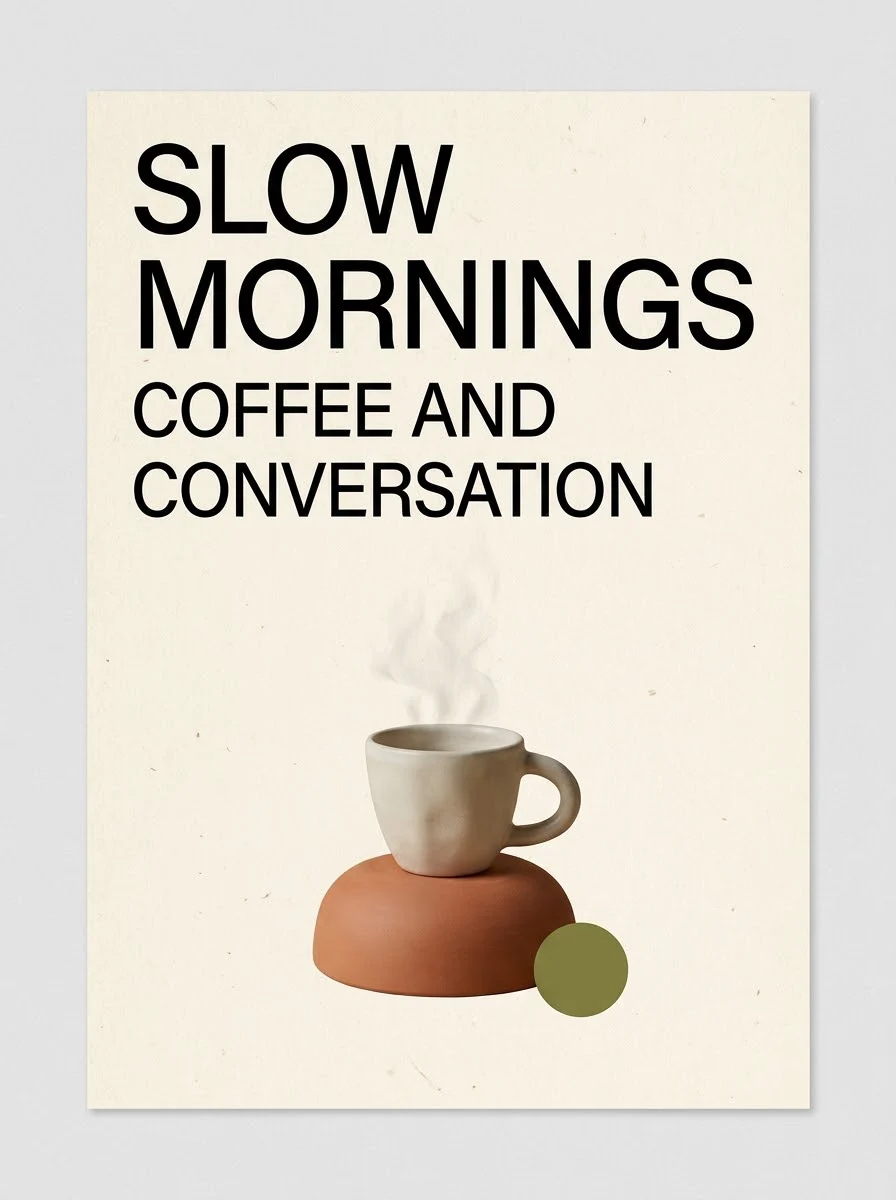
Nano Banana Pro cafe poster: SLOW MORNINGS headline, espresso cup and COFFEE AND CONVERSATION subtitle
Actual model output · Nano Banana Pro · 3:4 · 1K

Create a cafe poster with a clear hierarchy

An ivory background, warm terracotta and a small olive accent support the espresso theme. The prompt keeps the headline above the main object and limits the design to two text elements. Substitute your own short wording and palette to explore a cafe announcement or concept poster. There is no editable font layer in the generated image; it is a finished raster composition.

Create from this idea ↗
Editable starting prompt

Design one portrait 3:4 poster for an imaginary neighborhood cafe. Warm ivory paper, an espresso cup with soft steam on a terracotta plinth below, small olive-green circle, generous margins. Put exactly SLOW MORNINGS in two large uppercase lines at the top and COFFEE AND CONVERSATION below in smaller type. No other text, logos or frame.

Original prompt used for the displayed image (English)

Design a refined single portrait 3:4 poster for an imaginary neighborhood cafe. Warm ivory paper, a sculptural espresso cup with soft steam on a terracotta plinth in the lower half, a small olive-green circle, restrained Swiss editorial layout and generous margins. Set exactly the large headline SLOW MORNINGS in two clear uppercase lines at the top, and below it the smaller line COFFEE AND CONVERSATION. No other words, no logos, no watermark, no mockup frame.

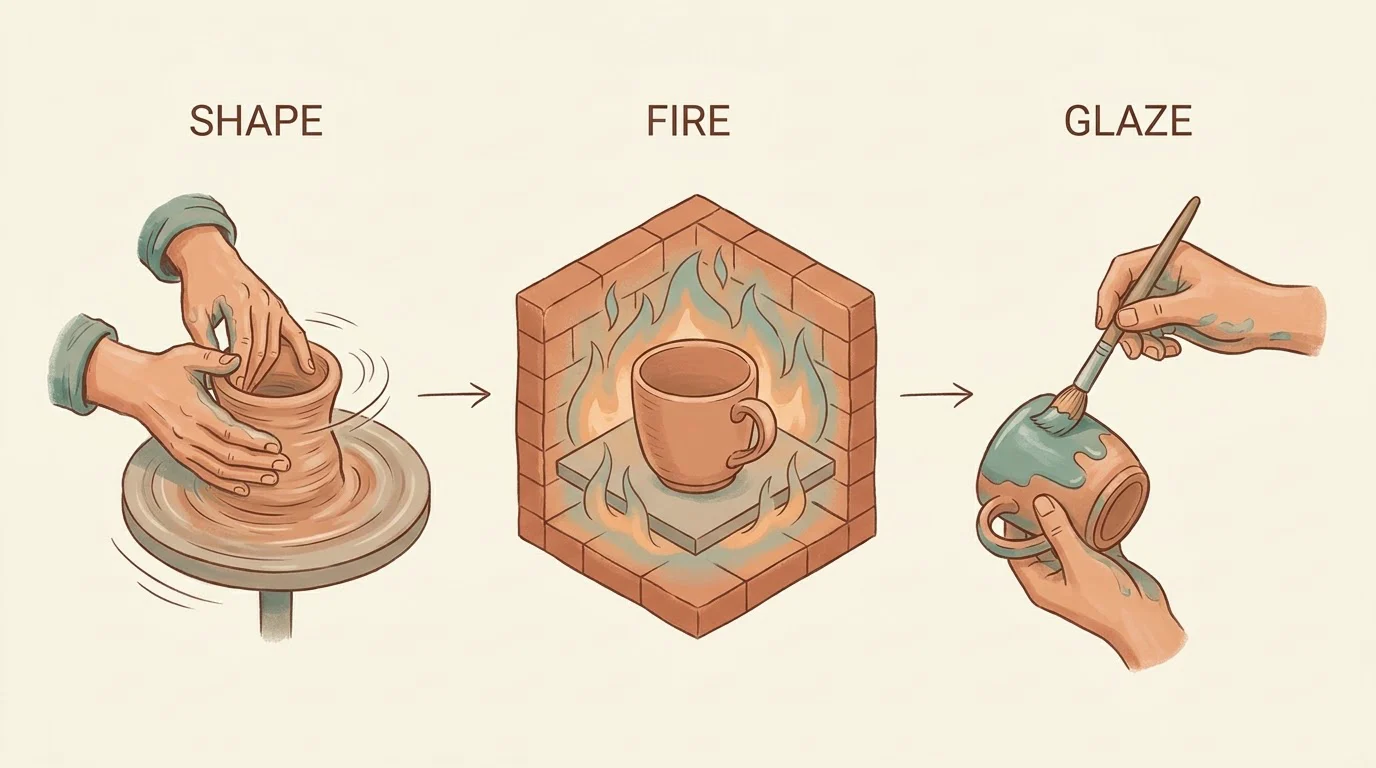
Nano Banana Pro three-panel illustration labeled SHAPE, FIRE and GLAZE with pottery tools
Actual model output · Nano Banana Pro · 16:9 · 1K

Turn a supplied process into a visual sequence

This illustrative pottery sequence demonstrates panel placement, recurring materials and short labels. Its supplied steps are a design exercise, not a complete ceramics tutorial: actual firing and glazing workflows depend on clay and equipment. Use the same layout method for a process you have already established, naming each panel and the arrows connecting it before generating.

Create from this idea ↗
Editable starting prompt

Create one horizontal 16:9 three-panel pottery illustration on ivory paper. Left: hands shaping clay on a wheel; middle: unglazed cup in a kiln; right: hand brushing glaze on a cup. Muted teal and clay palette, fine isometric drawing, generous margins. Exactly SHAPE, FIRE, GLAZE above the respective panels. Thin arrows left to right, no other text or logos.

Original prompt used for the displayed image (English)

Create a polished horizontal 16:9 three-step infographic explaining a simple ceramic cup making process. Ivory background, generous margins, warm clay and muted teal palette, fine hand-drawn isometric illustrations. Left panel shows two hands shaping wet clay on a pottery wheel, middle panel shows a finished unglazed cup inside a kiln, right panel shows a hand brushing glaze onto a cup. Above the panels put exactly the labels SHAPE, FIRE, GLAZE, one word above each corresponding panel. Thin arrows connect panels left to right. No other text, no logos, no photograph frame.

These are site-produced model samples, not customer testimonials. Links select a model and prompt only; they do not upload a photo or submit a generation. Localized starting prompts describe the same task, but the displayed outputs used the original English prompts.

From idea to a useful brief

01

Write the brief like a compact art-direction sheet

Separate your request into subject, layout, appearance and exclusions. For the cafe example, the subject is an espresso cup, the layout puts lettering above it, the appearance is warm editorial minimalism and the exclusions prevent a mockup frame or extra copy. This structure makes a complex idea easier to communicate than a long list of unrelated style tags. If you need a diagram, supply its information and reading order. If you need a product concept, specify the object’s visual identity and the environment. Give each requirement a clear purpose.

02

Choose the canvas before adding detail

Nano Banana Pro has square, landscape, portrait and wide canvas options here, with 1K, 2K and 4K output tiers. A poster benefits from portrait space; a sequence of panels often needs a landscape frame. Start with the placement of the subject and headline, then consider whether a larger output is useful for your destination. Extra-tall 1:8 and extra-wide 8:1 controls belong to the Nano Banana 2 and 2.1 entries, not this Pro entry. Quality remains automatic in the current Pro workspace.

03

Keep the next iteration intentional

Once you have a direction, request one meaningful change: warmer light, more open space or a different illustration material. Upload a selected output as the next reference if you want to build on it. Do not expect an image-generation request to deliver editable design layers or a full brand system. For broader exploration, compare Nano Banana 2 or 2.1 using the same brief; for a different interpretation of precise written constraints, try GPT Image 2.5. The comparison page describes the settings actually available here rather than importing another platform’s options.

Current workspace controls

Output tiers · Quality

Nano Banana Pro: 1K / 2K / 4K · Automatic

Canvas ratios: 1:1 · 16:9 · 9:16 · 4:3 · 3:4 · 3:2 · 2:3 · 5:4 · 4:5 · 21:9

References and outputs

Text-only creation or up to 4 reference images; JPG, PNG or WebP, up to 25 MB each. Choose 1–8 outputs. Generated images are not editable design layers.

Credits before you submit

Opening the workspace does not generate an image. Sign in and check the current estimate for the model, output tier and count before submitting. No fixed generation time or universal price is promised here.

Questions before creating

What is Nano Banana Pro useful for?

It is a relevant choice for structured visual briefs, typographic posters, product presentation and illustrative diagrams. This page demonstrates three such tasks. A model name alone cannot decide every project, so use the sample closest to your intended result and adapt it to your own content.

Does this workspace include Google Search grounding?

No separate web-search or grounding control is exposed here. The page focuses on text prompts, user-supplied reference images and the available canvas settings. Features described for other Google products should not be assumed to be additional tools on this site.

How many references can I supply?

The current workspace accepts up to four reference images. Identify their roles in the prompt, such as product, style or lighting. This is the site’s limit, not a claim about the maximum input count offered by every Nano Banana Pro integration.

How are price and access handled?

Opening a prompt does not generate an image. Sign in and review the current credit estimate in the workspace before submitting. Changing resolution or output count changes the estimate. My Look Story is an independent product, not Google’s official application.

Your brief, your next image

Choose a model, adjust the idea and start in the workspace. The link does not submit a generation.

Start creating ↗

Reviewed: 8 October 2026

Prepared by My Look Story using actual model outputs and the currently available workspace settings. Independent service; not affiliated with Google or OpenAI.