
GPT Image 2.5

GPT Image 2.5Make a precise brief into a finished image

Use GPT Image 2.5 to turn a described scene into a picture or give a reference photograph a new setting. The GPT Image 2.5 family emphasizes precise editing and subject preservation. In My Look Story, the available GPT Image 2.5 entry provides a prompt-first workflow with optional references, aspect-ratio choices and automatic quality. See its actual outputs here, then take an editable example into the workspace without writing a new brief from scratch.

  • GPT Image 2.5
  • Output tiers: 1K
  • Up to 4 references · 1–8 outputs

Strengths, trade-offs and the right task

Choose by the work you need to do—not by the version number. These starting recommendations combine official model positioning with the controls available here; they are not a speed, price or quality ranking.

GPT Image 2.5

An editing-focused candidate when your brief clearly separates what changes from what stays, with detailed scene instructions for text-to-image work too.

Where it shines

Targeted reference editing

The family emphasizes precise editing and subject preservation. Relevant tasks include changing a product's setting, replacing clothing or adding an object while describing the surrounding image that should remain.

Explicit scene relationships

Object counts, positions, materials and lighting can be written as a visual specification. This is a useful candidate for tabletop images, product arrangements and sketch-to-image concepts.

Text and design variations

The family supports headline graphics, layout translation and style transfer. Keep exact copy separate from decorative elements and assign each reference a clear role.

Where it is less suitable

Text placement, structured compositions and recurring brand elements can still drift. It is not a deterministic layer editor. Official Flare favors speed and Sunburst favors quality; our provider's generic 2.5 entry is not confirmed as either, so neither variant's advantage is promised here.

On this workspace

The current entry offers the 1K request tier, automatic quality and standard ratios. That is a site limitation, not the official family's resolution ceiling. Flare/Sunburst selection, 4K and transparent output are not available here.

Choose another model when…

  • Nano Banana 2.1 — You need this site's 2K/4K tiers or extreme banner ratios.
  • Nano Banana Pro — Your focus is a complex multilingual infographic rather than a narrow reference edit.

A brief that plays to its strengths

Write the edit as two lists: change the background and surface; preserve the bottle, cap, material and viewing angle. Upload the existing picture and avoid introducing an unrelated new style in the same request.
Create with this model · GPT Image 2.5 ↗

Real outputs, useful starting points

Each picture was generated by the named model. Open an example, adapt the prompt and add your own reference when needed.

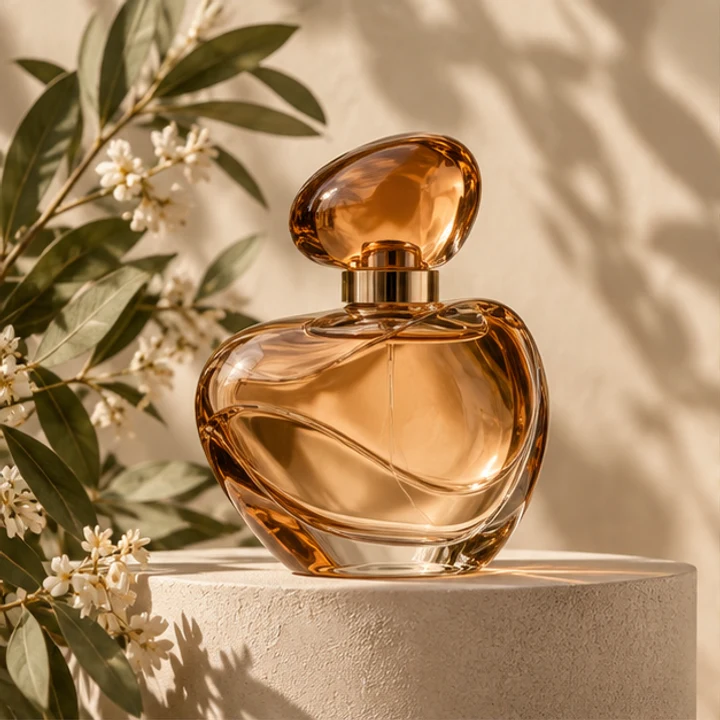
Reference input · Change a product setting with a reference
Reference input
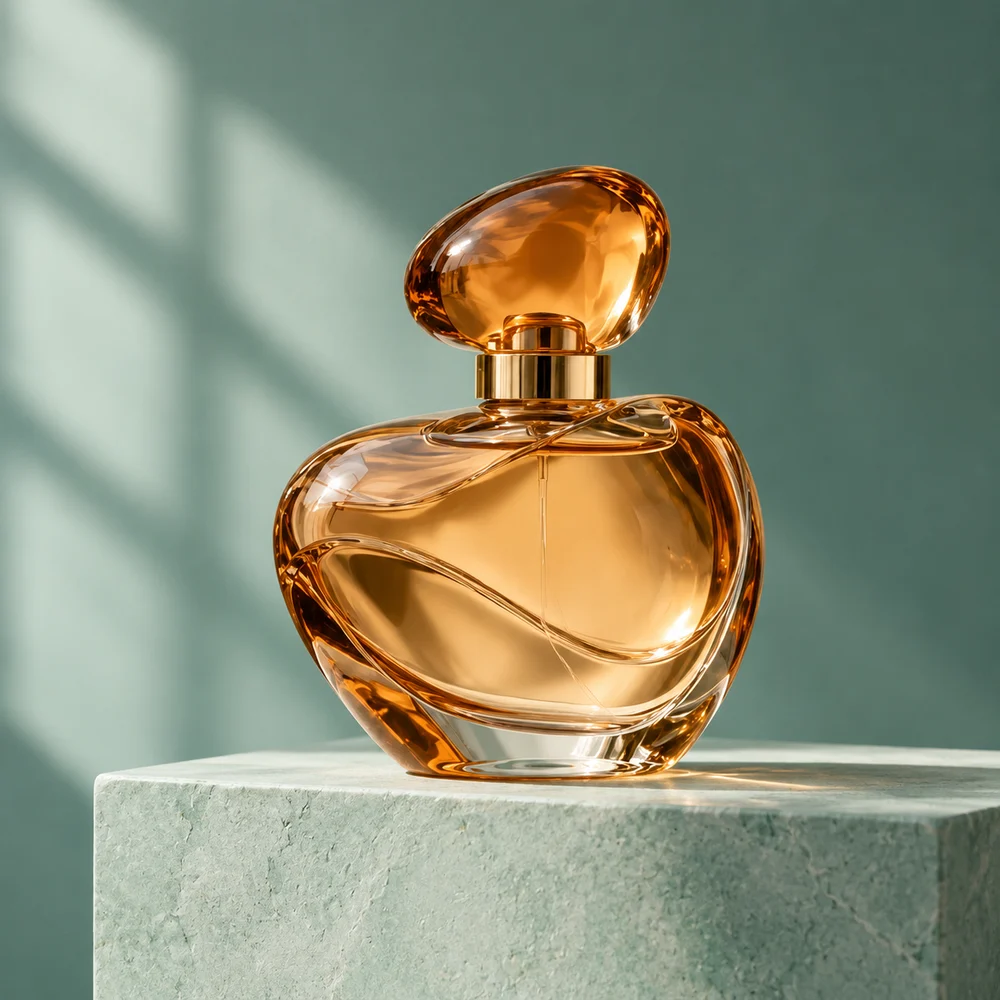
GPT Image 2.5 actual output: amber glass perfume bottle on a pale seafoam plinth against teal
Actual model output · GPT Image 2.5 · 1:1 · 1K

Change a product setting with a reference

This is the same source product and original English brief used for the four-model comparison. Look at the model’s interpretation of the glass, cap, side light and shadow, rather than assuming its result will match another model pixel for pixel. To create your own version, upload your product photo and revise the descriptive details. The example button does not automatically upload our sample reference.

Create from this idea ↗
Editable starting prompt

Use image 1 as the product reference. Make a realistic photograph of the same rounded amber perfume bottle, oval cap and gold collar. Pale seafoam stone plinth, muted teal background, soft left window light and natural contact shadow. Retain the bottle silhouette, glass and liquid color. Remove flowers and leaves. No labels, text, people or logos. Square image.

Original prompt used for the displayed image (English)

Use image 1 as the product reference. Make a realistic studio product photograph of the same rounded amber glass perfume bottle with its oval amber cap and gold collar. Place it on a pale seafoam stone plinth against a muted teal background, with soft window light from the left and a believable contact shadow. Keep the bottle silhouette, glass material and liquid color recognizable. Remove the original flowers and leaves. No people, no labels, no text, no logos, no collage. One square finished image.

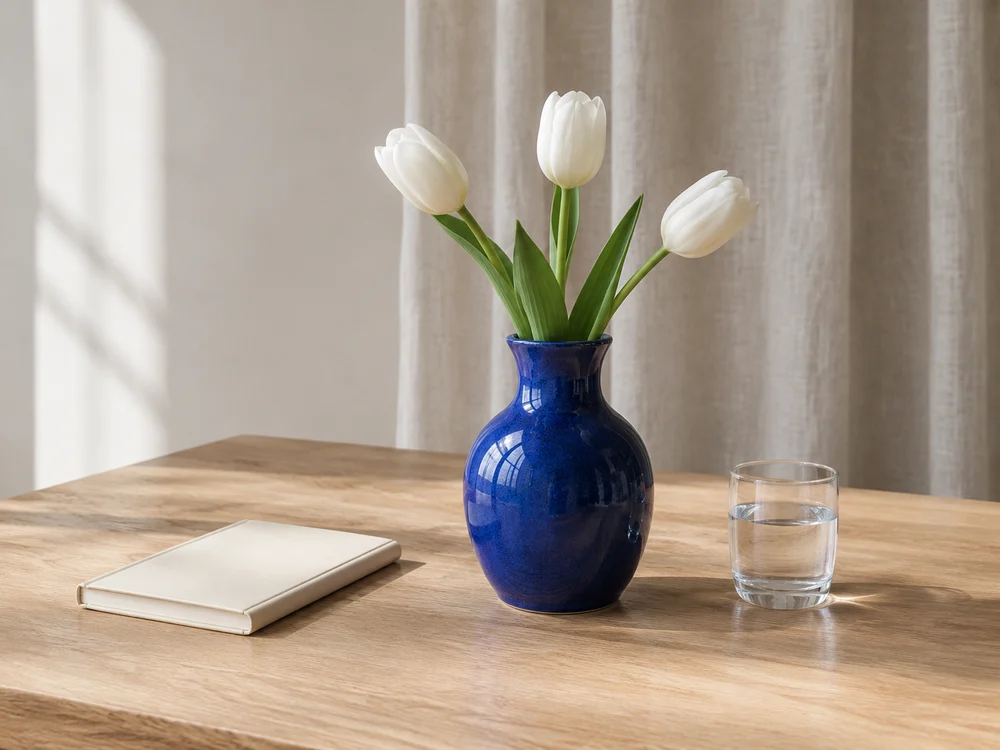
GPT Image 2.5 still life: cobalt vase with three white tulips, cream notebook and water glass on oak
Actual model output · GPT Image 2.5 · 4:3 · 1K

Arrange an editorial still life

The still life names three objects and their relative positions, giving the scene an editorial purpose. Oak, ceramic, glass and linen create a tactile contrast without a busy background. Adapt this brief for a journal cover, a mood board or an interior-detail concept. The pictured arrangement is AI-generated, not a documented photograph of a real publication or physical room.

Create from this idea ↗
Editable starting prompt

Create a realistic horizontal 4:3 editorial tabletop photograph. One cobalt ceramic vase with three white tulips in the center, a closed cream notebook on its left and a small water glass on its right, on pale oak. Linen curtain behind, soft afternoon window light from the left, natural shadows and textures. No people, letters, logos or extra objects.

Original prompt used for the displayed image (English)

Create a realistic editorial tabletop photograph for a design journal. On a pale oak table place exactly one cobalt ceramic vase with three white tulips, one closed cream notebook to its left and one small glass of water to its right. A soft linen curtain is visible in the background. Afternoon window light from the left, gentle realistic shadows, calm neutral palette, tactile wood and ceramic textures, eye-level framing. No people, no letters, no logos, no extra flowers or objects. One horizontal 4:3 image.

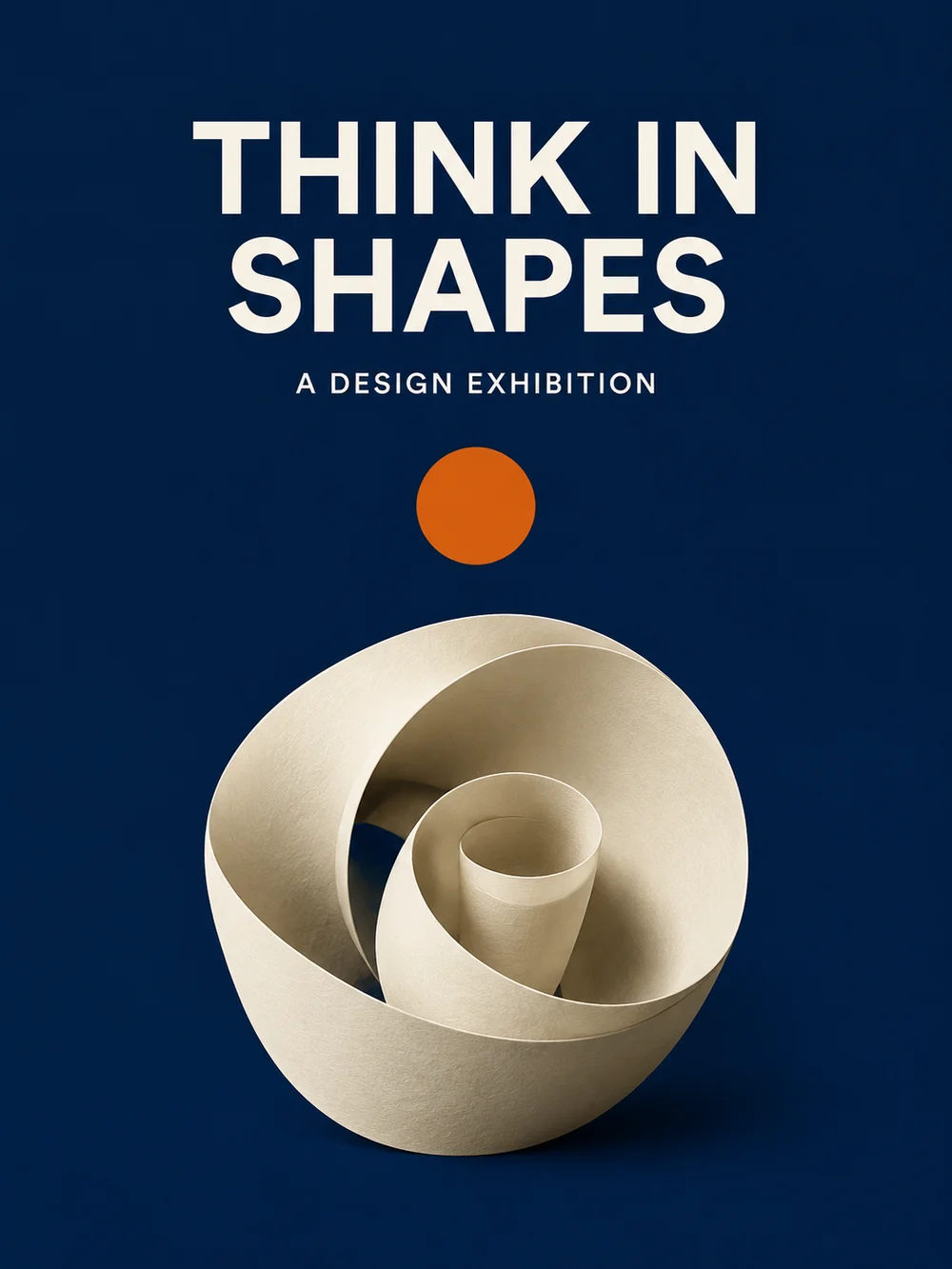
GPT Image 2.5 poster with THINK IN SHAPES and A DESIGN EXHIBITION above a cream paper spiral
Actual model output · GPT Image 2.5 · 3:4 · 1K

Explore a restrained exhibition poster

A paper spiral and one orange accent support the idea of an imagined design exhibition. The short headline sits in its own area rather than competing with a detailed illustration. Change the event wording, material and color contrast to develop your direction. The output is a single raster image, not a layered poster file, and the sample does not advertise an actual exhibition.

Create from this idea ↗
Editable starting prompt

Create one portrait 3:4 poster for a fictional design exhibition. Midnight-blue background, one sculptural cream paper spiral in the lower half, small burnt-orange circle and generous negative space. Exactly THINK IN SHAPES in two large uppercase lines above, then A DESIGN EXHIBITION in smaller clear sans-serif type. No other text, logos or frame.

Original prompt used for the displayed image (English)

Create one portrait 3:4 editorial poster for a fictional design exhibition. Deep midnight-blue background, one sculptural cream paper spiral centered in the lower half, a small burnt-orange circle and generous negative space. Set exactly the large headline THINK IN SHAPES in two clear uppercase lines in the top half, and below it the smaller line A DESIGN EXHIBITION. Clear sans-serif typography, clean hierarchy. No other text, no logos, no watermark, no mockup frame.

These are site-produced model samples, not customer testimonials. Links select a model and prompt only; they do not upload a photo or submit a generation. Localized starting prompts describe the same task, but the displayed outputs used the original English prompts.

From idea to a useful brief

01

Build a prompt that reads like a production brief

Begin with the result type: an editorial photograph, a product concept or a poster. Name the subject and its arrangement, then add materials, lighting and exclusions. If references are present, say which image supplies the subject and which supplies style. For an edit, distinguish what changes from what stays. The still-life example uses explicit object counts and left/right positions; the poster example uses a headline and a reserved area. These are different ways to make an instruction precise, not secret syntax required by the model.

02

Use the controls this integration actually offers

The current GPT Image 2.5 entry in My Look Story has a 1K tier and automatic quality, alongside the displayed standard aspect ratios. It does not expose 2K, 4K, transparent backgrounds, custom pixel dimensions or separate Flare and Sunburst selection. OpenAI documents those named family variants, while this site uses the provider’s GPT Image 2.5 entry through GrsAI. We do not identify this entry as a particular variant without a verified mapping. This distinction keeps the example, the selected model and the available controls aligned.

03

Move from a sample to your own visual

Choose the example closest to your task and open it in the workspace. Keep the useful structure but replace the fictional subject, wording or setting with your own. Add a reference only when it contributes something the text cannot communicate as well. Generate a first direction, then use the chosen output as a reference for a focused next request if needed. Review the displayed credit estimate before increasing output count. For higher-resolution tiers available in this product, the comparison guide links directly to the Nano Banana entries rather than promising unavailable GPT controls.

Current workspace controls

Output tiers · Quality

GPT Image 2.5: 1K · Automatic

Canvas ratios: 1:1 · 16:9 · 9:16 · 4:3 · 3:4 · 3:2 · 2:3 · 5:4 · 4:5 · 21:9

References and outputs

Text-only creation or up to 4 reference images; JPG, PNG or WebP, up to 25 MB each. Choose 1–8 outputs. Generated images are not editable design layers.

Credits before you submit

Opening the workspace does not generate an image. Sign in and check the current estimate for the model, output tier and count before submitting. No fixed generation time or universal price is promised here.

Questions before creating

Can I generate an image without uploading a photo?

Yes. The still-life and exhibition-poster samples are text-to-image requests. Add a reference when you want to communicate an existing subject, product or visual style. A reference is optional; the prompt remains the instruction for the resulting image.

Is this the same interface as ChatGPT Images?

No. This is My Look Story’s independent workspace with a GrsAI-provided GPT Image 2.5 entry. It is not ChatGPT and does not include all options offered in other products. Use the controls shown here for this particular integration.

How should I request a localized poster?

Replace the example’s short wording with the exact text in your intended language and describe the placement and type hierarchy. The prompt provided in your page language is editable. Our displayed sample used the original English wording, so it is labeled as that original generation rather than a localized output.

What happens after I select an example?

The workspace opens with GPT Image 2.5, the sample’s aspect ratio and an editable prompt. No photo is uploaded and no generation is submitted by the link itself. Sign in, add any required reference and inspect the current credit estimate before you generate.

Your brief, your next image

Choose a model, adjust the idea and start in the workspace. The link does not submit a generation.

Start creating ↗

Reviewed: 8 October 2026

Prepared by My Look Story using actual model outputs and the currently available workspace settings. Independent service; not affiliated with Google or OpenAI.