
Nano Banana 2

Nano Banana 2Turn everyday ideas into a visual series

Make a product photograph, a relaxed travel cover or a new scene for your illustrated character with Nano Banana 2. Google’s Gemini 3.1 Flash Image brings image generation and reference-based editing into a Flash-oriented model. Here you can begin with a complete example, adapt the brief to your own subject and choose the canvas before generating. You do not need to start with a complicated prompt formula.

  • Nano Banana 2
  • Output tiers: 1K / 2K / 4K
  • Up to 4 references · 1–8 outputs

Strengths, trade-offs and the right task

Choose by the work you need to do—not by the version number. These starting recommendations combine official model positioning with the controls available here; they are not a speed, price or quality ranking.

Nano Banana 2

The previous-generation Flash workhorse: useful for continuing an established look and exploring alternatives, rather than the default upgrade for a new project.

Where it shines

Concept exploration

Supports visual brainstorming, scene variations and reference-based edits. Use it for cover concepts or moodboards when you already like how this model interprets your brief.

Images with words

Text generation and translation are part of its capabilities, not exclusive to Pro. A short greeting or promotion can combine a headline with its illustration in one image.

Wide-format concepts

Here you can choose 1K–4K and unusually wide or tall canvases. That makes it a practical comparison candidate for banners and vertical artwork.

Where it is less suitable

Google now recommends 2.1 for new projects. Nano Banana 2 predates its improvements to design, text and sequential consistency. Keeping a familiar workflow is a reason to use 2; an assumption that it must be faster or cheaper here is not.

On this workspace

There is no 512px tier or search-grounding control here. The extra ratios describe this integration; a 4K request is not a layered design or a print-ready document.

Choose another model when…

  • Nano Banana 2.1 — You are starting a new campaign or want the newer design and consistency improvements.
  • Nano Banana Pro — Your main difficulty is a tightly structured, multilingual or information-heavy layout.

A brief that plays to its strengths

For exploration, keep the subject and canvas fixed; change only the mood, setting or lighting. Reuse the same reference if continuity with an earlier Nano Banana 2 image matters.
Create with this model · Nano Banana 2 ↗

Real outputs, useful starting points

Each picture was generated by the named model. Open an example, adapt the prompt and add your own reference when needed.

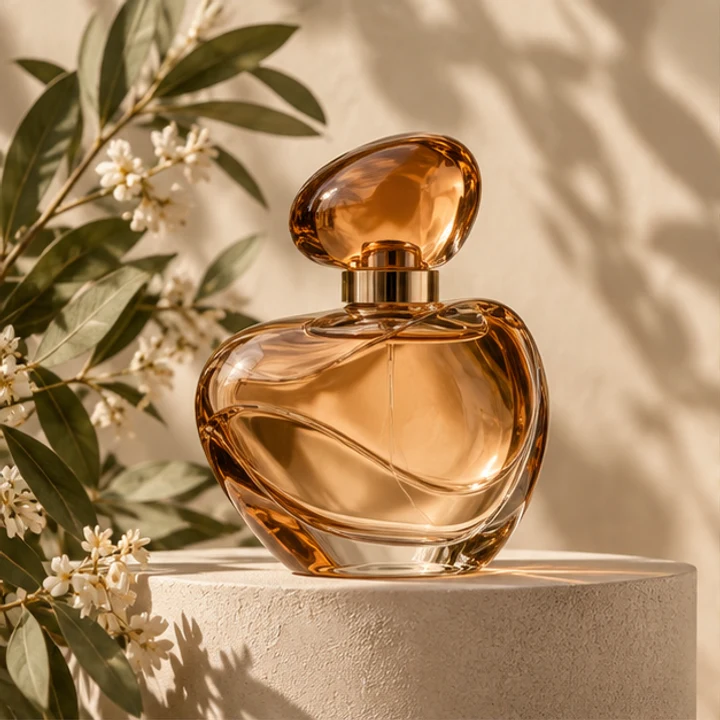
Reference input · Give your product a fresh studio setting
Reference input
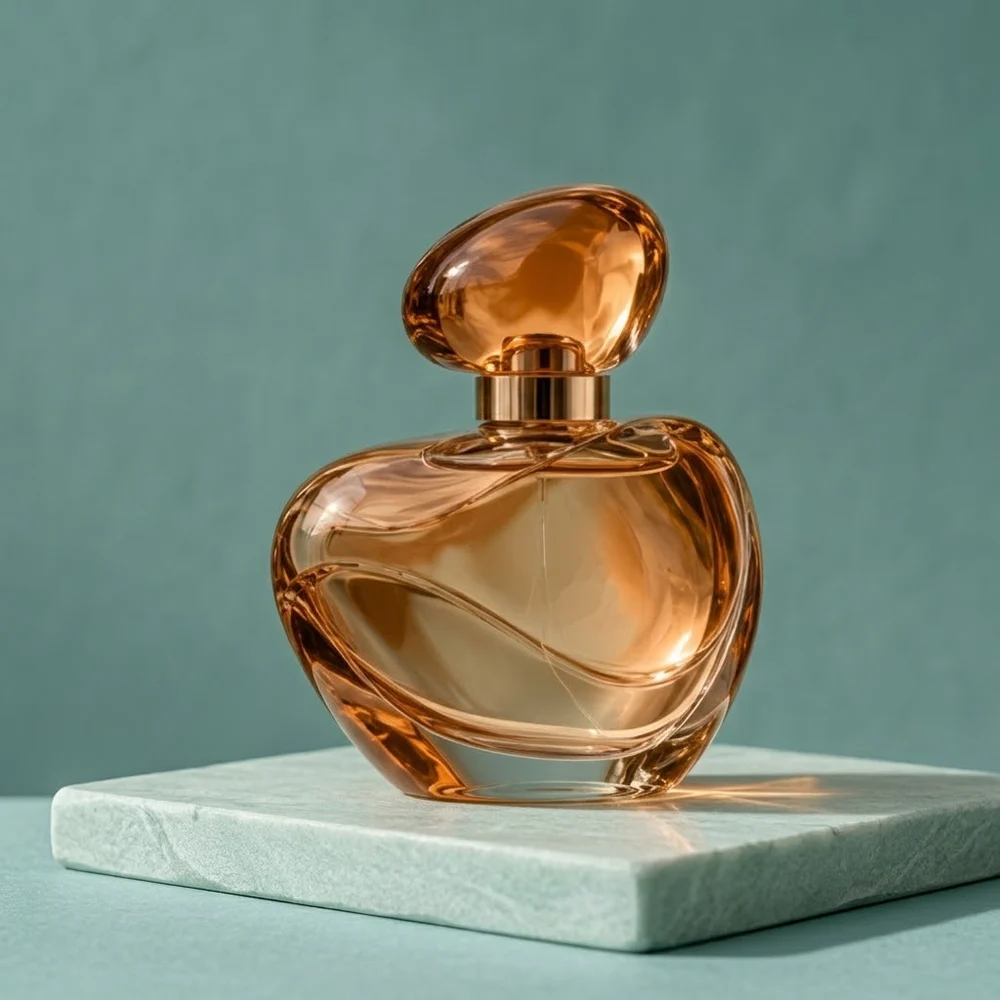
Nano Banana 2 result: amber perfume bottle on a seafoam stone plinth against teal
Actual model output · Nano Banana 2 · 1:1 · 1K

Give your product a fresh studio setting

This reference-photo edit removes the surrounding flowers and puts the amber bottle on a clean plinth. The brief names the glass, cap and lighting instead of relying on a vague luxury-style instruction. Use this starting point for a product mood board, with your own photograph uploaded in the workspace. The sample reference is not uploaded automatically.

Create from this idea ↗
Editable starting prompt

Use image 1 as the product reference. Place the same rounded amber perfume bottle, oval cap and gold collar on a pale seafoam stone plinth against muted teal. Soft window light from the left, realistic contact shadow. Retain the bottle silhouette and glass material. Remove flowers and leaves. No labels, text, logos or people. One square product photograph.

Original prompt used for the displayed image (English)

Use image 1 as the product reference. Make a realistic studio product photograph of the same rounded amber glass perfume bottle with its oval amber cap and gold collar. Place it on a pale seafoam stone plinth against a muted teal background, with soft window light from the left and a believable contact shadow. Keep the bottle silhouette, glass material and liquid color recognizable. Remove the original flowers and leaves. No people, no labels, no text, no logos, no collage. One square finished image.

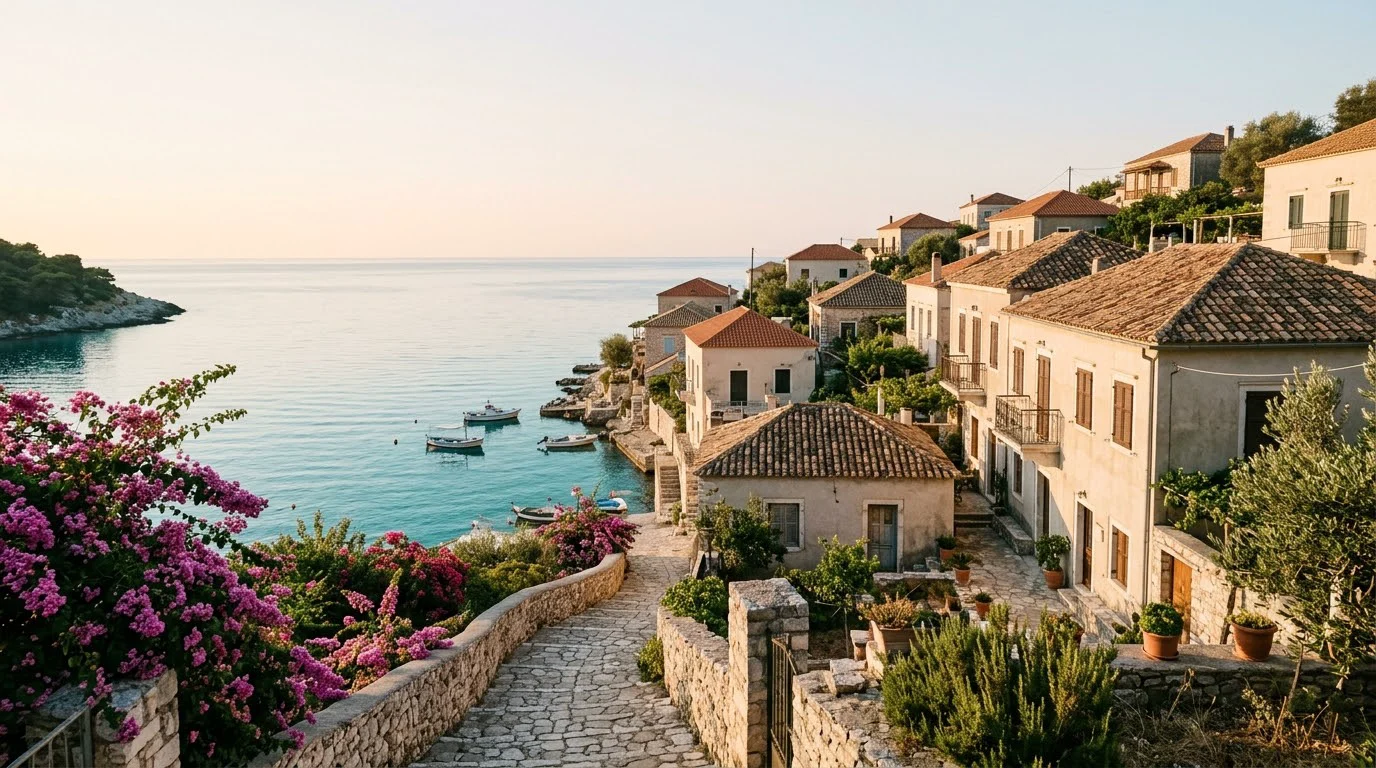
Nano Banana 2 travel image: terracotta seaside village and turquoise cove at sunrise
Actual model output · Nano Banana 2 · 16:9 · 1K

Build a relaxed travel cover

The travel example uses a horizontal composition, a winding path and open sky to establish a leisurely holiday mood. It is an imagined destination, not a photograph documenting a real hotel or resort. Change the location description, season and palette to develop a cover for your own travel story. Keep any later headline area explicit in the brief.

Create from this idea ↗
Editable starting prompt

Create a wide travel-editorial photograph of an imagined Mediterranean seaside village at sunrise. Terracotta rooftops on the right, a curving stone path, bougainvillea and a turquoise cove. Warm sunlight, natural limestone, relaxed holiday mood. Leave calm pale sky at the upper left for a later headline. No people, letters or logos. Horizontal 16:9.

Original prompt used for the displayed image (English)

Create a cinematic wide travel-editorial photograph of a quiet Mediterranean seaside village at sunrise. Terracotta rooftops occupy the right half; a curving stone footpath and flowering bougainvillea lead toward a turquoise cove. Warm soft sunlight, natural limestone textures, layered depth, relaxed holiday mood. Leave calm pale sky in the upper left for a later headline. No people, no letters, no logos, no collage. One horizontal 16:9 image.

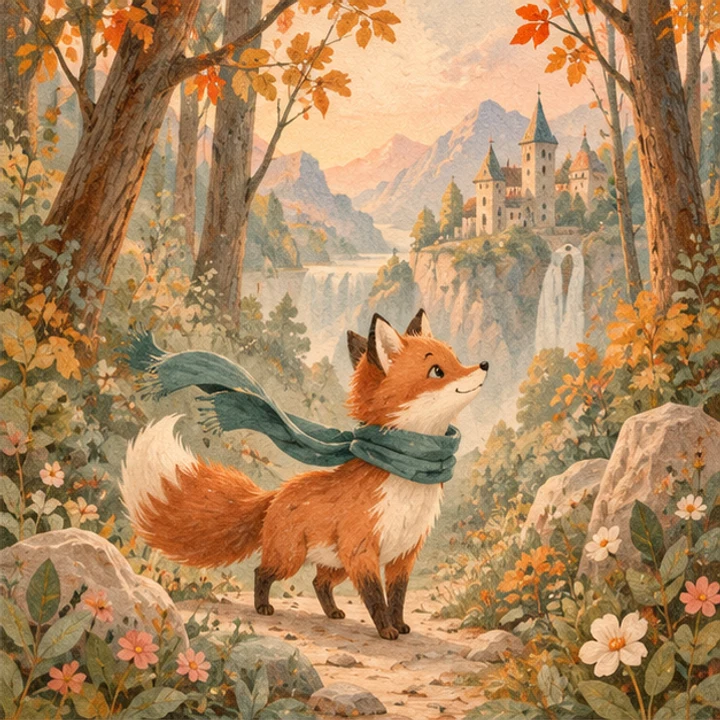
Reference input · Continue an illustrated character’s story
Reference input
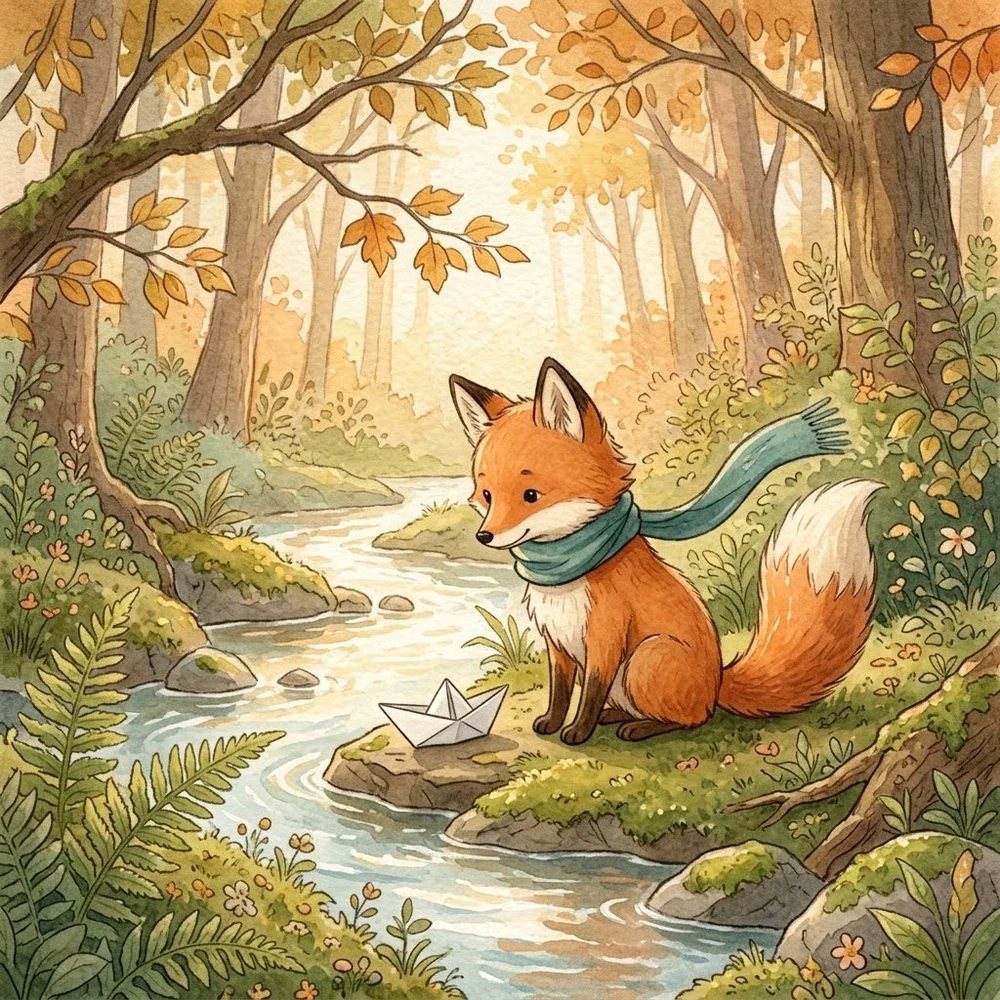
Nano Banana 2 watercolor: orange fox in a teal scarf beside a stream and paper boat
Actual model output · Nano Banana 2 · 1:1 · 1K

Continue an illustrated character’s story

A fox reference establishes the character and watercolor medium; a new stream-side setting supplies the story. This is more useful than repeating a character name alone because the reference communicates visual design. For a short picture sequence, describe one action per image and retain a concise list of recurring character details. Avoid packing every chapter into one frame.

Create from this idea ↗
Editable starting prompt

Use image 1 as the character and style reference. The same orange fox with cream muzzle, cream chest, fluffy cream-tipped tail and long teal scarf sits beside a woodland stream folding one paper boat. Ferns, warm afternoon light, gentle watercolor on textured paper. One tail, no other fox, no writing or collage. Square image.

Original prompt used for the displayed image (English)

Use image 1 as the character and visual-style reference. Create a new square watercolor storybook illustration of the same small orange fox with a cream muzzle, cream chest, fluffy cream-tipped tail and long teal scarf. The fox sits beside a woodland stream folding one paper boat, surrounded by ferns and warm afternoon light. Keep the scarf, recognizable fox design, gentle textured-paper style and one tail. No other fox, no words, no collage.

These are site-produced model samples, not customer testimonials. Links select a model and prompt only; they do not upload a photo or submit a generation. Localized starting prompts describe the same task, but the displayed outputs used the original English prompts.

From idea to a useful brief

01

Start with the variation you actually need

For a social campaign, first decide whether you need a different setting, a new palette or a new crop. Keep the other choices stable while you explore that direction. A product photo can become a studio scene; an illustration can become a new narrative moment; an imagined coastal view can become a wide cover. These are different briefs even when they share one model. The example buttons choose Nano Banana 2 and fill an editable prompt, so you can spend your effort on those creative decisions instead of setting up the same request repeatedly.

02

Prepare references that communicate one clear role

Upload a sharp picture when the subject matters, and explain what each reference contributes if you add more than one. A product reference can define silhouette and material; a separate mood image can define lighting. Crop away unrelated clutter when it competes with the subject. Use photos and illustrations you have permission to process, and avoid unnecessary personal information in a source image. A text-only travel idea needs no upload at all. Reference editing is a new generated image, not a lossless cut-and-paste operation.

03

Know when to compare another model

If your next task becomes a densely structured design brief, try the same input with Nano Banana Pro and compare its interpretation. If you want to explore the newer Nano Banana 2.1 entry, open its own examples rather than assuming a version number settles every creative choice. The four-model guide shows one shared product brief alongside current workspace controls. It does not declare a universal winner. Google’s wider product features, including search-connected workflows, are not additional switches in this workspace.

Current workspace controls

Output tiers · Quality

Nano Banana 2: 1K / 2K / 4K · Automatic

Canvas ratios: 1:1 · 16:9 · 9:16 · 4:3 · 3:4 · 3:2 · 2:3 · 5:4 · 4:5 · 21:9 · 1:4 · 4:1 · 1:8 · 8:1

References and outputs

Text-only creation or up to 4 reference images; JPG, PNG or WebP, up to 25 MB each. Choose 1–8 outputs. Generated images are not editable design layers.

Credits before you submit

Opening the workspace does not generate an image. Sign in and check the current estimate for the model, output tier and count before submitting. No fixed generation time or universal price is promised here.

Questions before creating

Is Nano Banana 2 the same as Nano Banana Pro?

No. Nano Banana 2 is the Gemini 3.1 Flash Image model; Nano Banana Pro is associated with Gemini 3 Pro Image. Both can create and edit images, but they are separate model choices. Select the exact name in the workspace instead of treating 2 and Pro as interchangeable labels.

Can I use it for image-to-image editing?

Yes. Add your own reference images and describe the change you want. You can also start without a reference for text-to-image creation. The page examples show both paths and include the prompt used for each actual output.

How do I make several variations?

Choose the desired output count, up to eight, in the workspace. Each output is generated separately; this is not a guaranteed matched set. Begin with one direction, then expand the count when the composition is useful for your project.

Is trying an example free?

Opening the workspace and editing the prompt does not submit a generation. Generating requires sign-in and sufficient credits. The workspace displays the current estimate for your selected model, resolution and output count before you submit.

Your brief, your next image

Choose a model, adjust the idea and start in the workspace. The link does not submit a generation.

Start creating ↗

Reviewed: 8 October 2026

Prepared by My Look Story using actual model outputs and the currently available workspace settings. Independent service; not affiliated with Google or OpenAI.