Make a familiar moment feel like a page from a story
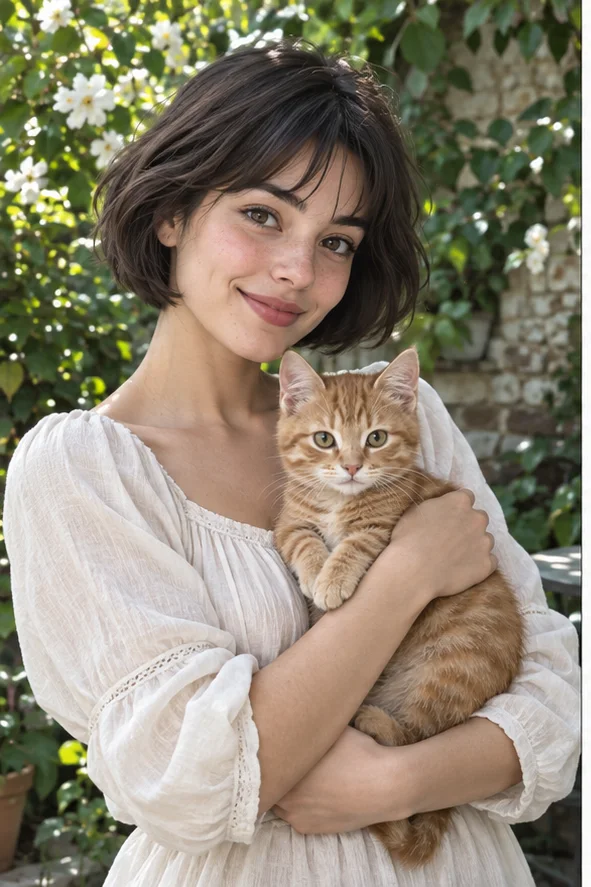
A person holding a pet, a garden visit or a quiet afternoon can become a warm illustrated moment. Start with a photo whose action is easy to understand and open the Storybook preset. Our example uses painted color, friendly drawn faces and a leafy setting. You create one still illustration, not a complete children's book, a written story or a sequence of consistent characters. Keep the real memory and the imagined picture clearly separate.
Style illustrations, not verified before-and-after outputs from the live tool. They show a visual direction; your photo may produce different colors, likeness and details.
Choose a scene with a relationship, not just a pretty face
Ask what the viewer should understand without a caption: someone comforting a pet, two people sharing a place, or an object connected to a small memory. Our reference makes the woman and cat the center, with the garden supporting that relationship. Illustration may invent expressions, objects or background details. If your task is an entire personalized book with page text and recurring characters, this preset is only a possible single-picture step, not that end-to-end product. No multi-page consistency is promised.
A story moment, a color wash, or a character portrait?
These owned illustrative references are not authenticated customer outputs or a paid controlled trial. Compare the role of the subject and surroundings, not a promise to reproduce a named illustrator.
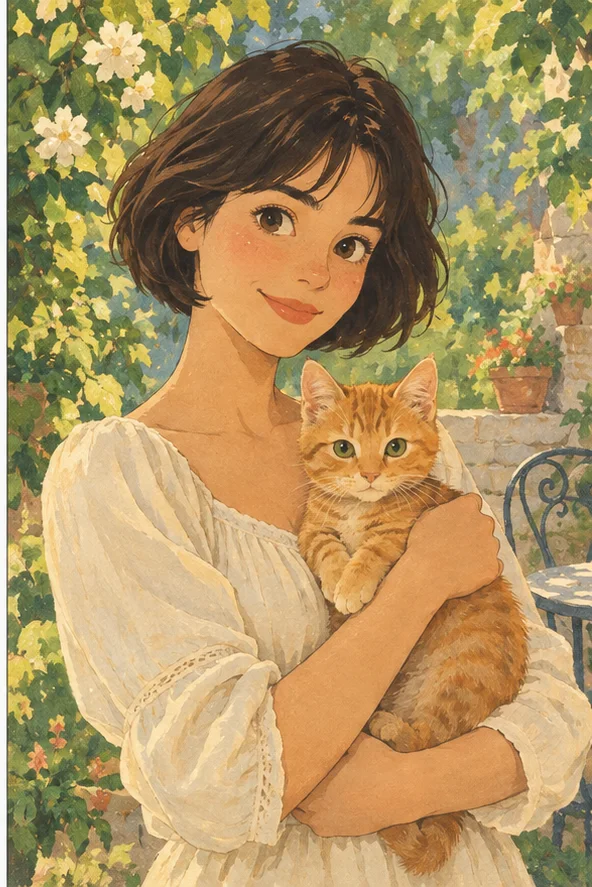
Storybook: subject and setting work together
Warm painted marks link the woman, cat and garden into a gentle scene. Compare it when the relationship or small event matters as much as the face. Check whether added objects imply something that never happened. This is one picture; the preset does not write dialogue, paginate a book or keep the character identical across a series.
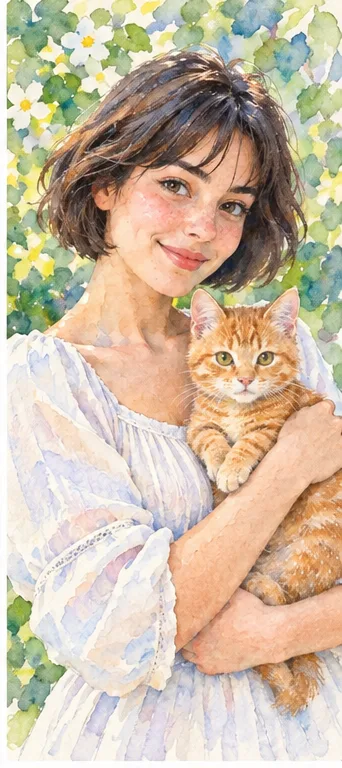
Transparent-looking washes and light paper emphasize a painterly treatment. Compare it if the main goal is a delicate portrait or keepsake rather than a narrative scene. Background and likeness can still be redrawn. A wash texture alone does not turn a picture into a story, and no physical painting or print-ready book file is supplied.
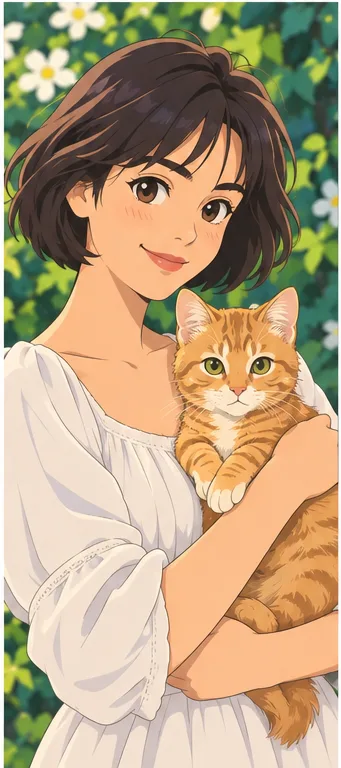
Smooth shading and illustrated facial features put more attention on a character look. Compare it for an avatar or a stylized face, rather than using the environment to tell a memory. It remains a still picture, not animation. Neither this direction nor Storybook guarantees accurate identity or replication of a protected character.
The photo should explain who is present and what they are doing before the style changes.
Keep the meaningful contact visible Show the hand holding a pet, the seat beside a person or the object that makes the moment specific. An unclear embrace can become an invented pose. Avoid distant crowds where every person is tiny, and leave space around the key subjects. You do not need a theatrical setting: an ordinary moment with a clear relationship often makes a more understandable illustration.
Separate a real memory from a new tale Choose whether you want an interpretive keepsake or a fictional scene. The preset can reinterpret context and should not be used as factual evidence. Keep the original with its date if the real place matters. If sharing a child's or another person's likeness, confirm permission and avoid unnecessary private location details. A drawing can still reveal who and where someone is.
Review the meaning of invented details
Pleasant color can hide a changed relationship or a misleading new object.
Check interactions and expressions Compare who holds what, where the eyes look and whether the expression matches your intended tone. Count hands, fingers, paws and ears. A cheerful smile may not fit a remembrance image, and a decorative prop may change the story. Reject the result if the event no longer reads, even when the illustration looks polished. The workspace is not a manual editor for correcting individual drawn gestures.
Inspect the environment as well as the face Look for invented signs, unsafe-looking objects, changed locations or unreadable text. Put exact names, captions and dates into a separate layout tool after downloading. In a family journal, distinguish the AI illustration from photographs of the event. For a card, preview the actual crop so a pet's head or a person's hand is not removed at the edge.
Plan a single illustration, not an automatic book
A meaningful picture can support a project without supplying every production stage.
Personal cards and illustrated memories Use a suitable image as a journal opener, a private keepsake or a greeting card after checking permissions. Inspect the real download format and pixel dimensions before printing, and order a small proof first. Do not promise professional print resolution from a web preview. Add the precise message yourself rather than letting generated lettering decide the meaning of the gift.
Series need separate editorial work A multi-page story requires writing, pagination, continuity checks and review of every recurring character. This preset supplies none of those guarantees and does not export a complete book PDF. If you create several images, compare clothing, proportions and props yourself. Do not claim a finished publishing workflow or copy a named artist's style simply because the picture has a book-like atmosphere.
01Open Storybook with an allowed photo The action preselects Storybook. Upload a supported picture whose main interaction is clear.
02Confirm the chosen style and request Check the current credits and number of requested images in the workspace. This page does not include story writing or book production.
03Inspect the scene before saving Review expression, relationships, anatomy and added details. Save a suitable still illustration, then add captions and layout separately.
A storybook look is not a complete storybook
AI may alter identity, setting, expressions, anatomy and text. The output is a still illustration, not a written book, animation or guaranteed consistent series. References show our owned visual examples, not authenticated customer generations or a named illustrator's work.
Use a photo you can share with the service
Upload only photos you may authorize the service to process, with permission from other people shown. Avoid sensitive documents. Generation sends the image for processing, not local-only editing. Finished work can be viewed and downloaded in My Creations; removing a completed record hides it from your user history but is not a promise of immediate erasure from administrative records, providers or backups. Read the privacy policy and contact [email protected] for a data-deletion request. Review images before sharing, especially when another person or a child appears.