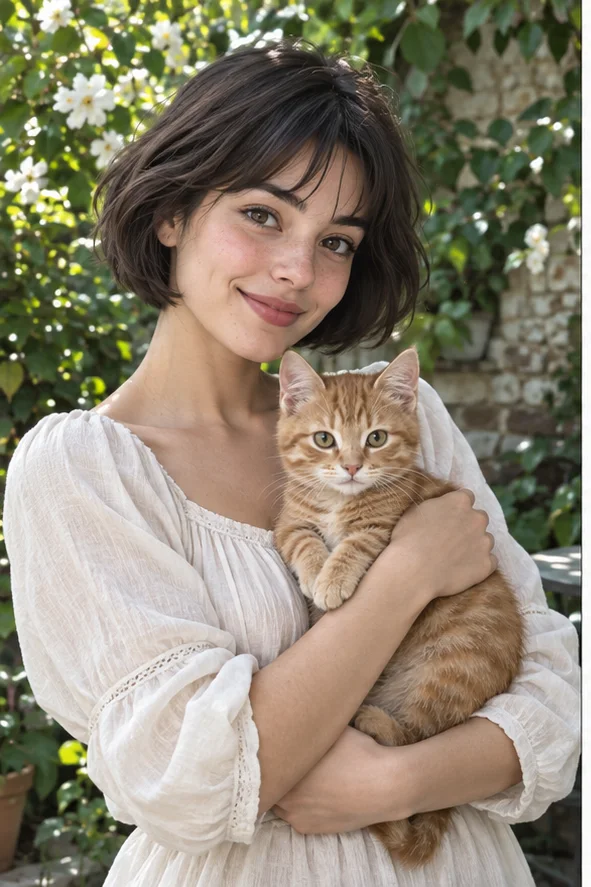
Start with a portrait or pet photo whose expression you want to celebrate. Oil-style redrawing can turn smooth photographic surfaces into layered color and directional marks. See the illustrations, decide whether that heavier painted texture suits your picture, and open the creator with oil selected. This makes a digital interpretation, not a physical canvas or a commissioned painting.
Style illustrations, not verified before-and-after outputs from the live tool. They show a visual direction; your photo may produce different colors, likeness and details.
Choose oil for painted weight and color depth
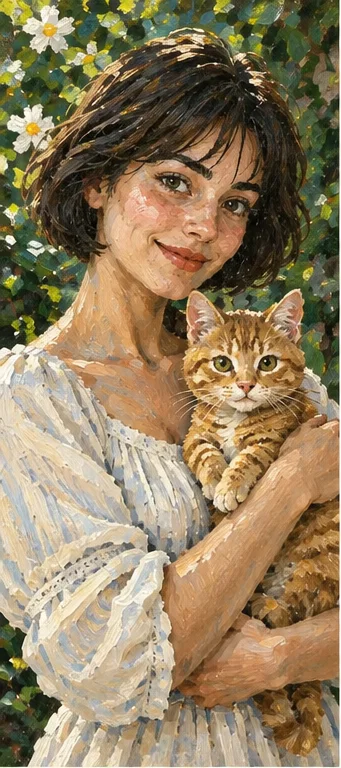
Oil is worth exploring when the pleasure of the picture comes from broad color shapes, visible brushwork and a strong central subject. It is less suitable when every eyelash, printed label or exact facial feature must remain unchanged. In our example, strokes build the white blouse and dark hair while the cat remains the focal companion. Decide which familiar details are non-negotiable before generating; attractive texture is not a substitute for recognizable expression.
Dense brushwork, transparent washes or gray drawing?
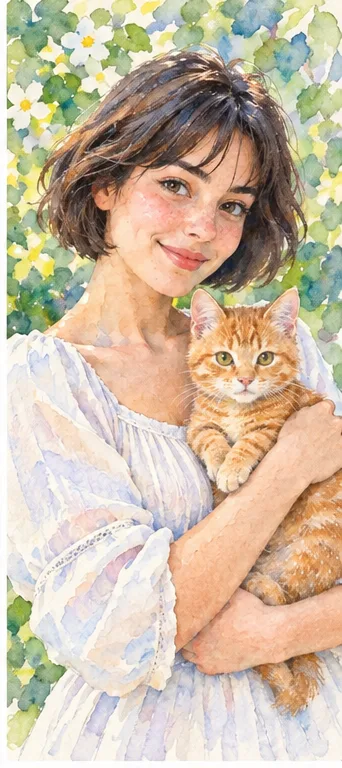
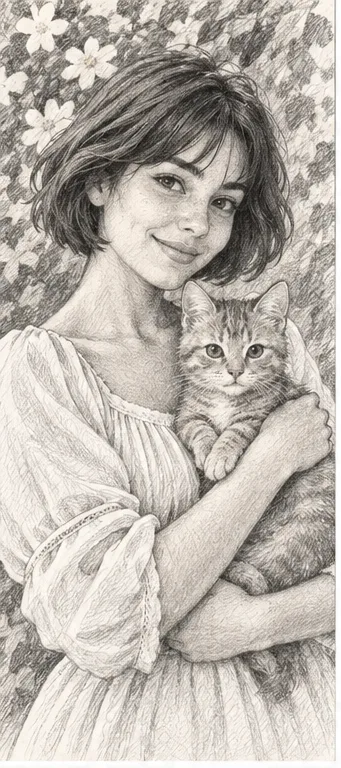
Our illustrations use the same reference subject; they are not results from a verified same-condition generator test. Compare the sleeve, hair and background rather than ranking the images by how much detail they contain.
Oil: layered marks and solid color
The sleeve is built from separate light and shadow patches, and foliage becomes painted strokes. Choose this for a substantial portrait-like picture. Watch whether dark paint hides the eyes or background marks compete with the face; a richly painted surface can still be difficult to read.
Pale areas suggest paper and colors blend more softly. Compare this if the oil version feels too heavy for a small card or gentle keepsake. The difference is the visual treatment, not a guarantee that watercolor preserves identity better or uses fewer credits.
Gray strokes replace the orange cat and green surroundings. Choose it when value and drawing texture matter more than color. A dark reference may produce crowded shading; it is not a way to recover a blurred face or obtain a hand-drawn commission.
Choose the source for the person or animal you want to recognize, not merely for an interesting background.
Keep the expression readable Use a face large enough to see the eyes and mouth at ordinary size. Side light can define the cheeks, but deep black shadows and beauty filters remove clues. Oil-style marks may reinterpret missing information instead of restoring it. Leave breathing room around the head and any hands you want included.
Separate fur from its surroundings A pet's ears, nose and distinctive coat markings should stand apart from a sofa or garden. Dark fur on a dark seat can merge into one mass. For a familiar pet portrait, compare markings against the original after generation rather than approving it only because the animal looks appealing.
Reduce competing detail Busy wallpaper, tiny flowers and patterned clothes may all acquire equally forceful strokes. A simple backdrop helps the main face hold attention. If you want a travel memory, choose one meaningful landmark or shape; painted signs and distant people are not reliable records of the place.
Decide what the crop must keep An avatar needs a clear head shape, while a gift image may need the pet, hands or surrounding scene. Plan the intended crop before uploading and keep the original. This preset does not expose a manual brush-size, impasto-depth or canvas-grain control; choose another editing workflow if those parameters are essential.
Approve the subject before the texture
Look once at normal viewing size, then inspect the details that make this photograph yours.
Face and pose Check the eyes, smile, jaw, hands and pet anatomy against the original. Redrawing can change proportions even when the composition looks convincing. A decorative portrait should not be presented as evidence of exact identity, an official document or an unchanged product photograph.
Light and dark masses Can you tell hair from background and clothing from skin? Brushwork should describe the shape, not turn all shadows into a dark patch. If separation fails, try a source with clearer lighting instead of assuming stronger sharpening will solve the problem.
Color and accidental additions Inspect skin, white clothing, accessories and any writing. Painted color shifts may feel intentional but still be wrong for a keepsake. Look for invented fingers, jewelry, signatures and background objects; do not call them authentic brush details.
The downloaded file Review the actual saved image, not only a small preview. It is a raster image rather than editable paint layers. Check dimensions and the crop for the destination; apparent canvas texture does not mean the file includes a real canvas or a print-quality guarantee.
A digital keepsake is not a print order
Separate choosing the illustration from preparing a physical gift.
Test before a large print Ask your printer about the required dimensions and inspect a small proof. Screen brightness, paper, ink and crop can change the appearance. Do not enlarge a small download and assume brush texture will create missing detail; a generated painting is not a high-resolution restoration process.
Describe the origin honestly Call the file an AI oil-style illustration rather than a hand-painted original. Obtain permission for another person's portrait and keep the reference image. When offering it commercially, check source-photo rights and the intended use rather than treating a filter name as a blanket license.
01Open with oil selected The button goes directly to photo filters with oil painting selected. Start with one JPG, PNG or WebP that you may upload; it is easier to review one composition before adding more photos.
02Check selection and current total Confirm the oil style and the credit total before submitting. Adding photos or other filters changes the number of results and total. The current workspace, not a comparison article, is the source for the charge and available download options.
03Compare, then save Review the painted expression and coat markings against your source. Download only a version that fits your intended use. If it does not, keep the original and choose a clearer photograph or a lighter drawing direction instead of claiming the result is faithful.
A preset redraw, not a painting editor
Oil-style AI redrawing may change likeness, colors and objects. It does not give manual brush controls, paint layers, physical texture, guaranteed resolution or precise reproduction. Our illustrations show the direction only; they are not paid live-generator test results. No turnaround time, exact resemblance or print suitability is guaranteed.
Use a photo you can share with the service
Obtain permission when another person appears in your source and avoid private documents or confidential scenes. Generation sends the upload for processing. Finished images are accessible in My Creations, where you can download or delete the record and associated files. Review the privacy policy for the service's handling of uploads; this page does not promise local-only processing or an unverified automatic deletion period.