Turn your photo into a pencil sketch with visible shading
A pencil sketch is more than a black-and-white photo. Graphite-like strokes and soft shadow should describe the shape of the face, a pet's fur, or the folds of clothing. Choose a clear source photo, compare the drawing styles below, then open the studio with pencil sketch selected. Inspect your own result before saving it.
These are illustrative style images of the same subject, not a verified before-and-after result from the live generator. Your photo can produce different details.
Is this the drawing style you need?
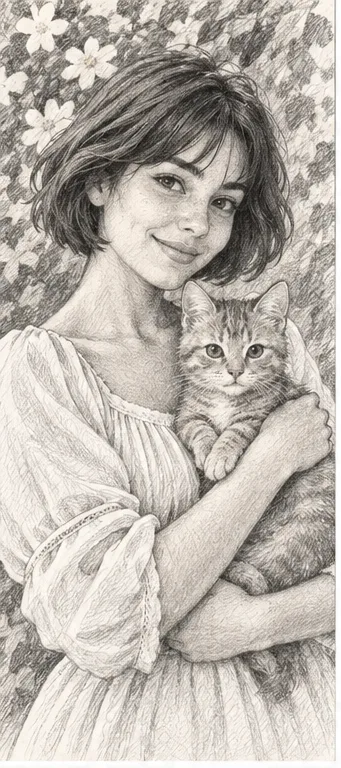
Choose pencil sketch when you want a shaded portrait or keepsake that feels like a drawing on paper. In the sample, light and dark strokes give the woman's hair, face, sleeves and cat a sense of volume. Choose fine line art if you mainly want contours for tracing, or a coloring page if the goal is large blank regions to fill by hand. The three styles serve different tasks; monochrome alone does not make an image a pencil sketch.
Compare the same subject in three drawing styles
Look at what happens to the shadows and white space—not just the color. The examples share a reference subject so the artistic treatment is easier to judge, but they are not output-quality tests.
Pencil sketch: tone and texture
Graphite-gray strokes build shadow across the hair, face, sleeves and cat's coat. Pick this for a portrait-like drawing or a visual reference. Review eyes and fine fur closely: AI may change familiar details, and a dark source can turn into muddy shading.
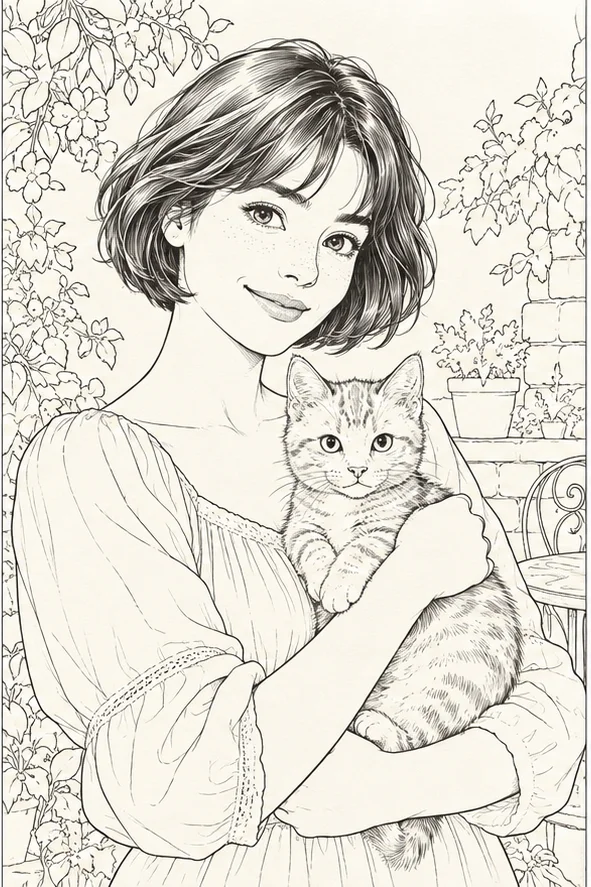
Thin dark lines describe hair, leaves and clothing with much less gray tone. It can be useful for tracing or a spare graphic portrait, but it will not show the same modeled volume. Tiny background edges may compete with the main person or pet.
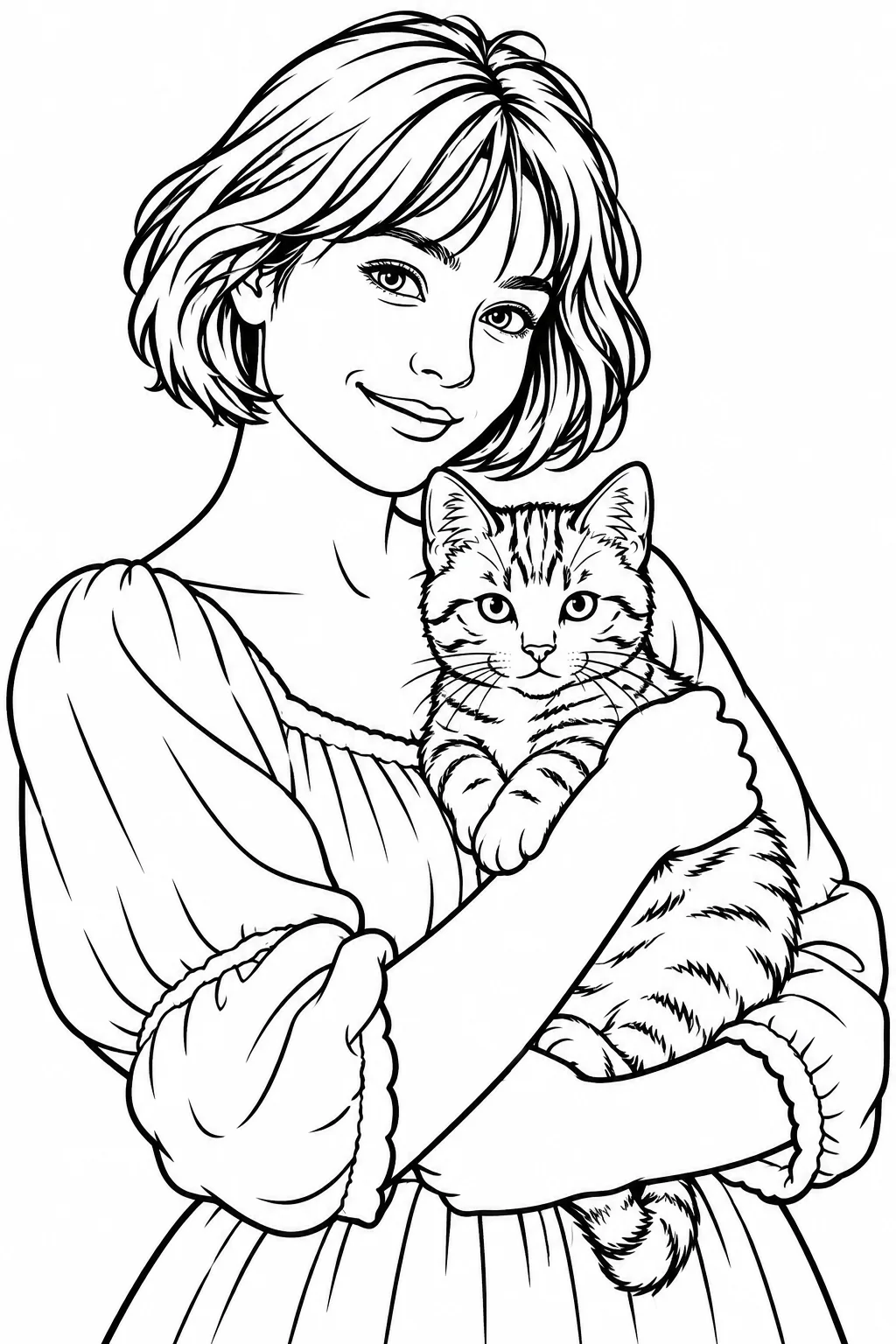
Stronger outlines and broad white areas are meant to accept color from a pencil or crayon. Choose it for an activity, not for subtle graphite shading. A ready-to-color page can look deliberately flatter than a keepsake sketch.
The filter can interpret a clear photograph; it cannot reliably restore important features that were never visible. Before using credits, check the original at normal size.
Give the subject room One person, one pet or one important object is easier to read than a crowded group. Leave a little space around the head, ears or hands so the crop does not cut off the details that make the subject recognizable.
Look for soft, readable light A face or furry animal should have visible light and shadow without deep black patches. Backlighting, strong beauty filters and motion blur remove information that the sketch may replace with invented strokes.
Simplify the background Fences, dense foliage and small text can become distracting graphite marks. A plain wall or softly separated background lets the face, pose or pet remain the subject of the drawing.
Decide the purpose first For a personal keepsake, expression matters most; for a drawing reference, examine shape and shading; for a hand-coloring activity, choose the coloring-page style instead. This tool does not offer manual pencil hardness, hatch direction or paper-grain sliders.
01Upload one photo Open the filter studio with pencil sketch preselected. Upload a JPG, PNG or WebP image you have the right to use. Check that the subject is in focus and the important edges remain in frame.
02Confirm the selection and cost Make sure the selected style is pencil sketch rather than line art or coloring page. Review the current credit total displayed by the studio before starting; this guide does not promise a fixed price or an exact turnaround time.
03Inspect and save When the result is ready, view it at ordinary and enlarged size. Download the image from the result or your generation history only after checking facial features, paws, hands and the overall shadow balance.
Check the result before sharing or printing
An attractive small preview can conceal changed features. Use the same checks whether the drawing is a gift, a profile illustration or a reference for your own sketchbook.
Recognizable subject Can you still identify the person or pet without relying on the original beside it? Examine the eyes, mouth, ears and distinctive markings. If identity matters, never treat a generated sketch as a faithful record.
Useful shading Do light and dark strokes explain the form, or have shadows swallowed the face and clothing? Too much gray can make the image look like a dark photocopy rather than a drawing.
Distracting inventions Look for extra fingers, altered jewelry, changed text or objects that were not present. AI redrawing can invent small marks; try a simpler source if those details matter.
Final use Preview the downloaded image at the size you intend to share or print. The studio returns an image, not an editable layered drawing or a guaranteed print-ready vector file; test your own paper and printer settings.
What this filter cannot promise
The pencil style is an AI interpretation, not a deterministic grayscale conversion or a human artist's commissioned drawing. It may alter facial likeness, pet markings, pose details and background objects. Example art shows the intended visual direction, not the success rate or actual result for every upload. There is no manual control for pencil grade, stroke direction, background removal or exact resemblance in this flow.
Your photo and result
Use a photo you may upload, and obtain permission before using someone else's portrait. Avoid sensitive documents or images you would not want processed. Finished images appear in generation history, where you can view, download and delete the record and associated files. Review the sketch before sharing it, especially when it depicts a child or another person.
Still deciding?
Browse every photo filter, or see why a coloring page needs larger white regions rather than pencil shading.