Turn your photo into deliberate digital interference
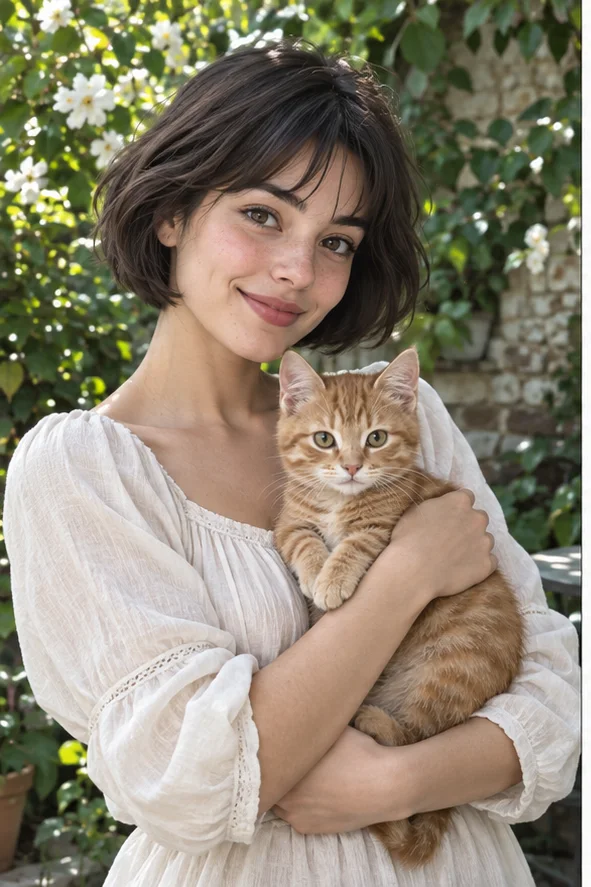
Want the look of an interrupted signal without damaging your original file? Start with a readable portrait or pet photo and open the Glitch preset. Our reference combines colored offsets, horizontal interruptions and broken-looking blocks. This is an AI reinterpretation of a still image, not a video effect or an exact RGB-channel editor. Keep the untouched source so you can distinguish intended interference from unwanted changes to the person or animal.
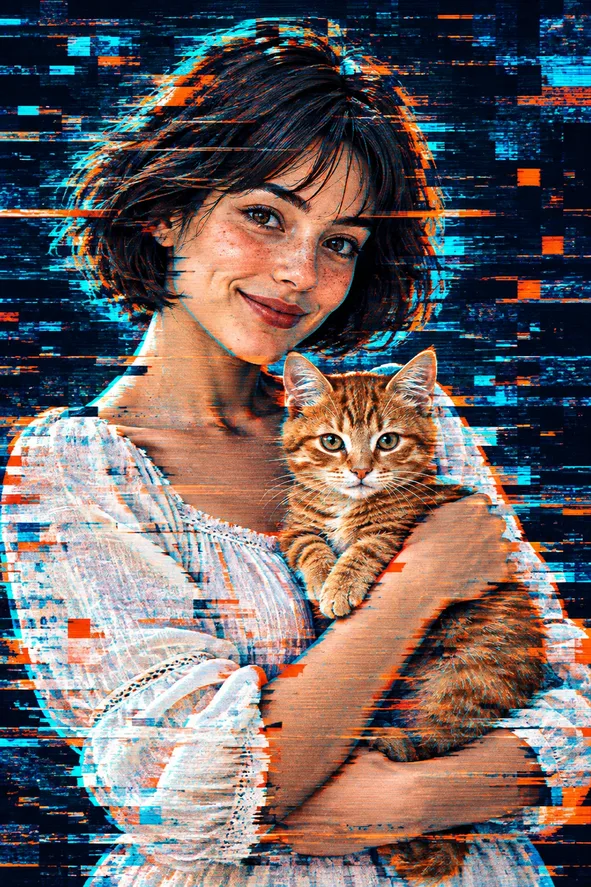
Style illustrations, not verified before-and-after outputs from the live tool. They show a visual direction; your photo may produce different colors, likeness and details.
Choose interference when the disruption is the subject
Glitch is different from simply adding neon light. In the illustration, broken bands interrupt hair, clothing and background while the two faces remain readable. Decide which details must survive before generating: eyes, expression, a pet's markings or a recognizable silhouette. A busier result is not automatically better. If you need to move only one color channel by a precise number of pixels, use a manual pixel editor; this workspace offers a preset-driven AI picture rather than those exact controls.
Broken signal, neon scene, or square-grid character?
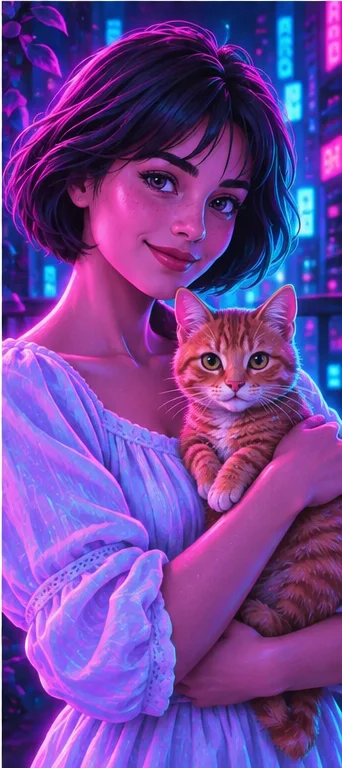
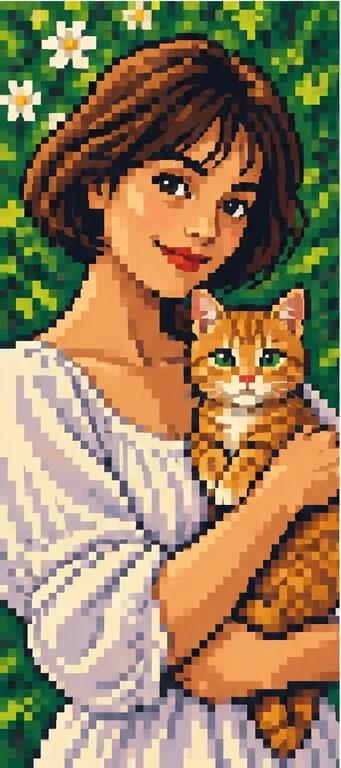
These owned style references show different creative directions, not a controlled same-input product test. Choose the mechanism you want to see, then judge your own result.
Glitch: interrupted bands and offsets
Colored blocks and thin horizontal breaks pass across the scene. The effect feels like a damaged transmission even though the picture remains a normal image file. Use it for an experimental avatar or cover image. Examine both eyes and the mouth: a displacement there may destroy recognition rather than contribute useful visual tension.
Magenta and cyan illumination shape a night-like portrait. The main decision is lighting and imagined context, not torn rows. Choose this if you want a neon atmosphere with fewer visible signal interruptions. Clothing and location can still change; neither reference proves a real visit or an unchanged photographic identity.
Square-looking marks construct the face, hair and animal rather than interrupt a continuous scene. Compare it for a retro game-like avatar. It is an AI-rendered style, not a guaranteed sprite grid with a fixed palette. If only selected rows should appear broken, pixel art is not the same creative task.
Intentional noise needs a visual anchor. Make that anchor obvious in the uploaded picture.
Leave room around the face Choose a source with visible eyes, a clear hair outline and some space around the head. A very tight crop leaves little area for interference that does not cover essential features. For a pet, keep the muzzle and both ears visible. Avoid stacking a dense crowd behind another dense pattern when the person is already difficult to identify.
Separate design text from the photo A shirt logo, tiny sign or name badge can be changed or replaced by invented marks. Add accurate cover titles, credits and dates after downloading in a layout tool. Do not expect the preset to typeset an album cover. Use a photograph you have permission to transform, especially when another person's image will become a public promotional graphic.
Tell attractive disruption from an unusable portrait
Review first as a whole image, then inspect the details that carry recognition.
Check the face between the bands Compare the eyes, smile and face outline against the original. Distortion can make duplicated eyes or invented teeth look like part of the effect. Also inspect hands and pet paws. If the subject has changed too much, reject the image or try a simpler source; there is no local brush here that restores individual pixels from the original.
Test at the intended viewing size Shrink the picture to the size of your avatar or thumbnail. Fine interruptions can disappear while large blocks become distracting. A result that works as a large poster may be unreadable in a small circle. Check the actual download dimensions before printing, and add text on a separate layer so that essential information is not hidden inside the effect.
Use the visual fiction honestly
A broken-looking image should not be mistaken for a technical or privacy guarantee.
Still art, not an animated malfunction The output does not supply moving scanlines, a looping GIF or a video transition. It also does not repair a corrupt source file. Keep a backup rather than deliberately damaging the only copy of a photograph. For motion, use a separate video workflow and verify that workflow's export support instead of promising animation from this preset.
Not reliable anonymization Glitch marks can leave a face, address or document recognizable. Do not use this artistic effect to redact sensitive information. Remove private details before uploading or use an appropriate dedicated redaction method. Describe a shared output as stylized AI art, not evidence of a camera fault, an incident or the original appearance of the scene.
01Open Glitch with a permitted photo The action preselects Glitch. Upload a supported picture and keep an untouched original for comparison.
02Confirm the selection and cost Check the selected preset, requested results and displayed credits. There are no separate RGB distance or scanline sliders promised on this page.
03Inspect before saving or sharing Review face, anatomy, text and thumbnail readability. Save a suitable still image or try a cleaner source, then add precise typography separately.
Broken-signal styling is not pixel-accurate editing
AI can change identity cues, anatomy, text and surroundings as well as the effect. Exact channel offsets, original pixel preservation, animated output and secure anonymization are not guaranteed. Our images are illustrative references, not authenticated customer generations.
Use a photo you can share with the service
Upload only photos you may authorize the service to process, with permission from other people shown. Avoid sensitive documents. Generation sends the image for processing, not local-only editing. Finished work can be viewed and downloaded in My Creations; removing a completed record hides it from your user history but is not a promise of immediate erasure from administrative records, providers or backups. Read the privacy policy and contact [email protected] for a data-deletion request. Review images before sharing, especially when another person or a child appears.