GPT Image 2.5 SunburstRefine the details. Keep the vision.
Make precise changes to an image you already love. GPT Image 2.5 Sunburst is built for detailed generation and careful editing—from product colorways to cleaner compositions and richer materials.
Sunburst puts more emphasis on image fidelity, natural light and control over edits. Choose it when subtle reflections, familiar shapes and the details around a change matter to the final image.
GPT Image 2.5 Sunburst
See what you can create
BeforeAfter
↔
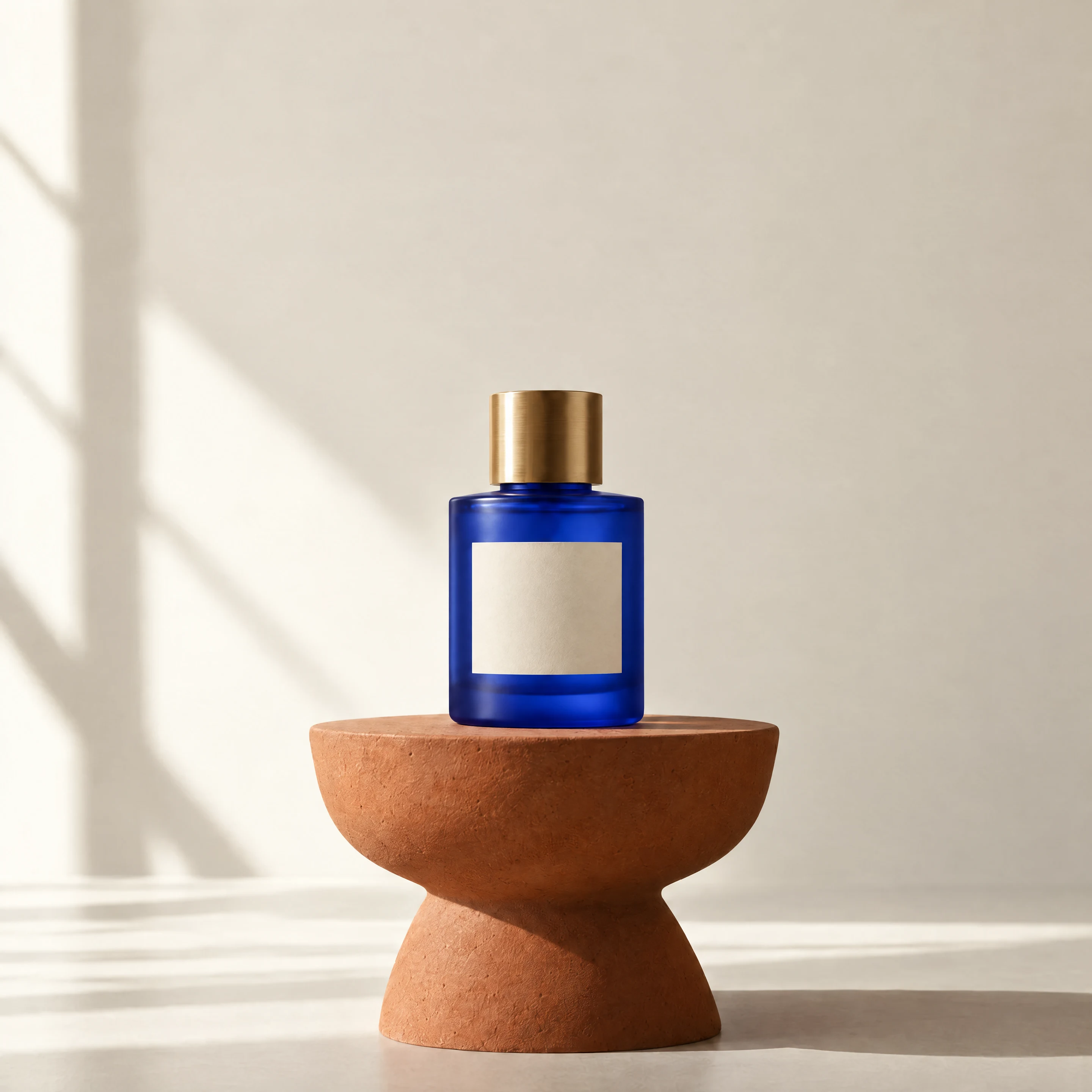
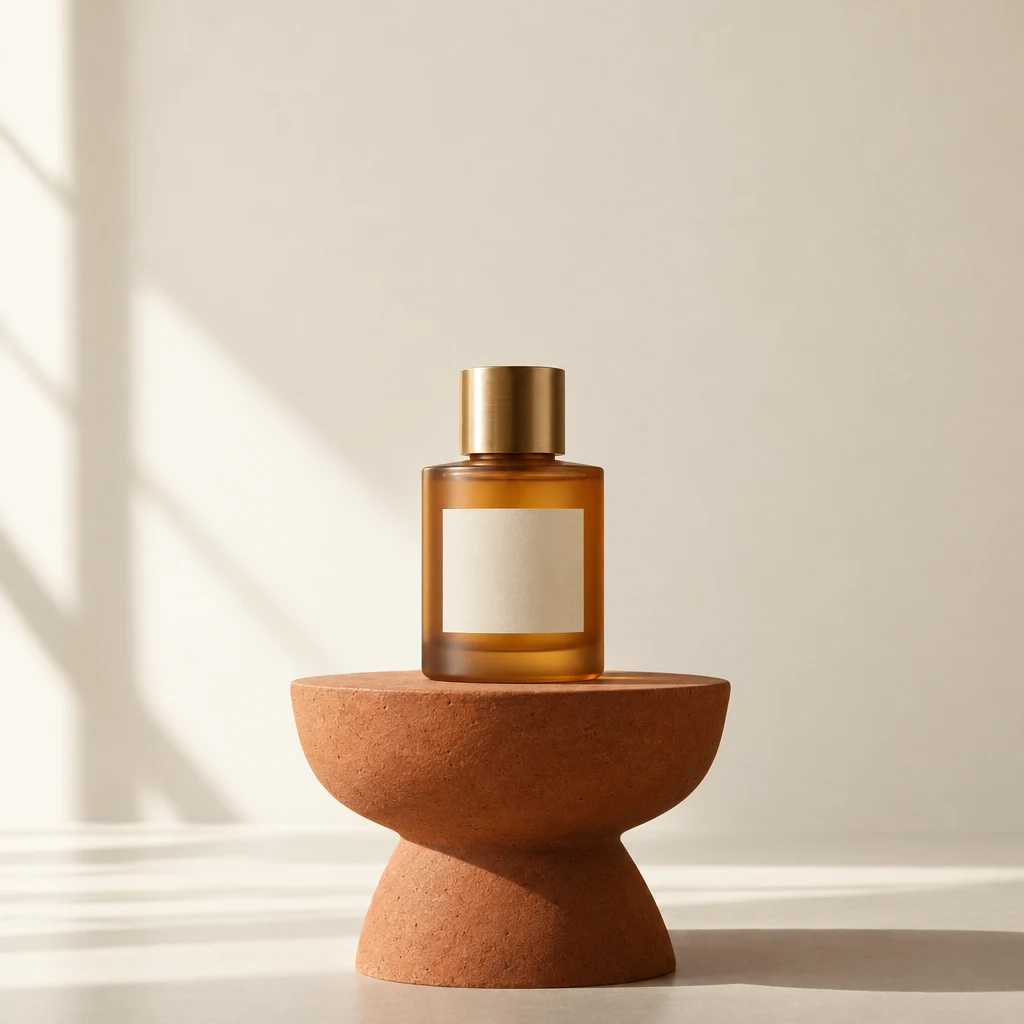
One product, a new colorwayAI-generated
01
Change the color. Carry the design forward.
Explore a different finish without rebuilding the whole product scene. Describe the new color and keep the brief focused on the bottle, label, lighting and composition you want to retain.
Change only the glass color of the perfume bottle in my reference to cobalt blue. Keep the bottle shape, cap, blank cream label, terracotta stand, composition and window lighting. Preserve realistic reflections and texture.
BeforeAfter
↔
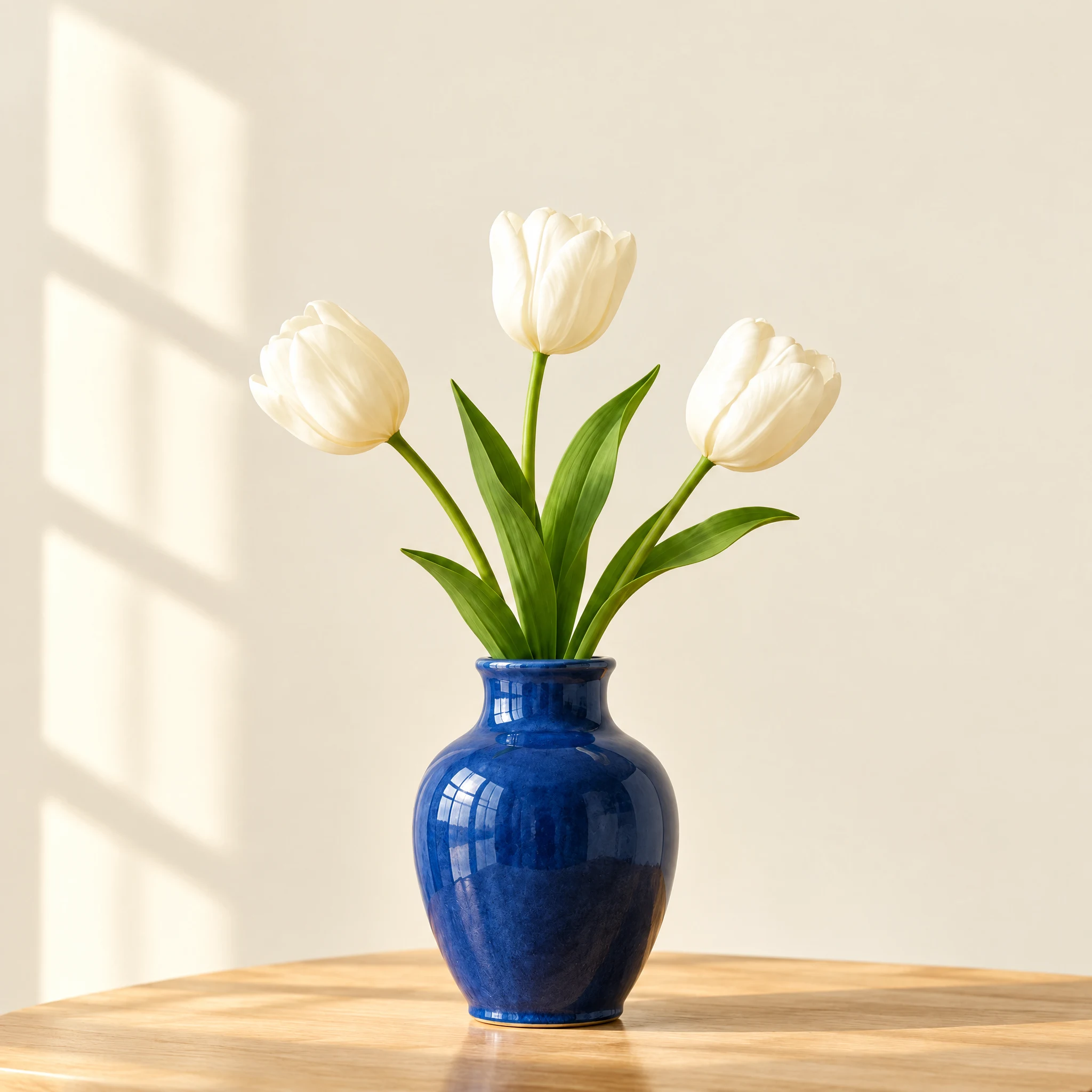
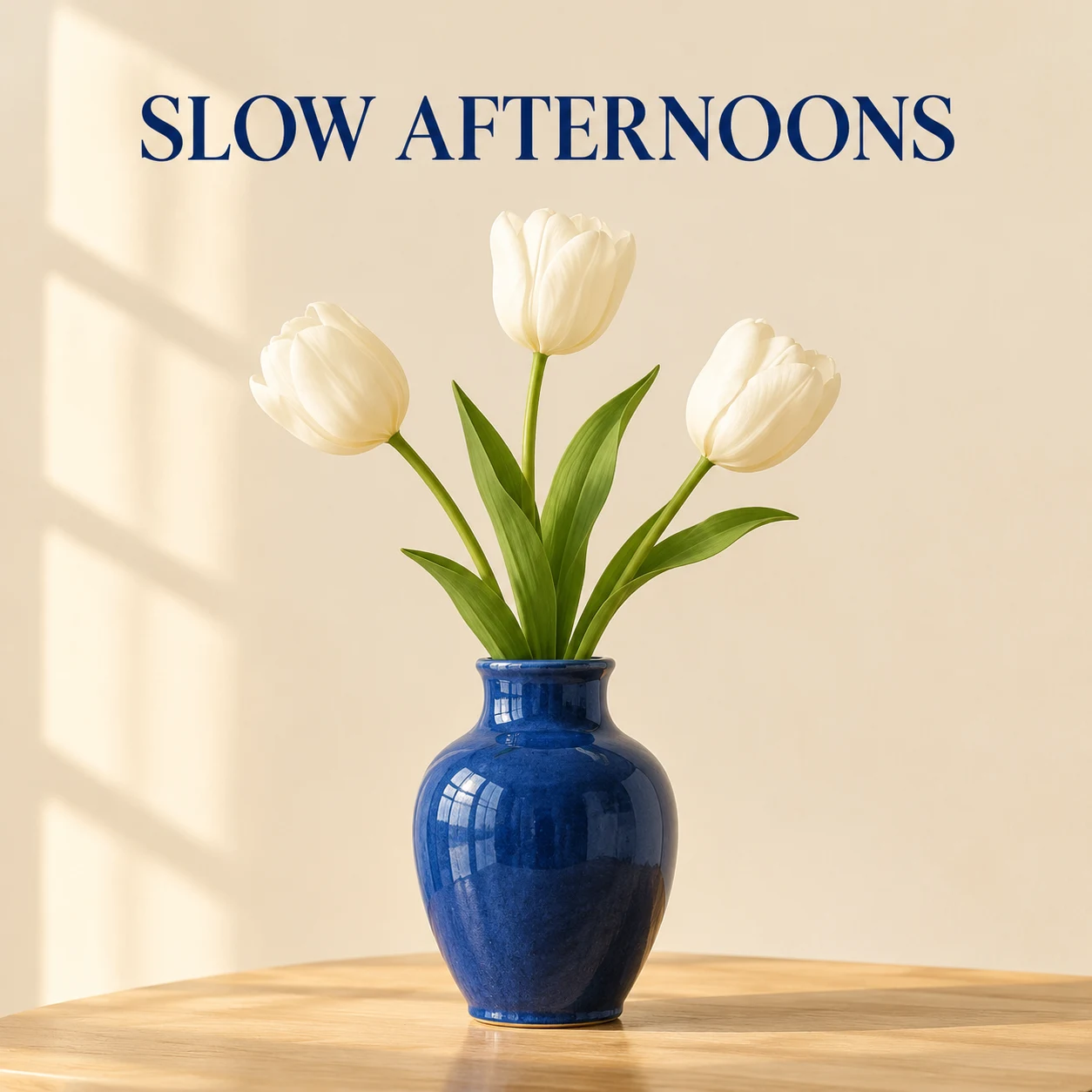
From poster to product photographAI-generated
02
Give your image a cleaner composition
Remove unwanted lettering or simplify a busy visual. Sunburst can reconstruct the surrounding scene while you guide which objects, framing and atmosphere should remain.
Edit my reference image: remove the headline and all lettering, reconstructing a plain ivory background. Preserve the vase, flowers, table, framing and soft lighting. Do not add objects.
Made for your next idea
From idea to finished visual
01
Start with your image
Upload a clear photo or a visual you want to develop.
02
Name the change
Describe what should change and which details should stay.
03
Choose the finishing detail
Select resolution and quality, then create your refined version.
Ready for a different direction?
Still exploring the overall look?
Try Flare for initial product scenes, illustrations and creative directions.