GPT Image 2.5 FlareMore ideas. More ways to make them.
Explore product imagery, illustrations and everyday creative assets with GPT Image 2.5 Flare. Its speed-focused design makes it a natural starting point when you want to try a direction and keep creating.
Flare builds on GPT Image 2-level image quality with an emphasis on generation speed, precise edits and subject preservation. A practical choice for exploring several looks before choosing one.
GPT Image 2.5 Flare
See what you can create
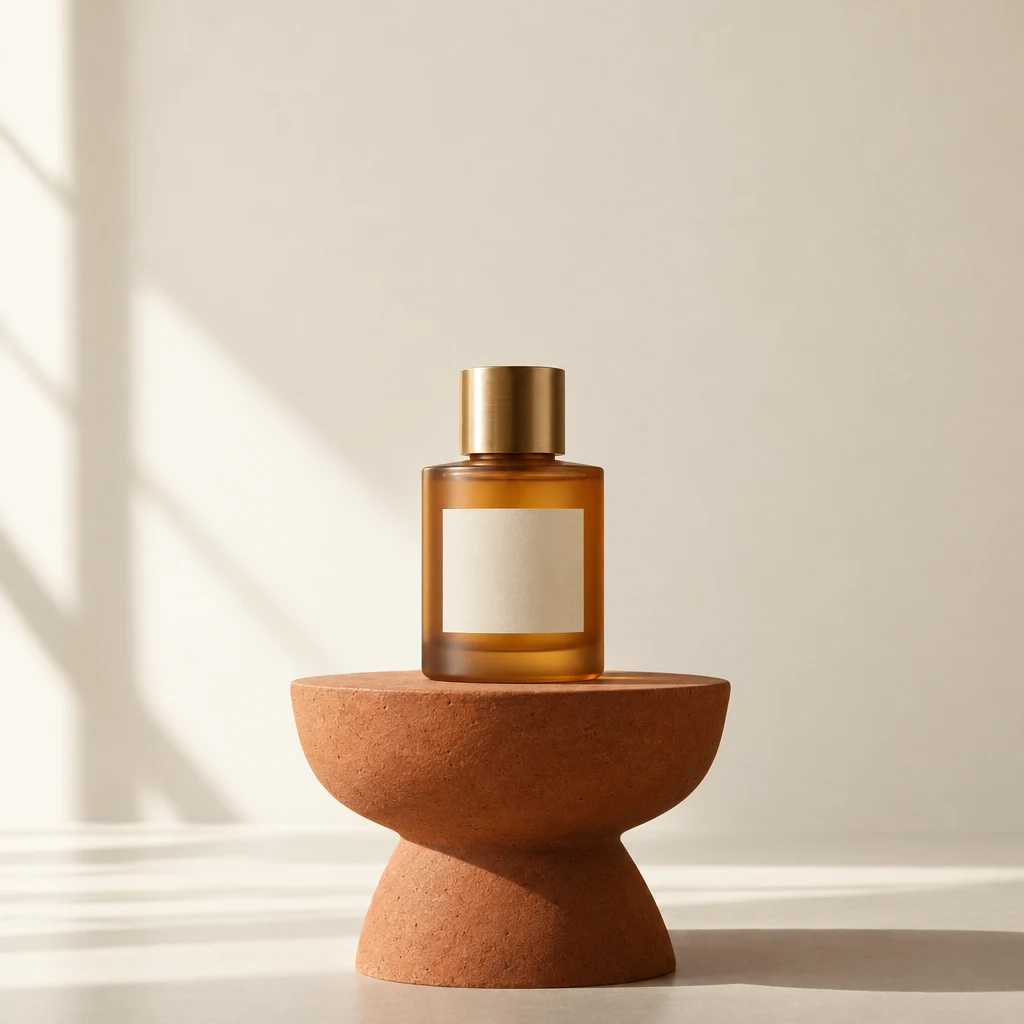
Product mood and lightingAI-generated
01
Find the look for your next product story
Set the material, lighting and scene in words. Explore a quiet studio shot or a more expressive campaign direction, with glass, reflections and shadows working together.
Create a square product photograph of a frosted amber perfume bottle with a blank cream label on a terracotta plinth. Cream background, natural window light and a long soft shadow. No text or logo.
A coordinated illustration setAI-generated
02
Create assets with their own personality
Give a set of illustrations a shared palette, shape language and outline. Generate transparent artwork for presentation layouts, social graphics and playful visual identities.
Four camping stickers on a transparent background: orange tent, green pine tree, blue enamel mug and yellow hiking boot. A spacious 2 by 2 grid, thick navy outlines, rounded shapes, shared palette. No words or logos.
Made for your next idea
From idea to finished visual
01
Choose a creative direction
Describe the mood, subject and visual style.
02
Match the destination
Select the aspect ratio and use a transparent background for isolated assets.
03
Explore another version
Change one part of the brief to compare colors, materials or composition.
Ready for a different direction?
Found the direction you want?
Move to Sunburst when the next step is a more demanding edit or finishing pass.