Create detailed product films and expressive short scenes with Agnes Video 2.5. Guide the subject, camera and light with a prompt or reference image, then bring the moment to life in up to 2K.
Agnes 2.5 carries text and image-based creation into a short-video workflow with output choices up to 2K. Build around a strong visual, a clear action and a camera move that gives the subject presence.
Agnes Video 2.5
See what you can create
Before
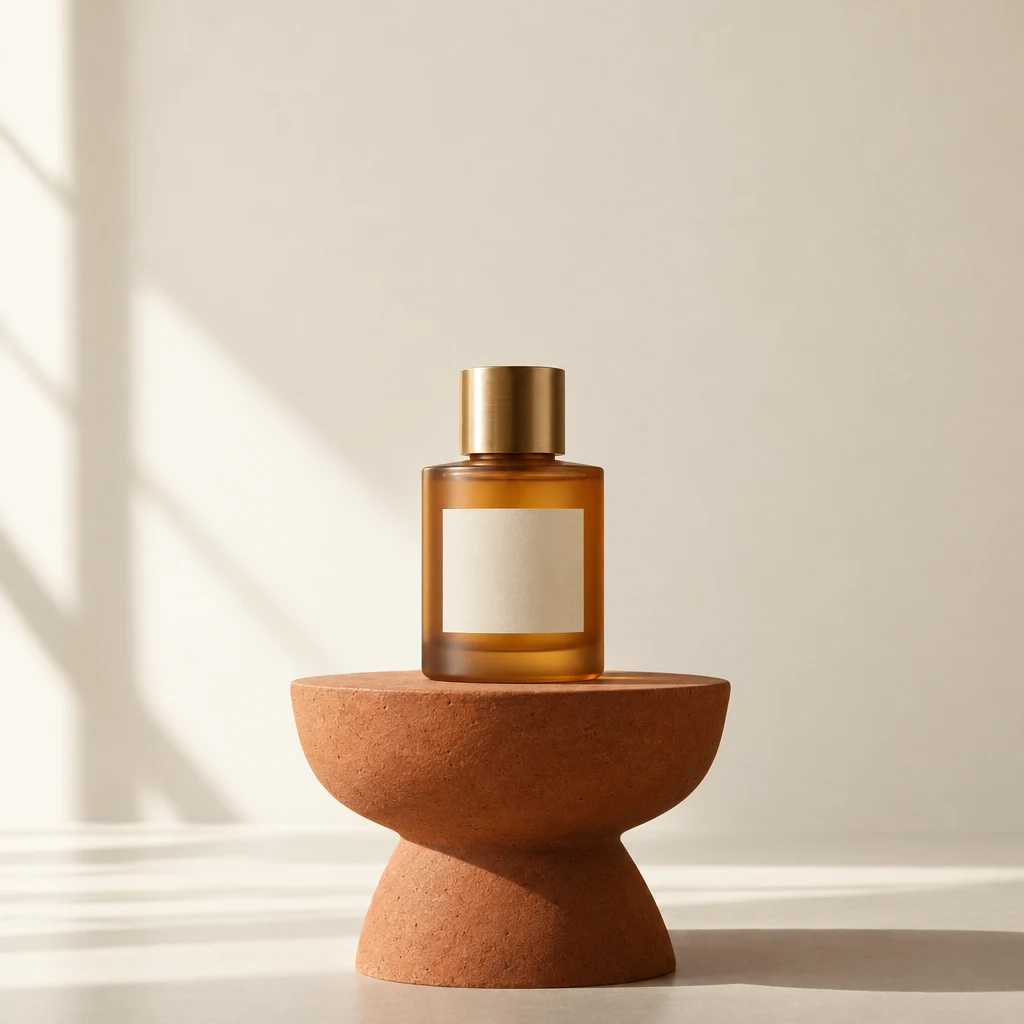
A product reference brought to lifeAI-generated
01
Turn a product photo into a moving showcase
Bring an existing product image into a shot with depth. Use a slow arc or push-in to reveal shape, surface and reflections while keeping attention on the object.
Use my product reference for a four-second film. Keep the amber perfume bottle, cream label and terracotta stand recognizable. Slowly arc the camera right with a soft reflection moving across the glass. Product centered, no cuts, text or hands.
A quiet moment with movementAI-generated
02
Let small movement create a lasting mood
Rising steam, soft window light and a gentle camera move can make a simple scene feel inviting. Agnes is a useful starting point for product-page clips, lifestyle moments and social teasers.
One continuous close-up of a cobalt blue ceramic cup on a pale oak table beside a linen curtain. Gentle steam rises as the camera slowly pushes in. Warm morning window light, natural shadows. Keep the cup shape stable. No cuts, hands, text or logos.
Made for your next idea
From idea to finished visual
01
Choose the subject
Describe the scene or add a product or character reference.
02
Direct the movement
Name one main action and one camera move.
03
Finish the shot
Choose duration, framing and resolution, then create the clip.
Ready for a different direction?
Have a longer story in mind?
Give the action more time to develop with Wan 3.0.

 Before