
AI image generator
Turn your message into a poster people can read
Create my poster concept ↗Give the image generator one main message, a short exact headline and a visual direction. The example pairs a large cream headline with a sculptural paper form on midnight blue: the type establishes the message and the artwork gives it a memorable shape. Start with a poster concept that can be read at a glance, then finish any required small text, logos or print specifications in the appropriate design workflow.
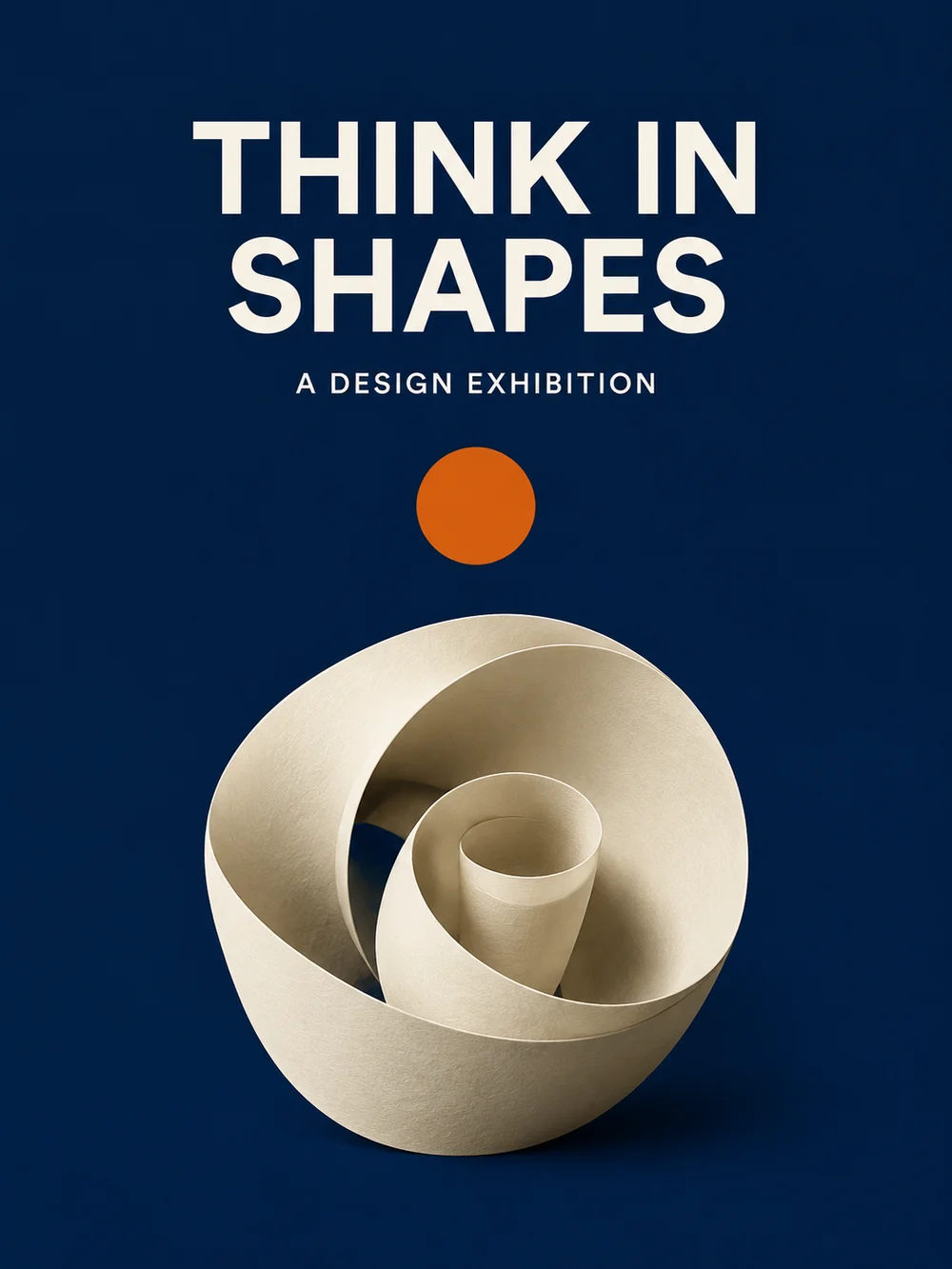
Choose a poster when the viewer should remember one message or event. A poster is not a data-heavy infographic and not a device wallpaper: its hierarchy must serve the words. Keep the headline short, reserve a separate area for secondary information and avoid turning every detail into equally large type. The generator creates a composed image rather than an editable typography document.
Create a cafe poster with a clear hierarchy
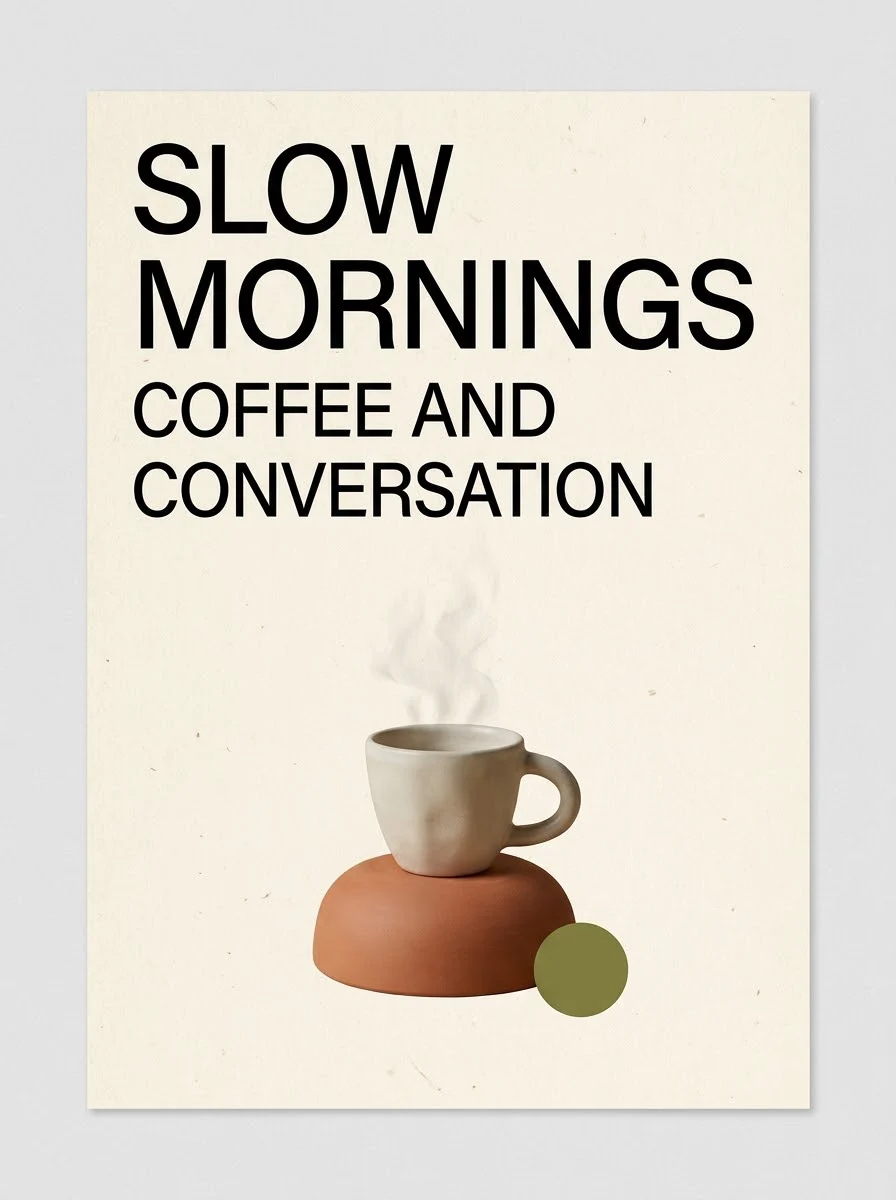
An ivory background, warm terracotta and a small olive accent support the espresso theme. The prompt keeps the headline above the main object and limits the design to two text elements. Substitute your own short wording and palette to explore a cafe announcement or concept poster. There is no editable font layer in the generated image; it is a finished raster composition.
Create my poster concept · Nano Banana Pro ↗From your idea to a finished image
Prepare
Write the headline before the visual brief. Separate mandatory words from optional decoration. If dates, addresses or a logo must be exact, plan a controlled final typography pass rather than putting a dense block of small copy into the first generation.
Choose
The example opens GPT Image 2.5 and its portrait composition. The editable local-language starting brief keeps the original English demonstration headline; replace those words with your own message before generating.
Create
Open the workspace, review the selected model, image settings and current credit estimate, then submit when ready. The link does not upload a sample or start a paid job. Each new generation is a separate request; an eligible failed task returns its charged credits. Keep the original files before experimenting.
An editable starting prompt
Create one portrait 3:4 poster for a fictional design exhibition. Midnight-blue background, one sculptural cream paper spiral in the lower half, small burnt-orange circle and generous negative space. Exactly THINK IN SHAPES in two large uppercase lines above, then A DESIGN EXHIBITION in smaller clear sans-serif type. No other text, logos or frame.
Build the poster around one sentence
Imagine the viewer passing your design without stopping. What should they understand first: an exhibition theme, a cafe invitation, a music event or a workshop topic? Write that idea as a short sentence before choosing a color palette. A headline that merely says exciting event leaves the image without a purpose. A headline with a clear subject gives the visual a job. Put practical information below it rather than competing with it. When several messages are equally important, a sequence of posters may communicate better than one crowded image. Plan the message, not an arbitrary collection of fashionable visual effects.
Set a hierarchy the model can interpret
Describe a large headline area, a smaller supporting line and a separate illustration area. In the shown poster, the upper half gives the headline room while the paper sculpture anchors the lower half. Contrast and empty space matter as much as the size of the letters. If every corner contains a shape or gradient, the headline has nowhere to breathe. Request a restrained palette and one focal object before adding extra decoration. Specify where the key words belong, but remember that a generated layout is not a coordinate-based design file. Fine placement may still require a separate finishing step.
Use text-led and image-led directions differently
For an announcement, lead with words and ask for a supporting illustration. For an art event, a strong image may lead while the headline stays brief. For a photo-led poster, prepare a reference you have permission to use and explain its role. Do not assume that adding an existing flyer as a reference imports its editable layers or preserves every line of copy. The two shown English examples demonstrate different visual treatments: graphic paper sculpture and a quieter cafe composition. They are starting directions, not a ranking of which model is better or evidence that either always renders a long paragraph accurately.
Keep revisions focused on the message
If the title becomes hard to read, shorten it or simplify the background before requesting more decoration. If the composition feels empty, improve the relationship between headline and focal object rather than filling every gap. Save the prompt alongside each concept so you can identify what changed. A new generation is a new paid request; opening an example link does not create a session that guarantees free revisions. The workspace keeps the prompt editable. Before replacing an existing draft, make sure the text you want to keep has been saved. Avoid combining a new theme, palette, image and headline into one untraceable revision.
Finish for the intended display
A social announcement, a phone preview and a printed sheet have different viewing distances. Inspect the headline at the size people will actually see, not only in a large browser preview. This image-generation path does not promise editable font layers, PDF typesetting, bleed, exact color matching or a particular printer's acceptance. Use the current download controls, inspect the actual image dimensions and arrange a separate print-preparation step if needed. Treat names, event details and authorized logos as controlled information. The example is a fictional exhibition, not a real event or a template containing approved commercial artwork.
What this workflow does and does not deliver
- Make the headline the first readable element at the intended viewing size.
- Keep dates, names, logos and print specifications under your control.
- The English example proves this particular composition, not all-language accuracy or editable layers.
Editorial method: task-specific guidance checked against the current workspace and site-owned model examples. Examples were generated on October 7, 2026, at the 1K setting; they are not customer testimonials, competitor results or proof of universal performance.
Reviewed October 13, 2026
Privacy and image deletion ↗