
AI image generator
Take your character into a new scene
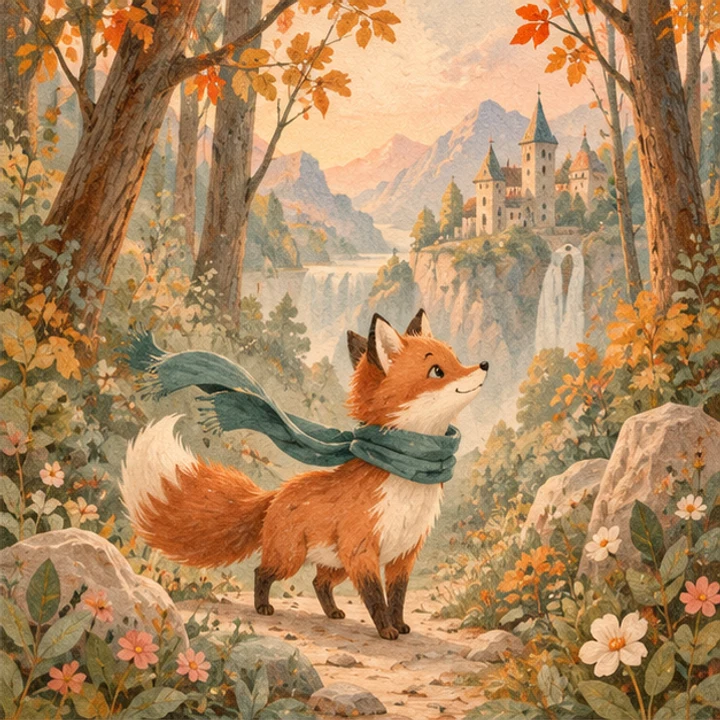
Create a new scene with my character ↗Use a clear reference of a character you own, identify the features that make it recognizable, and describe one new action or setting. The fox example keeps an orange coat, cream markings and a teal scarf while moving into a woodland stream scene. Reference-led generation gives your brief a visual anchor; it is not a locked character system or a promise that every frame will match perfectly.
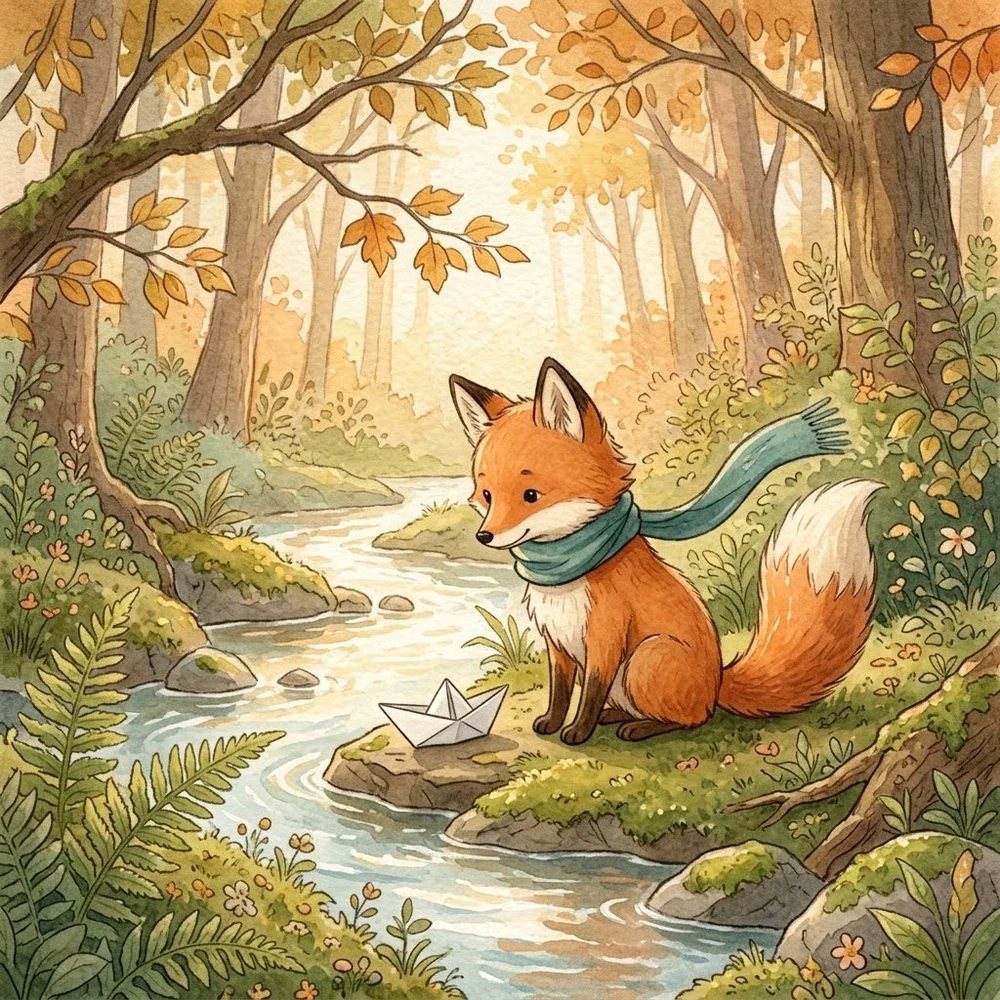
Choose reference-led generation when a specific character matters more than a general illustration style. Choose a photo filter when you only want to restyle a single existing picture. For a multi-scene project, keep one approved reference and a compact character description, then compare each result against both. The visible pair illustrates one scene transfer, not a tested animation, trained identity model or complete storybook series.
Start with a real example
 Reference imageGenerated example
From your idea to a finished image
Prepare
Choose one unobstructed reference with the character's silhouette, colors and distinguishing accessory visible. Write a short identity note: coat markings, scarf, proportions and number of tails. Avoid combining conflicting versions of the same character.
Choose
The example opens Nano Banana 2 with a square scene and an editable prompt. Upload your own authorized character reference. No sample image is uploaded automatically, and the link does not train a character model.
Create
Open the workspace, review the selected model, image settings and current credit estimate, then submit when ready. The link does not upload a sample or start a paid job. Each new generation is a separate request; an eligible failed task returns its charged credits. Keep the original files before experimenting.
An editable starting prompt
Use image 1 as the character and style reference. The same orange fox with cream muzzle, cream chest, fluffy cream-tipped tail and long teal scarf sits beside a woodland stream folding one paper boat. Ferns, warm afternoon light, gentle watercolor on textured paper. One tail, no other fox, no writing or collage. Square image.
Define identity cues before adding a new adventure
A character is recognizable through a combination of features, not only its name. For the shown fox, the orange coat, cream muzzle and chest, cream tail tip and long teal scarf provide a compact identity description. Add proportions and a distinctive shape if they matter to your project. Separate these retained cues from the new scene instruction so the model does not have to guess which details are essential. Avoid a long list of contradictory style adjectives. If the reference is already watercolor, first ask for a scene in that same visual language rather than simultaneously changing age, species, material and setting.
Keep the reference easy to interpret
Use an image you own or have permission to adapt, with the entire character visible and enough resolution to distinguish accessories. A tiny face inside a crowded collage is a weak identity anchor. Cropping away the tail or feet removes information the next scene may need. A second image with different clothing can introduce ambiguity unless you explain its role. Starting with one approved reference and a concise note makes later comparisons easier. Do not assume the generator stores a permanent character identity between separate jobs; the reference and brief need to carry the continuity you want into each request.
Give the action its own clear instruction
Choose one new pose or action that can be understood in a still image. Sitting beside a paper boat and folding a paper boat are different scenes. In our actual example, the fox sits near a completed boat, even though the original request described folding one. That difference is useful when deciding what counts as a successful illustration. List the objects involved, how the character interacts with them and where attention should go. Avoid packing a sequence of actions into a single frame. If the story requires a hand or paw to hold an object, inspect that relationship rather than relying only on a familiar face and scarf.
Review continuity and storytelling separately
First compare the identity cues to the approved reference. Then evaluate whether the pose, props and setting communicate the intended moment. A familiar character in the wrong action may fail the story; a beautiful scene with altered markings may fail the continuity goal. Save a small checklist so you use the same criteria across iterations. Keep accepted references instead of casually replacing them with every new output, which can accumulate visual drift. There is no statistical consistency benchmark or verified multi-turn sequence behind this single pair. A complete series requires its own scene-by-scene acceptance, not a stronger label on one selected example.
Use the right workflow for a sequence
This entry creates individual images. It does not deliver a rigged animation, guaranteed matching video frames, a trained character embedding or an automatically laid-out book. Plan a shot list, keep a common palette and choose the key character cues you will preserve. For a one-off memory illustration from a photograph, the storybook filter may be a simpler route. For an original reference character in a new situation, stay with reference-led generation and an explicit scene brief. Prepare final captions and story text separately, and keep permissions for the underlying artwork clear before sharing or selling a finished project.
What this workflow does and does not deliver
- Compare the silhouette, colors and defining accessory with the reference.
- Check the requested action independently: the sample does not actually show folding the boat.
- A single pair is not a guarantee of identical characters across a book or video.
Editorial method: task-specific guidance checked against the current workspace and site-owned model examples. Examples were generated on October 7, 2026, at the 1K setting; they are not customer testimonials, competitor results or proof of universal performance.
Reviewed October 13, 2026
Privacy and image deletion ↗