Choose the source for this shot
Use a sharp photograph showing the ears, muzzle and front paws. Keep a distinctive patch or collar visible so you have something concrete to compare in the finished clip.

A small ear twitch or curious head tilt is a useful first shot. Walking and jumping require hidden legs and changing body angles; a seated reference is better suited to a seated action.
Open this shot in the video workspace ↗Opens an editable prompt and settings. Add your own references if needed; nothing is uploaded or generated by this link. Check the current credit estimate before submitting.
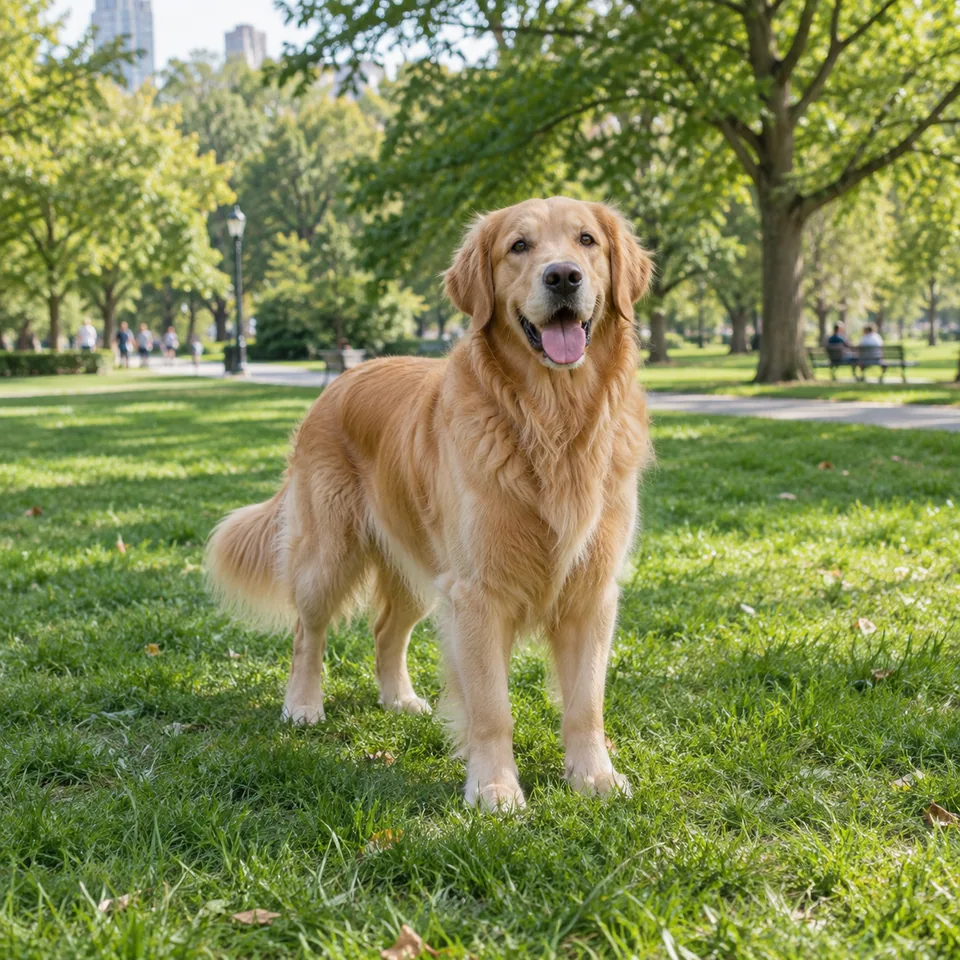
The full standing pose supplies a reference for ears, coat boundaries and paws that should remain after editing.
Look at thin fur and spaces between legs. Do not mistake the animal’s own coat texture for background noise to remove.
Use a sharp photograph showing the ears, muzzle and front paws. Keep a distinctive patch or collar visible so you have something concrete to compare in the finished clip.
Let the pet notice something just beside the camera and tilt slightly, then settle. Keep its paws on the ground instead of adding a second action such as waving.
Keep the camera at the pet’s eye level and stationary. A fast orbit can expose a side that the photograph never showed.
Choose one photograph with a readable face, ears and paws. The standing dog shown here supports a grounded head movement; a curled sleeping cat calls for a different action. Note one coat marking and one collar detail before opening the workspace.
For a first clip, use five seconds and a fixed camera at eye level. Let the animal notice something beside the lens, tilt slightly and settle. Add the photo, adapt the supplied prompt to its actual pose, and check the credit estimate before submitting. Review the middle of the gesture as carefully as the beginning: extra paws and changing muzzle shapes often become noticeable while the animal moves.
A head tilt suits a portrait keepsake; a full walk needs a clear whole body, visible ground and room to travel. Treat walking as a new shot with a suitable photograph, rather than adding it to a cropped headshot. For a talking-pet idea, plan sound and editing separately.
Watch the ear count, whiskers, paws and coat markings through the whole movement. Then play at normal speed: a correct paused frame may still hide a sudden jump in the collar.
When paws multiply, shorten the action and keep the body still. This page plans a visual clip; the current workspace does not offer a dedicated pet speech or lip-sync control.
Make my pet cute, run, jump and look at me.
Keep the existing standing pose and give it one small head movement with a settled ending. Running needs body and ground information that a close pet photo may not contain.
Copy it or open it in the workspace to edit. Replace the subject details to match your own source.
Use the pet in the reference photo. It remains standing, notices a quiet movement beside the camera and tilts its head slightly, then settles. Paws remain grounded. Fixed eye-level camera, stable background and natural light, one continuous shot.
Writing example; adapt it to your reference. This is not a claim that these words guarantee an output.
Check whether the reference hides a side of the face or the requested turn reveals an unseen body angle. Reduce the turn and remove costume or style changes. If a distinctive patch still moves, reject that version even when the overall motion is charming; an appealing clip is not enough for a personal keepsake.
Content reviewed: