Choose the source for this shot
Write a plain sentence about the desired event before adding style. For the pet example, “the standing dog tilts its head once” is testable; “amazing cinematic pet video” is not an action.

The reference already communicates much of the appearance. Use the prompt to explain what changes, what stays still and how the camera observes it. A longer list of adjectives rarely resolves an unclear action.
Open this shot in the video workspace ↗Opens an editable prompt and settings. Add your own references if needed; nothing is uploaded or generated by this link. Check the current credit estimate before submitting.
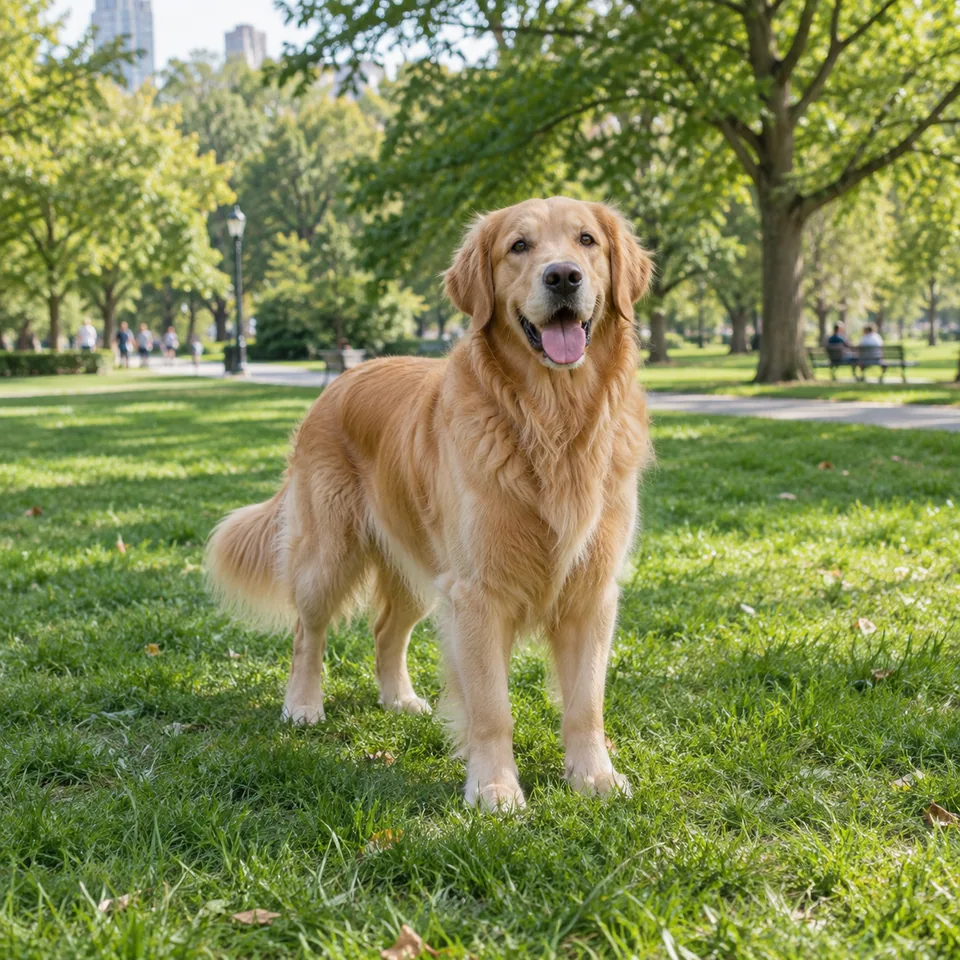
The full standing pose supplies a reference for ears, coat boundaries and paws that should remain after editing.
Look at thin fur and spaces between legs. Do not mistake the animal’s own coat texture for background noise to remove.
Write a plain sentence about the desired event before adding style. For the pet example, “the standing dog tilts its head once” is testable; “amazing cinematic pet video” is not an action.
Use subject + verb + amount + ending. For example: the dog tilts slightly, then settles. This gives the movement a readable finish instead of leaving it to continue until the clip cuts.
State camera movement separately from subject movement. “The camera pans right” and “the subject walks right” produce different compositions; combining both makes diagnosis harder.
Write a one-line description of what is already visible and a separate line for what should change. Keep these apart while drafting. For the standing dog, its color and location come from the image; the new information is the head movement and the fixed viewpoint.
Replace an abstract request such as “make the pet lively” with an observable action: it turns its attention slightly to one side, tilts its head and settles, with paws grounded. Generate one version before adding a camera move. Save the exact prompt with the result so that the next revision has a clear starting point.
If the action is wrong, change the verb or amount. If the subject is right but framing drifts, change the camera instruction. Rewriting the whole scene on every attempt makes it harder to learn which part caused the difference.
After a test, compare the actual action against the sentence. Change only the missed instruction next: action size, timing or camera. Keep a note of the prompt and settings for a useful comparison.
Conflicting instructions such as “locked camera, orbit around the subject” compete. Remove the conflict before retrying; exact timing and perfect reference preservation remain uncertain.
Animate the photo beautifully.
Add an observable verb, amount and ending. Keep subject movement separate from camera movement so the next revision has a clear target.
Copy it or open it in the workspace to edit. Replace the subject details to match your own source.
The standing dog in the reference tilts its head slightly toward the camera, then settles. Body and paws remain still. The camera is locked at eye level. Stable daylight and background, one continuous shot.
Writing example; adapt it to your reference. This is not a claim that these words guarantee an output.
Only useful detail helps. Check for incompatible directions such as a fixed camera plus an orbit, or a still body plus a full sprint. Keep the motion you can explain and inspect. Add detail when a specific failure calls for it, rather than filling the prompt with repeated quality adjectives.
Content reviewed: