Choose the source for this shot
Look for a visible water surface or a clear band of cloud. Avoid asking for waves where the source only shows a tiny, heavily blurred patch of water.

A landscape does not need a dramatic fly-through to feel alive. Choose one environmental movement and let the horizon and major landforms anchor the shot.
Open this shot in the video workspace ↗Opens an editable prompt and settings. Add your own references if needed; nothing is uploaded or generated by this link. Check the current credit estimate before submitting.
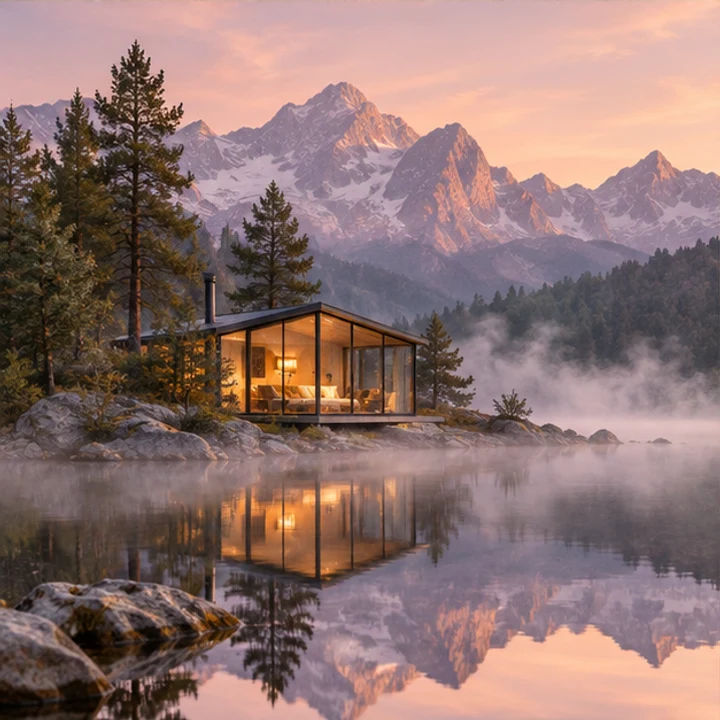
Water, mountains and shoreline offer distinct moving and still regions for planning an ambient shot.
Check reflections and fixed edges when you later generate a clip. This static image is a planning reference, not proof of a loop or camera move.
Look for a visible water surface or a clear band of cloud. Avoid asking for waves where the source only shows a tiny, heavily blurred patch of water.
For a lake scene, start with gentle ripples while the mountains remain still. Add slow cloud drift only after the reflection behaves plausibly.
A stationary horizon makes subtle motion easier to judge. A slow push-in is a separate version; do not combine it with a large pan on the first attempt.
Identify the part of the landscape that can visibly move. In the lake reference, water and its reflections are available; mountains, the cabin and the shoreline provide still landmarks. Decide where the clip will play so that the calm area is not hidden by text or controls.
Make an eight-second version with gentle ripples and a fixed horizon. Watch the water near the shore as well as the center of the lake: ripples should not drag the bank with them. Then compare opening and ending brightness. Only after this version is convincing should you try slow clouds or a separate push-in.
Use ambient motion for a calm background; choose camera travel when discovering the location is the story. If the main purpose is a repeating website backdrop, a modest stable shot is easier to trim than a large reveal that returns abruptly to its starting point.
Check that reflections follow the water, mountain edges stay in place and cloud changes do not cause exposure pulses. Watch the opening and ending together if the clip will repeat.
A continuous shot is not automatically a seamless loop. If the end jumps back visibly, trim or crossfade in an editor; the current workspace has no dedicated loop-seam control.
Make this landscape dramatic and cinematic.
Specify gentle ripples and stable mountains before adding camera travel. The amount of motion should serve the intended calm scene.
Copy it or open it in the workspace to edit. Replace the subject details to match your own source.
Use the landscape reference. Gentle ripples travel across the lake while the mountains and shoreline stay stable. Reflections move softly with the water. Locked landscape camera, consistent daylight, unhurried continuous shot.
Writing example; adapt it to your reference. This is not a claim that these words guarantee an output.
The motion prompt can request a calm continuous scene, but it cannot ensure matching start and end frames. Play the join in your intended editor, trim a stable portion and test a short dissolve if needed. Check moving reflections as well as the horizon; a hidden seam in one area can remain obvious elsewhere.
Content reviewed: