Choose the source for this shot
Keep the character silhouette separate from the background. If a limb disappears behind another object, choose an action that does not depend on revealing it accurately.

Choose an action the drawing can support: looking toward a sound, lifting a hand or taking one visible step. A short readable gesture usually communicates more than a list of unrelated events.
Open this shot in the video workspace ↗Opens an editable prompt and settings. Add your own references if needed; nothing is uploaded or generated by this link. Check the current credit estimate before submitting.
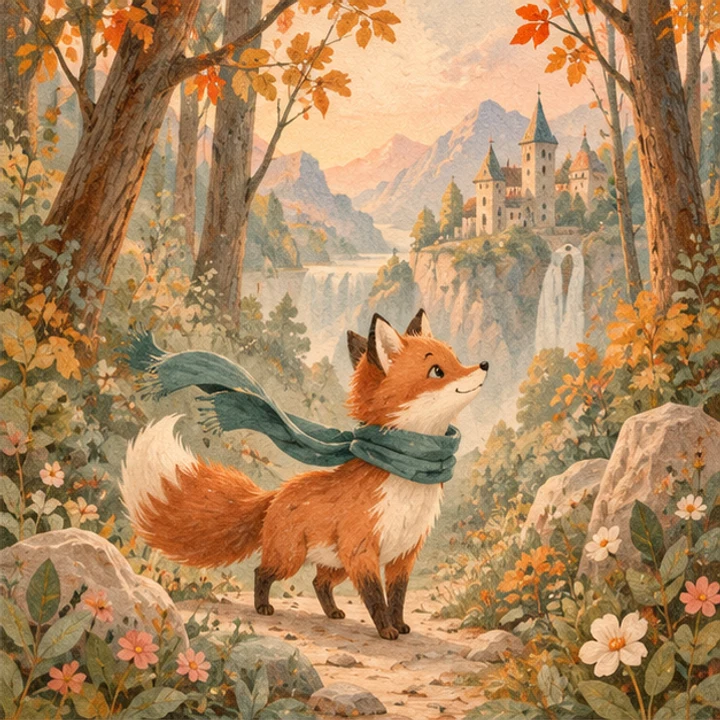
The illustrated fox and scarf provide concrete character cues while the woodland setting supplies room for a small story action.
Compare outline, costume color and body proportions across later images. A still reference does not demonstrate generated motion.
Keep the character silhouette separate from the background. If a limb disappears behind another object, choose an action that does not depend on revealing it accurately.
For a woodland character, try one look toward a leaf drifting down. Keep the body near its starting pose; let the leaf provide the second layer of movement.
A locked wide shot keeps the drawing’s composition readable. If the face is very small, crop a closer reference before adding complicated facial acting.
Use the finished illustration rather than a page containing several unrelated panels. Mark the character’s silhouette, two costume colors and the medium you want to retain. Keep the object that triggers the action visible or easy to describe.
In the woodland example, let the character follow a falling leaf with its eyes. Keep the feet planted and the framing wide enough to read the gesture. Inspect the line weight and scarf before adding a second event. If the first version works, a later shot can show the character reaching for the leaf; it does not all need to happen in six seconds.
A held pose with one moving detail preserves an illustration’s composition. A running or turning character creates new views of limbs and costume. Choose that route only when the design is clear enough to judge those new views.
Compare outline thickness, eyes, costume colors and the object’s path. The clip should still belong to the same illustration, rather than becoming a different rendering style midway.
If the scene turns photographic, describe the original medium clearly and remove competing style words. If the character changes shape, reduce travel distance before adding more references.
Turn this drawing into a magical animated movie.
Keep the painted medium and describe one event, such as following a leaf. A genre word does not specify which character moves or what remains of the original drawing.
Copy it or open it in the workspace to edit. Replace the subject details to match your own source.
Preserve the illustrated character and painted woodland style of the reference. The character slowly looks toward one leaf drifting to the ground. Body stays near the original pose. Fixed wide camera, soft steady light, a quiet continuous scene.
Writing example; adapt it to your reference. This is not a claim that these words guarantee an output.
For the first test, use a single clean view to reduce ambiguity about which figure should move. Additional references can explain appearance, but the workspace does not treat a multi-panel sheet as an ordered animation timeline. Separate the views and describe each reference’s role if you need them.
Content reviewed: