Choose the source for this shot
Keep the full hem, waistband and shoes in frame. Plain fabric is easier to inspect than a dense print, but even plain fabric can change length or transparency during generation.

For a first fashion clip, let the hem move while the model stays planted. A full turn reveals seams, closures and fabric behavior that a front photograph cannot verify.
Open this shot in the video workspace ↗Opens an editable prompt and settings. Add your own references if needed; nothing is uploaded or generated by this link. Check the current credit estimate before submitting.
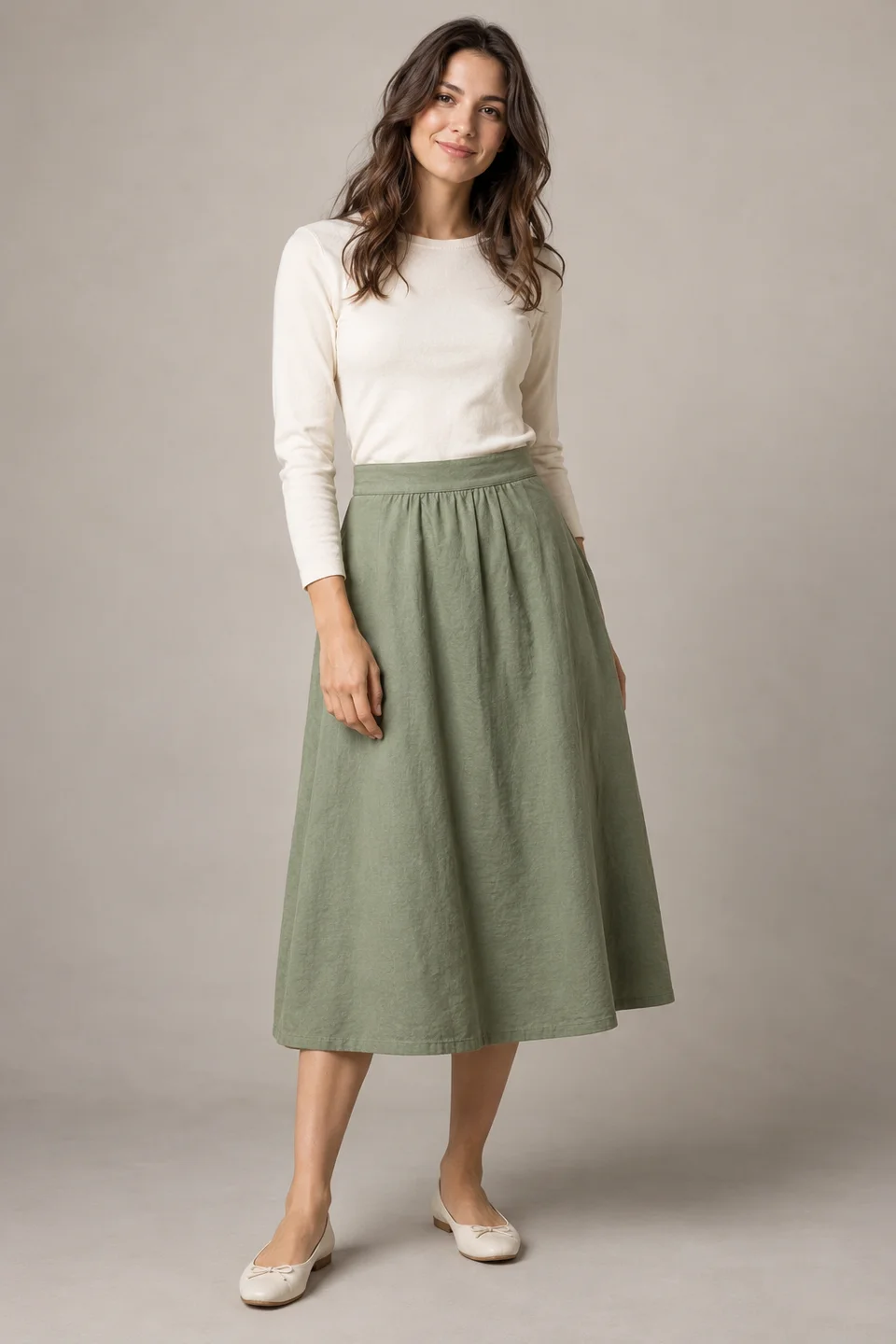
The visible waistband, hem and feet let you plan fabric movement while retaining clear body and garment anchors.
Compare those anchors throughout a future clip. The static teaching image does not measure real fabric weight, stretch or drape.
Keep the full hem, waistband and shoes in frame. Plain fabric is easier to inspect than a dense print, but even plain fabric can change length or transparency during generation.
Try one light breeze moving the lower fabric, then settling. Keep hands relaxed and separate from the cloth to avoid complicated contact and grasping.
Use a full-length stationary portrait shot. Leave margin around the widest expected hem position so the movement is not cut off at the frame edge.
Use a reference showing the garment’s full silhouette and its attachment points: waistband, shoulders or sleeve seams. In the green-skirt example, the feet and hem remain visible so you can compare the movement with the body instead of judging fabric in isolation.
Begin with one light sway of the hem in a fixed six-second portrait shot. Keep the waistband stable and leave a brief settled ending. Watch the folds from their attachment down to the edge: they should not slide through the body or change into a different cut. Test the clip in the intended crop before adding a turn.
A small sway can illustrate styling. Walking and spinning expose more of the garment and body, requiring a stronger reference and closer review. If the purpose is to demonstrate fit or real drape for a purchase, show genuine footage alongside any labeled concept animation.
Compare garment length, waistband, seams, print and opacity throughout. Generated movement is a visual proposal, not evidence of how the actual fabric drapes or stretches.
If the skirt changes cut, reduce the breeze and avoid rotation. For fit or fabric-performance claims, use a filmed demonstration of the actual garment.
Show the model walking and spinning in flowing fabric.
Start with one hem sway and stable feet and waistband. You can then distinguish fabric motion from a changed cut or a deformed body.
Copy it or open it in the workspace to edit. Replace the subject details to match your own source.
Use the fashion reference. The model stands comfortably still while a gentle breeze moves the lower skirt hem slightly and then settles. Preserve the visible waistband, seams and garment length. Fixed full-length portrait camera, soft steady studio light.
Writing example; adapt it to your reference. This is not a claim that these words guarantee an output.
No. The image provides appearance, not a measured simulation of weight, stretch or stiffness. Use the animation to explore a visual direction, and use real samples or footage for material claims. A plausible silk-like movement on a cotton garment is still an inaccurate product demonstration.
Content reviewed: