Choose the source for this shot
Use a clean image of the artwork without a photographed frame or glare. If you want a framed object moving in a room, that is a different shot with different geometry.

An animated painting works when the movement belongs to the image. Pick a small living detail, such as hair or foliage, and keep the paper surface and composition quiet.
Open this shot in the video workspace ↗Opens an editable prompt and settings. Add your own references if needed; nothing is uploaded or generated by this link. Check the current credit estimate before submitting.
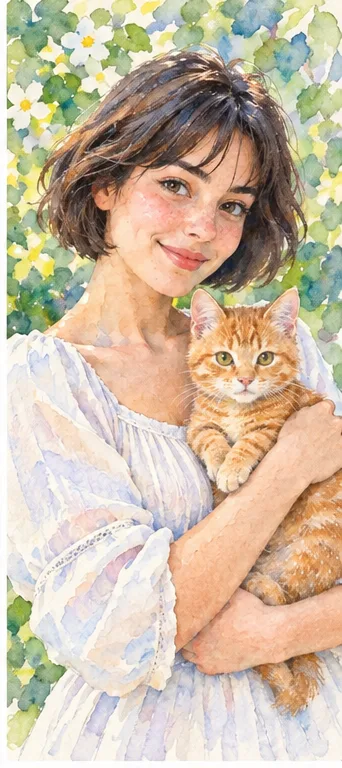
Soft washes leave more open light around the portrait and can suit cards, gifts or a quieter editorial image.
Watch the eyes and boundary between face and hair. Pale washes should not erase the features you need to recognize.
Use a clean image of the artwork without a photographed frame or glare. If you want a framed object moving in a room, that is a different shot with different geometry.
For a watercolor portrait, move a few loose strands of hair rather than making the entire wash flow. The pigment texture should remain tied to the face and clothing.
Keep the artwork square to a stationary camera. A large camera orbit would turn a flat illustration into invented three-dimensional geometry.
Choose a high-quality image of the artwork with the whole composition visible. Note which marks belong to the medium: a watercolor wash, paper grain or pencil edge should not become a moving photographic texture. Decide on one detail that may move without changing the picture’s subject.
For the painted portrait, try a very slight movement of a loose hair strand while the painted face and surrounding washes stay stable. Keep the camera fixed. Review the image at rest before judging motion: if the brushwork already changes at the opening, reduce conflicting realism terms in the prompt before trying a larger gesture.
Use a detail animation when the work itself is the subject. If you want to travel inside the painted world, treat it as a new interpretation and be ready for invented space. Keep a still reproduction available for anyone who needs to inspect the actual artwork.
Check the paper grain, face outline and unpainted margins. They should not pulse or fill with new color. Compare a paused middle frame with the still, then watch the rhythm.
If texture crawls, reduce movement and explicitly keep the original medium. This workflow does not create separate animation layers or guarantee a loop that joins without a visible seam.
Make this painting real.
If the artwork is the subject, preserve its marks and move one detail. “Real” can instead suggest a photographic reinterpretation that changes the work.
Copy it or open it in the workspace to edit. Replace the subject details to match your own source.
Preserve the watercolor portrait, paper grain and unpainted margins. A few loose strands of hair move gently while the face and clothing stay almost still. Fixed frontal camera, soft constant light, restrained continuous motion.
Writing example; adapt it to your reference. This is not a claim that these words guarantee an output.
A generated clip can reinterpret edges and texture even when you request the original style. Compare distinctive strokes at several points in time. If exact conservation matters, use a camera move over the still in an editor instead; that keeps the source pixels rather than asking a model to redraw them.
Content reviewed: