Choose the next move
A shared background does not normalize product size or angle. Standardize those in photography or the final catalog layout instead of expecting removal to solve them.

Backgrounds and cutouts
Set one background color and one visual standard before starting a batch. Similar backgrounds alone do not fix inconsistent camera angles, product sizes or lighting.
You choose your own source and review the current cost before generation.
Test one difficult item from each material family, then group similar sources. A standard approved on matte packaging may fail on glass. Keep a reject list by filename so only the problematic items need another pass.
Try a representative difficult item first. Then inspect each result, especially glass, fur and narrow gaps; retry only the items that need it.
A shared background does not normalize product size or angle. Standardize those in photography or the final catalog layout instead of expecting removal to solve them.
Test those samples before submitting a larger set. Compare product scale and color treatment, then inspect each completed result. Keep successful files if another item fails and retry only the unresolved work after reviewing its status and cost.
Group products by similar edge difficulty and source quality. Pick a simple object and a difficult reflective or fine-edge item as samples.
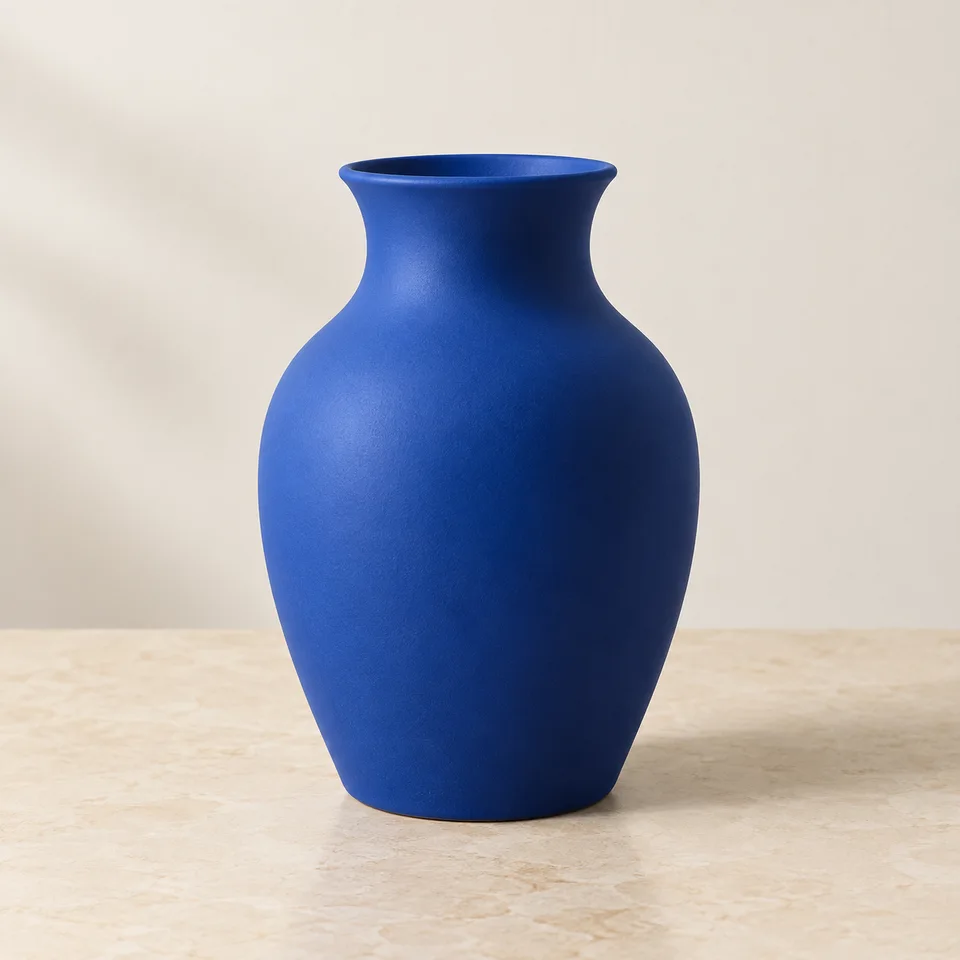
Why consider this directionThe source shows the vessel against its surroundings, so you can distinguish ceramic reflections from background areas.
Check before choosingFollow the rim, outer curve and base before examining the cutout. A pale highlight can belong to the object.

Why consider this directionThe isolated vase lets you judge the silhouette and place the same subject into different catalog layouts.
Check before choosingInspect the mouth and contact edge, then test the actual transparent file over a color. The displayed preview alone does not establish every export’s alpha channel.

Why consider this directionThe cutout demonstrates a catalog presentation direction with the surrounding scene removed.
Check before choosingCompare windows and the underside with the original. Glass reflections or visible interior should not be erased just because they are light.
Separate reflective, furry and solid-edged objects into small groups. Approve one example from each before processing more. Use consistent margins in the final layout, but do not resize different products as if they had equal real-world dimensions.
Edit my photo background ↗Use a representative test first, especially when the set mixes fur, glass, white packaging and simple opaque objects. Confirm the current batch limit and total credits in the tool. A successful easy object does not validate every edge type.
Content reviewed: