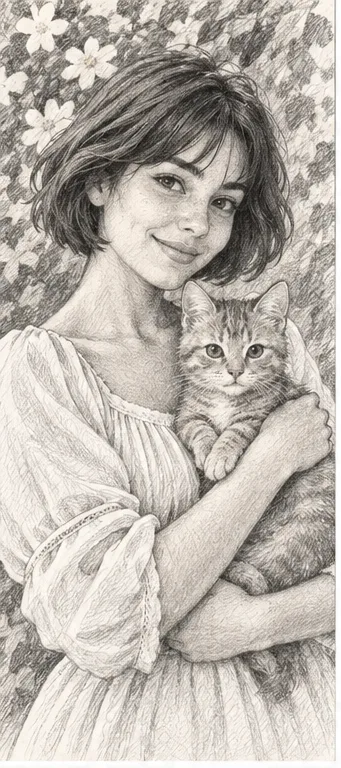
Why consider this directionGray shading explains facial volume while keeping the image less dependent on a colored palette.
Check before choosingReduce it to the final size. Fine hatch marks can merge, especially near dark hair and the eyes.

Choose an art style
Pencil shading describes volume; line art relies on contours. Use a sketch when facial modeling matters and line art when the image needs to remain simple at a small size.
You choose your own source and review the current cost before generation.
Why consider this directionGray shading explains facial volume while keeping the image less dependent on a colored palette.
Check before choosingReduce it to the final size. Fine hatch marks can merge, especially near dark hair and the eyes.
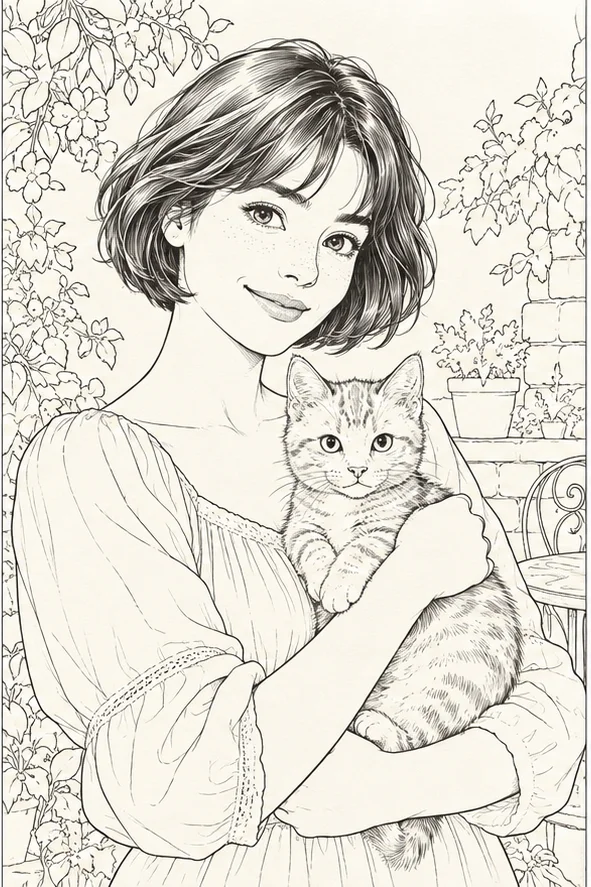
Why consider this directionA contour-led image can suit a calm avatar or a starting reference for a later drawing workflow.
Check before choosingLook for missing glasses, broken jaw lines and unnecessary background strokes. It is still an image, not a guaranteed vector path.

Why consider this directionUse the reference to separate a style’s changes from the pose, lighting and objects already present in the photograph.
Check before choosingCompare recognizable cues before judging the new texture. A pleasing transformation can still lose the subject’s defining features.
Check eyes and nose after simplification. A clean drawing can still lose the features that make the person recognizable.
Use pencil for tonal description; use line art for a clearer contour-based graphic. A minimal line drawing is not automatically a usable logo or vector file.
Choose a source with clear eye, nose and jaw boundaries. Have the smallest intended reproduction size ready.
Compare pencil shading with the line-art contour at equal size. Reduce both until they match the actual avatar or print. Check whether pencil tones turn muddy or line gaps remove a recognizable feature, such as glasses or a distinctive nose shape.
Look at how the nose and jaw are described. Pencil can use shading to retain volume; line art relies more on selected contours. If the result will be tiny, check whether the most important contour remains readable.
Try this with my photo ↗Check the actual downloaded file. A raster image remains pixel-based even when it looks like a drawing. If scalable paths are required, redraw or trace and inspect them in a vector editor; keep the generated image as a reference.
Content reviewed: