
Prisma × My Look Story
Considering Prisma? Choose the art workflow, not just a filter name
Do you enjoy exploring an art-filter library on your phone, or want to take one photo into a chosen painting direction in the browser? Both are creative tasks, but their controls and purchase paths differ. Compare the workflow below, then try our watercolor preset with your own photo. The woman-and-cat pair is an illustrative reference, not a Prisma test.
Turn my photo into watercolor ↗Independent guide · No affiliation with the named competitor · Published by My Look Story
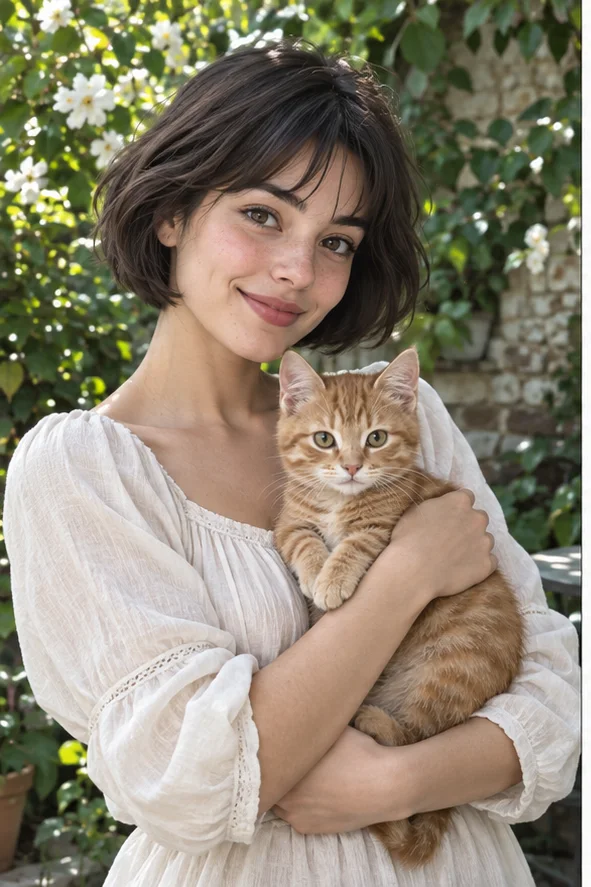 Reference illustration
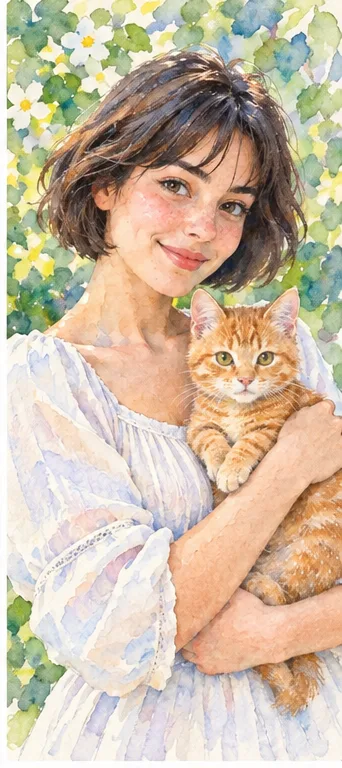 Watercolor reference of a woman holding an orange cat, with softened edges and a floral background
The practical answer
Prisma is the photo-art application presented by Prisma Labs; Lensa is a separate product. Its official app listing describes an art library and adjustment tools. My Look Story offers named photo styles in a browser workspace. Consider the app when its library and editing controls are your priority; try our workspace for a selected visual direction. We do not reproduce Prisma's exact filters or claim a quality, price or privacy winner.
1. Check that you are choosing Prisma, not a different product
Searches for Prisma can lead to Prisma Labs, its photo-art app, Lensa portrait editing or unrelated software with the same name. The official company site separates its applications. Before installing or paying, confirm the app name, publisher and store page. This guide concerns turning an existing photograph into art; it is not a comparison of Lensa avatars, database software or every feature supplied by the company. A familiar brand name alone does not define the task you are buying.
Write a small creative brief before browsing effects: a personal portrait in soft watercolor, a pet keepsake in visible brushwork, or an illustration for a social post. Decide what must remain recognizable and what may change. If the brief calls for the exact source photograph with only brightness or color adjusted, a redraw may be the wrong route. Artistic transformation is not restoration, and it should not be used as a supposedly unchanged record of a real event.
2. A mobile library and a browser preset give different control
Prisma's current official store description discusses a library of art effects and subsequent image adjustments. Check the controls and access conditions in the version installed on your device; a tutorial from several years ago is not evidence of today's subscription, export or included filters. Someone who repeatedly saves art from a phone may value that integrated library. We have not installed a paid plan or verified every adjustment, so we do not promise equivalent controls or unrestricted access.
Our button opens the photo-filter workspace with watercolor selected. You upload a usable photo, inspect the active choices and credit estimate, and confirm creation there. It is a named-direction workflow, not a collection of Prisma filter IDs. We do not provide a guaranteed effect-strength slider, separate foreground and background painting, or exact reproduction of a particular artist. Select a medium because its visible structure suits the image, not because a borrowed filter label sounds fashionable.
3. Compare painting directions using the same creative goal
For a gentle portrait or pet keepsake, watercolor can suggest paper, washes and soft transitions. Oil-style illustration places more emphasis on brush texture and color mass; pencil emphasizes gray lines and shading. Look at our separate illustrated guides before choosing. They explain these directions rather than demonstrating Prisma's results. A busy garden may suit a loose painted backdrop, while a small profile icon needs the face to remain readable when texture and surrounding detail are reduced.
Keep an untouched original and prepare a copy with a clear subject, enough light and a crop that retains important hair, hands or animal ears. Avoid tiny faces in a crowded group or a source already covered in strong beauty effects. For a pet, list the markings that matter: muzzle color, ear shape, chest patch and eye position. For a person, decide whether changes to expression or apparent age would make the illustration unsuitable. No preset can guarantee that these details survive unchanged.
4. Inspect recognizable details before you share or print
Put the real output next to your original. Check the face, fingers, clothing seams, pet markings and anything important to the story of the photo. In the watercolor reference, the colors and contours are softened and the figure is reinterpreted; that is a reason to inspect your result, not a claim of exact preservation. Reject invented details that change the meaning of a keepsake. For an avatar, also preview a circular crop and the small size your audience will actually see.
Download the chosen result and check its actual dimensions and file type before ordering a print. A raster illustration is not layered artwork, editable brush strokes or a physical painting. Upscaling a preview does not automatically supply detail for a large poster. If you want a greeting card, add verified text and layout in a suitable editor afterward; do not assume the photo style tool creates correctly spelled lettering. Keep the final artwork separate from the source so you can return to a different direction later.
5. Compare permissions and costs without borrowing promises
Our public production style catalogue currently shows watercolor active at two credits per result. The workspace's current total is what to confirm before submitting; another app's subscription and included exports are a different purchase. Review the actual store terms for your region, renewals and cancellation rather than relying on a historical review. Only upload photographs you can authorize, including consent for recognizable people. A style name does not automatically resolve copyright, trademark or a client's publication requirements.
We reviewed Prisma Labs' official app description and the publisher's store listing, and checked our production catalogue and public workspace. This is an independent guide published by My Look Story, which may benefit from your use; there is no Prisma affiliation or matched paid output test. Our processing is not offline-only. Removing a record hides it from your user history, not necessarily every administrative or provider system; use our privacy policy and support for deletion requests. Reviewed October 4, 2026.
Official sources
Reviewed October 4, 2026
Privacy and deletion requests ↗