
BeautyPlus × My Look Story
Considering BeautyPlus? Decide whether to edit the photo or redraw it
Making a selfie look polished and turning a personal moment into a drawing are different creative tasks. A BeautyPlus alternative should match the one you actually want. Here you can explore a pencil-style version of your photo, with guidance on composition, recognizable details and what to reject. The paired reference is our illustration, not a BeautyPlus trial or a promise that your face will remain unchanged.
Try my photo as a sketch ↗Independent guide · No affiliation with the named competitor · Published by My Look Story
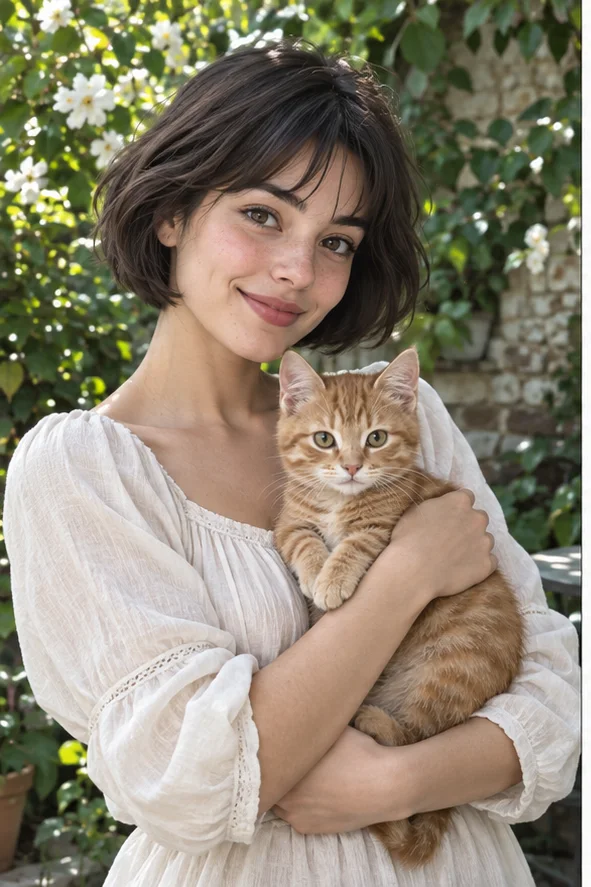 Reference illustration
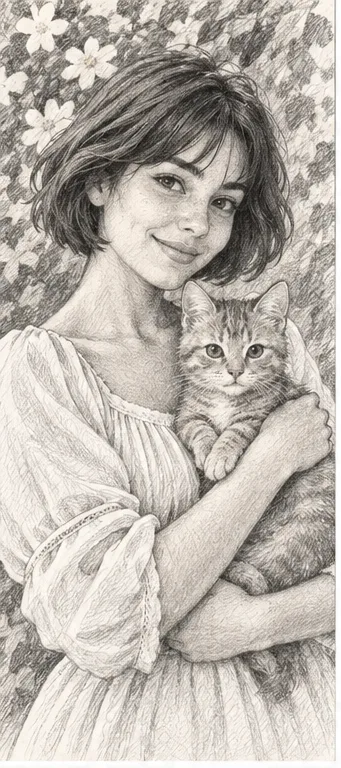 Pencil-style illustration of a woman holding a cat, with graphite shading and visible drawing marks
The practical answer
BeautyPlus publicly combines photo editing with artistic effects. My Look Story's filter workspace is a photo-to-style starting point, not a replacement for every selfie control. Choose retouching if you want to keep a photograph and adjust it; choose an art direction if visible drawing marks and reinterpretation are the goal. An artistic result can change a face, a pet or the scene, so review before sharing.
1. Keep a photograph or accept an interpretation?
Start with the intended use: a familiar everyday selfie, a gift illustration or an artistic profile. If the photograph must remain a reliable record, avoid a process whose goal is to redraw it. If you want an illustration, decide which details must still read: the relationship between person and pet, a recognizable hairstyle, or the shape of a memorable place. Those are acceptance criteria, not a demand that every source pixel survive a creative transformation.
A broader editor can include controls unrelated to art creation. Our filter entry does not imply facial reshaping, makeup sliders, live camera filters, stickers or a collage editor. Check the exact control in the product where you intend to use it. A sketch is also not a way to make a person anonymous: their identity may remain recognizable. Obtain permission when the photo includes another person, and do not use an art effect to imply their approval of a public profile or campaign.
2. Choose a visual language before generating
Pencil sketch emphasizes line, hatching and shaded form; watercolor emphasizes washes and softer boundaries; oil-style work emphasizes painted masses and brush texture. These are different visual decisions, not simply stronger levels of the same beauty filter. Choose one reason for the effect: pencil to emphasize a contour, watercolor for a soft personal keepsake, or painting for a visibly interpreted scene. Compare that intention with the actual result rather than choosing a preset by its name alone.
Our action opens the workspace with pencil selected. The public catalogue lists that style as active at two credits per result; check current photos, selections and total before submitting. You may explore other active directions there, but selecting several styles does not promise coordinated versions or a particular hand-drawn technique. This page does not supply a strength slider, layer-by-layer illustration or editable strokes. The comparison is between tasks and choices, not a ranking of two tools' aesthetic quality.
3. Prepare the scene you want the illustration to keep
Use a clear original with the important subject large enough to inspect. A tiny face in a crowded scene leaves little reliable information for a portrait drawing. Keep the pet's ears and paws inside the frame when they matter, and remove unnecessary cropping before upload rather than expecting the model to reconstruct them accurately. A soft source may be acceptable for atmosphere but poor for checking a distinctive eye or collar. Save the untouched photo separately as the reference.
For a person holding a cat, check that the arms, hands and animal are readable as a connected pose. Complicated overlapping fingers or several similar pets can make mistakes hard to detect. Do not upload sensitive documents or assume small background text will be preserved. An illustration may invent decorations or modify a location; if that place is the point of the photograph, compare it carefully. The source must be authorized for processing and any intended public use, not merely available to download.
4. Inspect recognizable details and visible drawing marks
Compare the real person's eye spacing, nose, mouth, hairstyle and expression with the drawing. Then inspect the pet's markings, ears, limbs and how it is held. Reject extra fingers, merged paws, strange glasses and a smile that changes the relationship you intended to show. Review both close up and at the final display size. A detailed drawing that misrepresents the subject can be less useful than a simpler version with readable forms and a familiar expression.
Look for the visual language you selected. A pencil direction should read through line and tonal shading, not merely a gray photograph; a watercolor direction should not be judged as a precise graphite drawing. Paper texture can be rendered inside a rectangular image and is not transparency. A reference illustration does not prove print resolution or commercial rights. Download the actual file, check the receiver's size and content rules, and label AI interpretation where the context requires it. Keep it separate from documentary evidence.
5. Understand purchase, privacy and our method
Check current tool access, credit total and download conditions rather than assuming an app review's free trial applies here. Our photo is sent for processing; this is not exclusively offline editing. Completed work can be viewed in My Creations, while removing a record hides it from user history rather than proving instant erasure from administrative systems, providers and backups. Consult the privacy policy and contact [email protected] for data requests. A finished creative output that you dislike is not automatically a promised quality refund.
We read BeautyPlus's official art tool and its painting guide, reviewed local-language product wording and checked our public pencil entry. This independent guide is published by My Look Story, which may benefit from your tool use; we have no affiliation with BeautyPlus. We did not compare paid same-photo generations, app retouch controls, identity retention rates or processing speed. Our examples are owned illustrations, not customer results. Review date: October 7, 2026. Choose by the task, then evaluate your own output honestly.
Official sources
Reviewed October 7, 2026
Privacy and deletion requests ↗