Have these ready
Write down every word, number and unit on the real label. Keep a sharp packaging reference beside the generated result.

Product visual briefs
Treat every label as information that must be checked. The bottle examples here contain no label, so they demonstrate material and setting, not reliable reproduction of packaging text.
You choose your own source and review the current cost before generation.
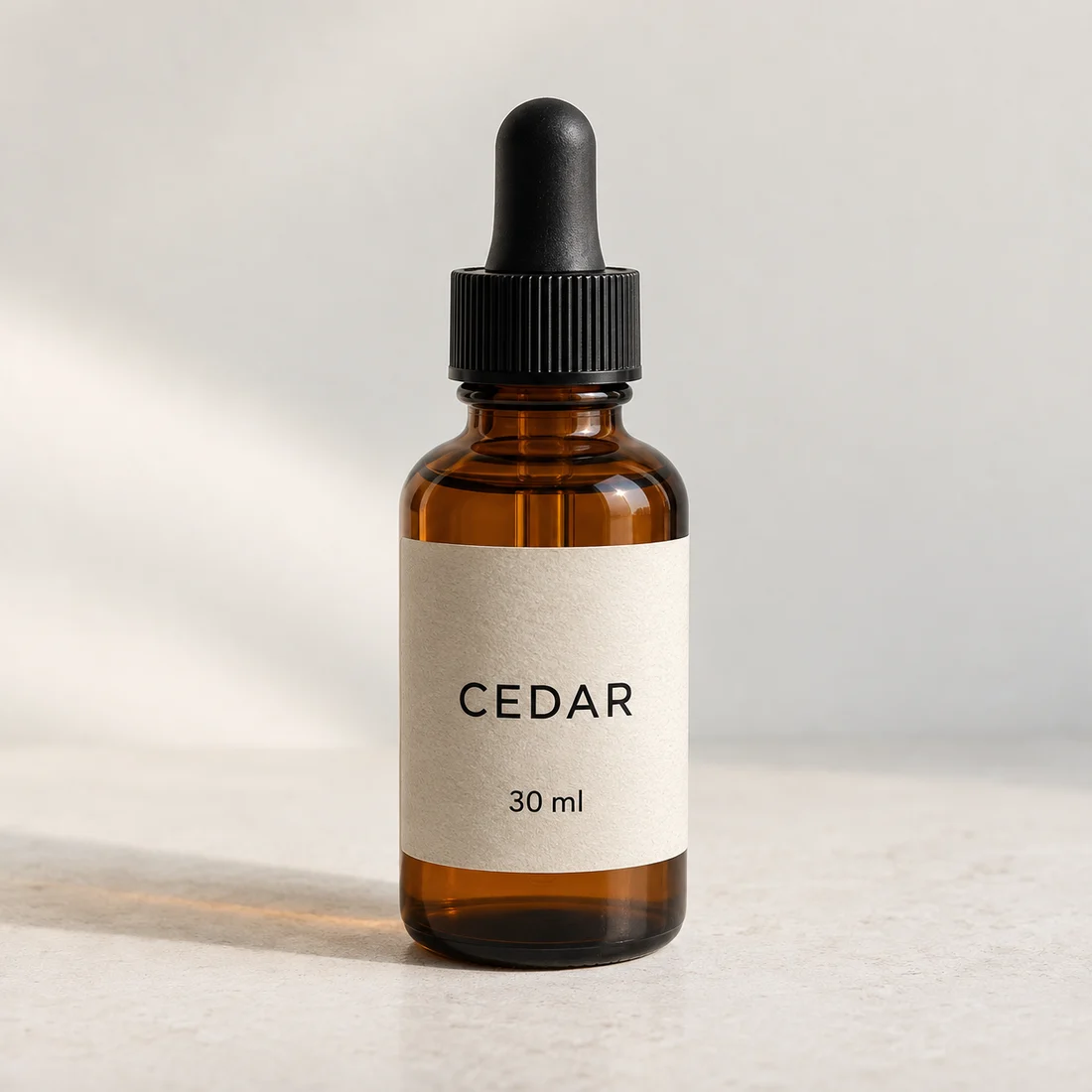
Compare spelling, quantity and symbols with the real package. If exact labeling matters, use an original product image or controlled compositing.
Use the fictional label illustration to practice checking every character, then the number and unit. On your real product, compare against the packaging file. If lettering changes, use the original label or add approved editable text in the final layout.
Open my creative starting point ↗Write down every word, number and unit on the real label. Keep a sharp packaging reference beside the generated result.
Compare the large wordmark first, then volume, small print and spacing. In the CEDAR example, inspect “30 ml” separately from the name. Zoom back out to check placement and bottle proportions; correct-looking large letters can distract from a changed quantity.
If lettering is essential, keep verified packaging photography or place approved design elements in an editor. Do not keep regenerating a wrong label just because the scene is attractive.
Why consider this directionThe fictional CEDAR bottle gives you a visible wordmark and a separate “30 ml” field to inspect.
Check before choosingCompare every letter, unit and its placement. Correct-looking large type does not validate the small information below it.
Why consider this directionThe closer view enlarges part of the same image for inspection; it is not a separate enhanced result.
Check before choosingCompare every letter, unit and its placement. Correct-looking large type does not validate the small information below it.
The current prompt-based image workflow does not provide a typesetting guarantee for a selected letter. A new request can alter other details too. For an exact label, finish with the approved artwork in a design tool and recheck the product’s shape and placement.
Content reviewed: