
Adobe Express · Tool comparisons
Adobe Express background removal: do you need a cutout or a finished design?
Removing the background of a photo and making the entire design transparent are different steps. If you searched for an Adobe Express background remover alternative, first decide whether you need a reusable subject or an editable poster. Prepare a cutout in our workspace, or keep your existing design workflow when text and layout matter.
Prepare my photo cutout ↗Independent guide · No affiliation with the named competitor · Published by My Look Story
 Reference illustration
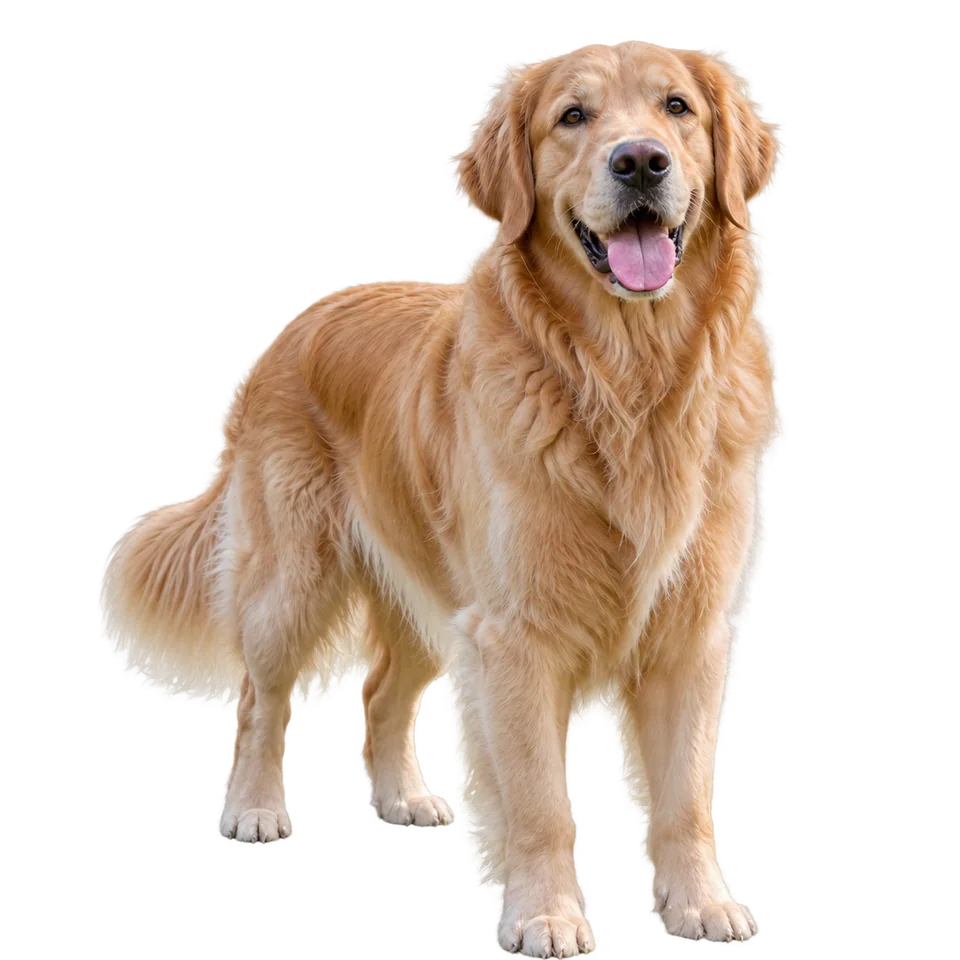 Dog cutout on a transparent background for placement in another design
The practical answer
Adobe Express removes backgrounds inside a design. To export transparency, its current help distinguishes removing the image background from setting the canvas to No fill and choosing Transparent PNG. My Look Story is an independent photo-background workflow, not an Express project editor. The English Express product link currently redirects to Firefly; that does not mean Express has stopped supporting background removal.
1. Separate the photo background from the design canvas
In the Express editor, the selected photo is an element inside a larger design. Removing its background isolates that element; a white page behind it can still be part of the exported file. Adobe's current instructions say to select outside the canvas, use Background and No fill, then choose Transparent PNG. This distinction explains why a subject can look successfully cut out while the downloaded picture still appears as a solid rectangle in another application.
Decide what you want to hand off: a finished poster with its intentional background, or just the subject for reuse. For a poster, a visible page color can be correct. For an overlay, you usually want actual transparent pixels around the subject. Do not repeatedly remove the photo background to solve a canvas-export setting. Inspect the downloaded file against another color rather than judging a white preview alone; the thumbnail and the deliverable are different evidence.
2. Choose an editor project or a portable photo asset
Stay in Express if the cutout belongs to a design you are already editing, with text, layout and other elements that need to remain together. Our photo-background workspace does not import Express projects or preserve their editable objects. A separate cutout can suit someone taking a subject to another application, but moving it out and back adds work when the project is already organized. This is a workflow choice, not a claim that one service produces universally better edges.
The current English Express feature URL leads to an Adobe Firefly background-removal page. Firefly's public page also describes moving artwork into Express. Treat the destination shown in your browser as part of the current route, not evidence that all Express functions were renamed or discontinued. Our button opens My Look Story with the background tool selected; it does not launch Adobe, sign you into an Adobe account or convert a Firefly project into our format.
3. Prepare the subject for its next layout
The dog example makes a useful check for an invitation or a personal poster: ears, paws and fur belong to the subject, while the floor and wall do not. Start with an in-focus photo, keep the complete silhouette inside the frame and leave enough space for the destination crop. An input already missing a paw cannot reliably supply that missing reference. If the portrait is yours, use a photo you have permission to process and retain the original independently.
Choose the final placement before submitting. A dark poster exposes pale halos; a light card makes leftover dark floor fragments obvious. Fine fur and low-contrast boundaries need inspection even when the body looks clean. Reflective glasses, transparent objects and motion blur create other problems than an opaque dog silhouette. The illustration explains the decision, not a guarantee that all materials will be cut out equally well or that the result meets a marketplace's product-photo rules.
4. Check the actual file after placement
Place the downloaded result on both a light and a dark background and examine ears, fur gaps and contact edges. Look at normal size first, then zoom to find fragments or missing parts. A checkerboard usually signals transparency in an interface, but a screenshot of that interface is not the same as the downloaded transparent image. Use the actual output file in the destination tool and confirm that it behaves as the resource you intended to prepare.
Transparency is only one acceptance criterion. Check that the subject has not changed scale unexpectedly, that the crop fits the card or slide, and that no essential details disappear into the destination color. A PNG extension can carry transparency but does not prove every pixel surrounding this particular subject is transparent. If the file is flattened during later conversion, fix the export path rather than expecting another background-removal request to recover all lost detail.
5. Know the access, cost and privacy boundaries
Check the current account requirements and export conditions of the service you use. We have not purchased equivalent Adobe and My Look Story tiers for a benchmark, so this guide does not name a cheaper, faster or more accurate winner. Our live workspace shows the applicable request and credit amount before submission. Removing a background does not grant photography rights, release a person's image rights or make the whole process offline. Upload only photographs you are authorized to send.
This guide is published by My Look Story, which benefits when you use its tool, and is not affiliated with Adobe. We reviewed the current public Express instructions and Firefly destination and our own background entry; we did not test an authenticated Adobe export. Deleting a completed item from My Creations hides it from your user history, not proof of immediate erasure from providers, operational records and backups. For deletion requests, use our privacy policy and [email protected].