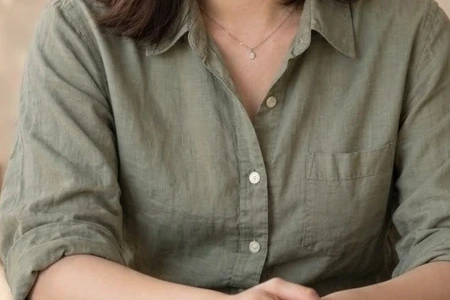
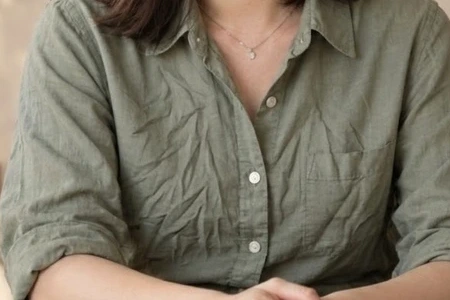
Chest and waist creases
Clothing creases only
The prominent input creases are AI-simulated. Compare chest and waist, checking fabric, buttons and seams after correction.
Edit with these settings ↗
Tidy distracting creases in shirts, suits and wedding attire. This entry selects only clothing-crease correction and asks to retain seams, fabric texture and natural drape.
Edit my photo ↗

Clothing creases only
The prominent input creases are AI-simulated. Compare chest and waist, checking fabric, buttons and seams after correction.
Edit with these settings ↗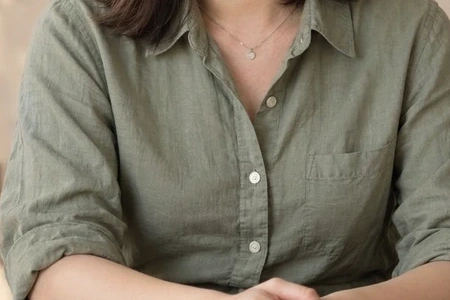
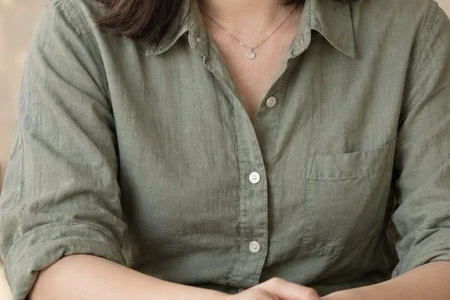
Portrait retouch → Clothing creases only
Compare chest and waist folds, checking seams, buttons and natural fabric drape.
Edit with these settings ↗The source portrait is AI-generated. The result was actually generated through our editor using Nano Banana 2.1. These are examples; results vary with the photograph.
A tidy finish should not flatten fabric. Elbows, waistlines and hems need natural folds; pleated skirts, lace and embroidery should remain. Specify the shirt front or another target in additional instructions. This option does not smooth skin wrinkles. For a different garment or colour, use AI outfit change.
Choose a photo with readable fabric detail. Decide whether the problem is a crease or an ill-fitting garment; the correction does not automatically change body shape or real clothing size.
Reduce distracting creases on the shirt front; retain buttons, seams, fabric texture and natural elbow folds.
Edit my photo ↗Upload one clear photograph. This page’s entry selects the matching feature.
Confirm the preset or corrections. Required descriptions and target colours must be filled in; other settings expand on demand.
Check the cost and submit. Select the edited result to continue editing, or download it.
The editor shows the required credits and checks your balance before submission. An insufficient balance opens a recharge prompt. Compatible choices use one task; another generation is a separate task.
Expand retouch options and add the corrections you need. Compatible items are combined in one generation at the displayed task cost.
This correction targets creases and does not promise tailoring or body reshaping. Use an outfit change to explore another garment style.