AI image editor

AI Portrait Retouch for Headshots, Weddings and Portraits

Choose professional, wedding or portrait presets for a commercial retouch finish, or Natural for a lighter correction. Presets combine tone, temporary blemishes, glasses glare, clothing creases, teeth and flyaways in one submission.

Edit my photo ↗
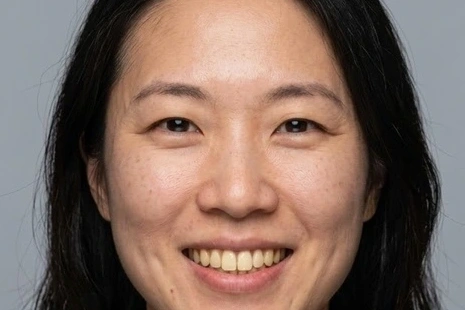
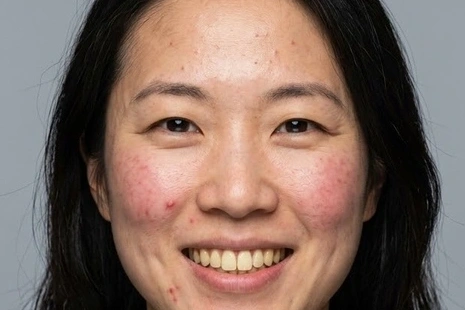
Edited result: Professional portrait retouch
Original: Professional portrait retouch
OriginalEdited result
Professional portrait retouchDrag the divider to see the change
Actual editing examples

Actual editing examples

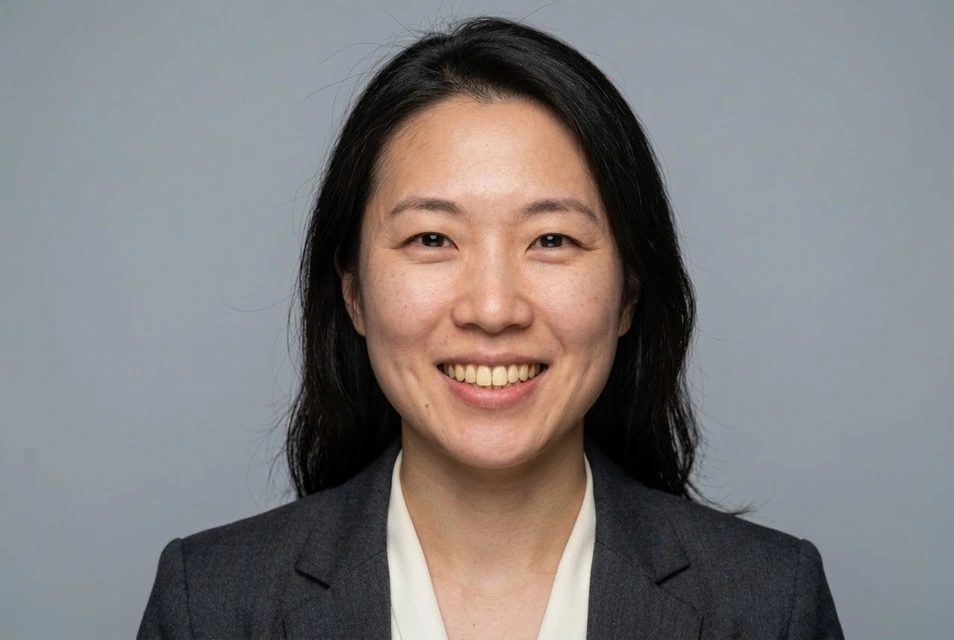
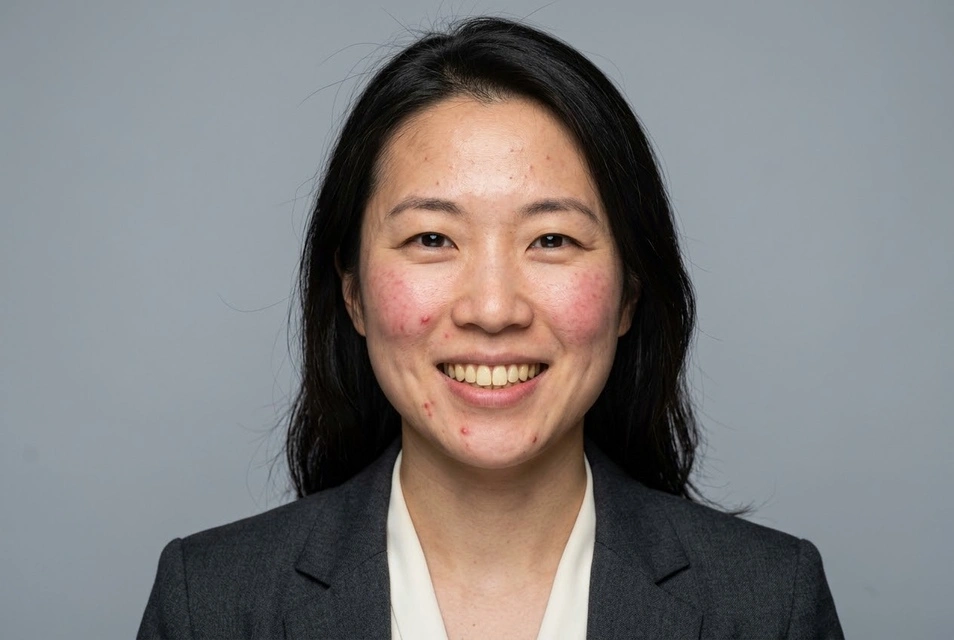
Edited result: Professional portrait retouch
Original: Professional portrait retouch
OriginalEdited result
Detail view

Professional portrait retouch

Professional preset → Standard: tone, blemishes, glare, creases

The headshot input has temporary acne and redness on the forehead, cheeks and chin. Compare tone and skin texture, then inspect the gaze, smile and suit. Glare correction is skipped where glasses are absent.

Edit with these settings ↗
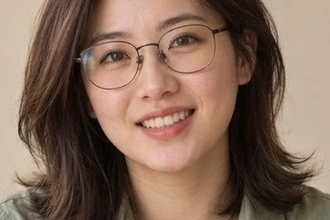
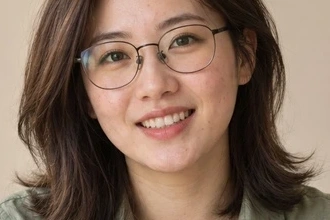
Edited result: Natural correction of minor blemishes and uneven tone
Original: Natural correction of minor blemishes and uneven tone
OriginalEdited result
Detail view

Natural correction of minor blemishes and uneven tone

Portrait retouch → Natural: even skin tone and skin blemishes

Inspect the cheeks and chin for subtle changes, with natural features and skin texture.

Edit with these settings ↗
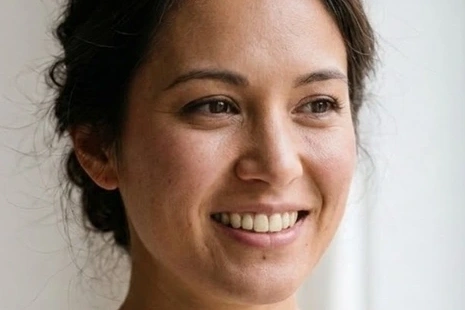
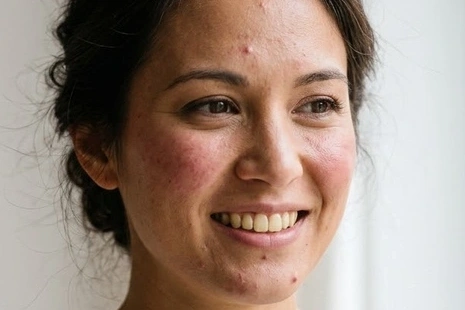
Edited result: Wedding portrait retouch
Original: Wedding portrait retouch
OriginalEdited result
Detail view

Wedding portrait retouch

Wedding retouch preset → Standard: tone, blemishes, creases, teeth, flyaways

The bridal portrait combines tone, temporary blemishes, visible teeth and flyaways in one edit. Compare cheek redness, forehead and chin acne and tooth colour; inspect the smile, lace and window light. Flyaway cleanup may remain limited.

Edit with these settings ↗

The source portrait is AI-generated. The result was actually generated through our editor using Nano Banana 2.1. These are examples; results vary with the photograph.

View the matching controls
Settings preview

Scene preset

Adjust retouch options 4Even skin tone · Skin blemishes · Glasses glare · Clothing creases
More settingsRetouch strength: Standard

Retouch strength

These are the current editing controls, not a generated result.

Choose the smallest useful set of corrections

Natural defaults to natural strength; professional, wedding and portrait presets default to standard strength, adjustable in More settings.Natural focuses on skin tone and temporary blemishes. Professional adds glasses glare and clothing creases; wedding and portrait presets offer other common combinations. Selected items stay visible in a summary while individual options and strength expand on demand. This flow does not reshape bodies or faces, and it cannot promise studio delivery quality for every photograph.

Prepare a suitable photo

Use a clear photograph that has not already been heavily smoothed. Choose corrections for features actually visible: teeth whitening should not make a closed mouth show teeth.

Check before saving

  • Skin retains texture and identifying freckles or marks.
  • Teeth look natural and the expression and gaze remain consistent.
  • Seams, glasses frames and hairline are still plausible.

Additional instruction example

Clean temporary acne and patchy redness, evening skin tone while retaining facial features, expression, age and natural skin texture.

Edit my photo ↗

From your photo to an edited result

  1. 01

    Upload one clear photograph. This page’s entry selects the matching feature.

  2. 02

    Confirm the preset or corrections. Required descriptions and target colours must be filled in; other settings expand on demand.

  3. 03

    Check the cost and submit. Select the edited result to continue editing, or download it.

The editor shows the required credits and checks your balance before submission. An insufficient balance opens a recharge prompt. Compatible choices use one task; another generation is a separate task.

Common questions

Do selected corrections generate and charge separately?

Compatible corrections compile into one editing instruction and one result. The displayed cost covers that task; another generation is a separate submission.

Can this replace final commercial retouching?

Presets simplify the task, but input quality, obstruction and fine detail affect the result. Inspect faces and clothing before delivering wedding or professional portraits.

AI Portrait Retouch for Headshots, Weddings and Portraits

Edit my photo ↗