Complete presets · AI headshots
Choose a professional scene with coordinated clothing, background and framing for a résumé, LinkedIn or business profile.
Explore AI headshots →
Replace casual clothing with a suit, or explore evening and wedding attire in an existing photo. Choose an outfit preset or describe the cut, fabric and colour. No brushing is needed; the edit aims to retain the person, pose and background.
Edit my photo ↗
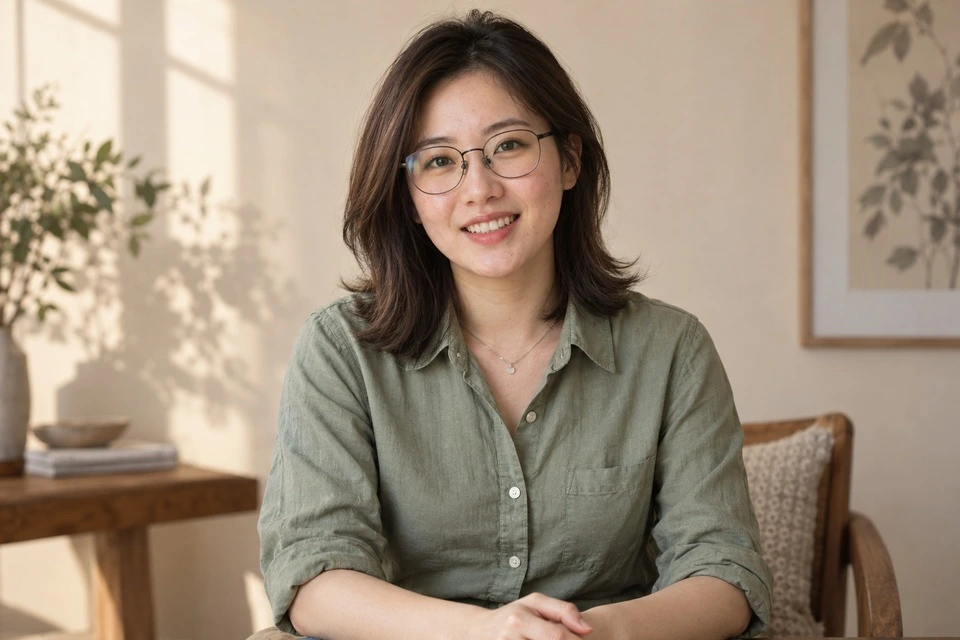
Choose a professional scene with coordinated clothing, background and framing for a résumé, LinkedIn or business profile.
Explore AI headshots →Work from your current photograph: choose an outfit, describe clothing or change only its colour.
Outfit change → Outfit presets → Business
Inspect the new suit and check the person, glasses, necklace, hands and background.
Edit with these settings ↗
Outfit preset → Casual
Compare the light jacket and inner layer, checking the face, glasses, necklace, hands and background.
Edit with these settings ↗
Outfit preset → Evening
Compare the neckline, fabric and drape of the dark evening outfit, checking its fit to the original pose and lighting.
Edit with these settings ↗
Describe clothing → Beige linen blazer and ivory blouse
Check the beige linen blazer and ivory blouse against the description, and inspect the necklace, glasses and identity.
Edit with these settings ↗The source portrait is AI-generated. The result was actually generated through our editor using Nano Banana 2.1. These are examples; results vary with the photograph.
Business, casual, evening and wedding presets suggest a new outfit. Use Describe clothing for a specific brief such as a beige linen suit. Choose Recolour clothing when the original cut and pattern should stay. This workflow accepts one photo and words, with no second garment-reference slot or promise of an exact product replica.
Use a photo with a visible clothing outline and limited obstruction. A half-body shot can show collars and shoulders; trousers and hems need to be visible to evaluate them. Do not expect clothing outside the frame to appear.
Replace the visible clothing with a beige linen suit; keep the face, pose, necklace and background.
Edit my photo ↗Upload one clear photograph. This page’s entry selects the matching feature.
Confirm the preset or corrections. Required descriptions and target colours must be filled in; other settings expand on demand.
Check the cost and submit. Select the edited result to continue editing, or download it.
The editor shows the required credits and checks your balance before submission. An insufficient balance opens a recharge prompt. Compatible choices use one task; another generation is a separate task.
It can explore an outfit visually, but it cannot measure size, fabric feel or real fit. Verify the physical item before using the image as purchase evidence.
Select the Edited result tab and switch to Portrait retouch. The result becomes the starting photo. Each submission is a separate task with the displayed cost.